
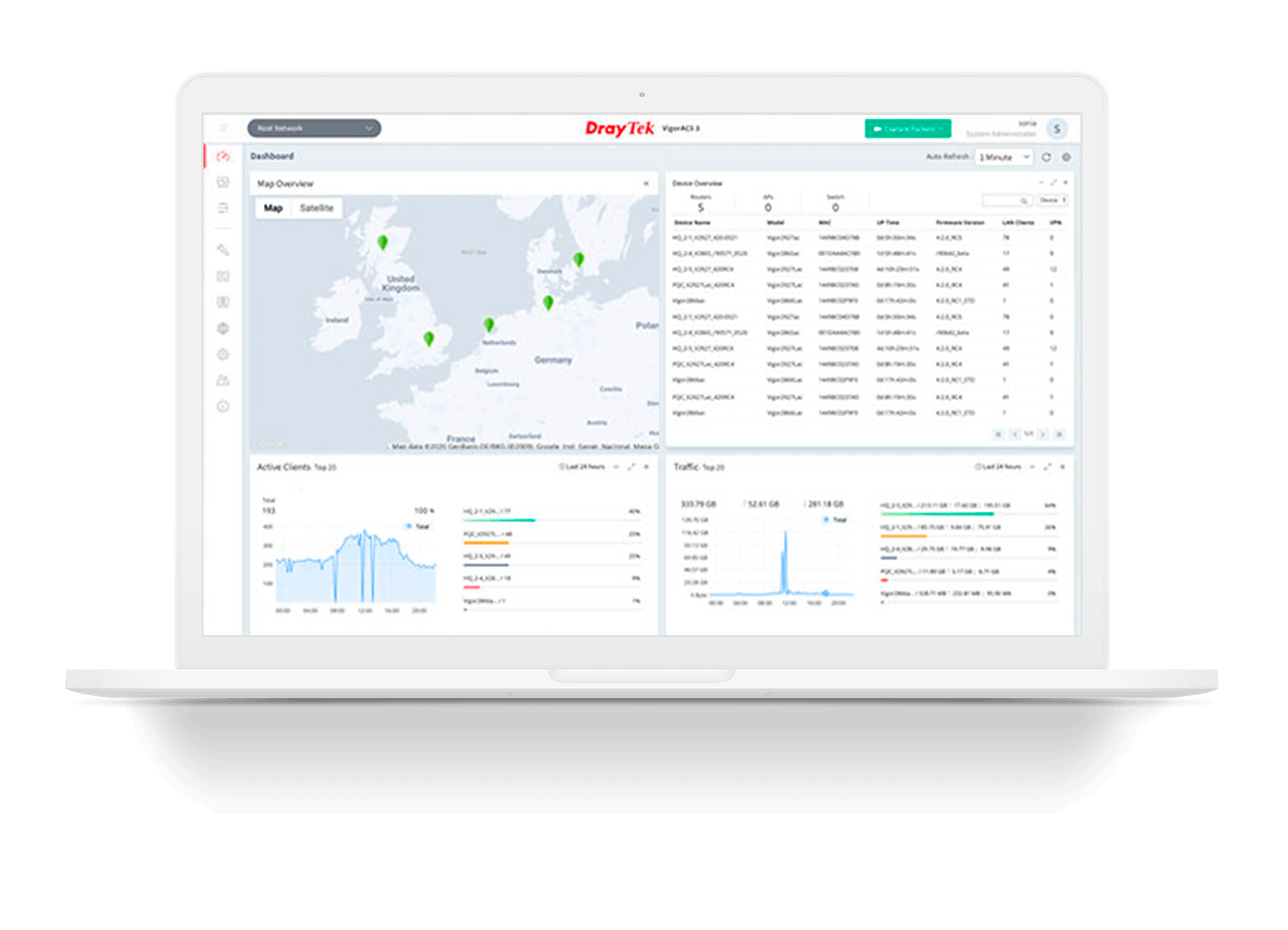
NMS for Vigor Devices
VigorACS 3 is the latest version of DrayTek’s Network Management System (NMS). It supports all current DrayTek routers, access points, and switches, providing a integrated platform for configuration, monitoring and management.
Overview
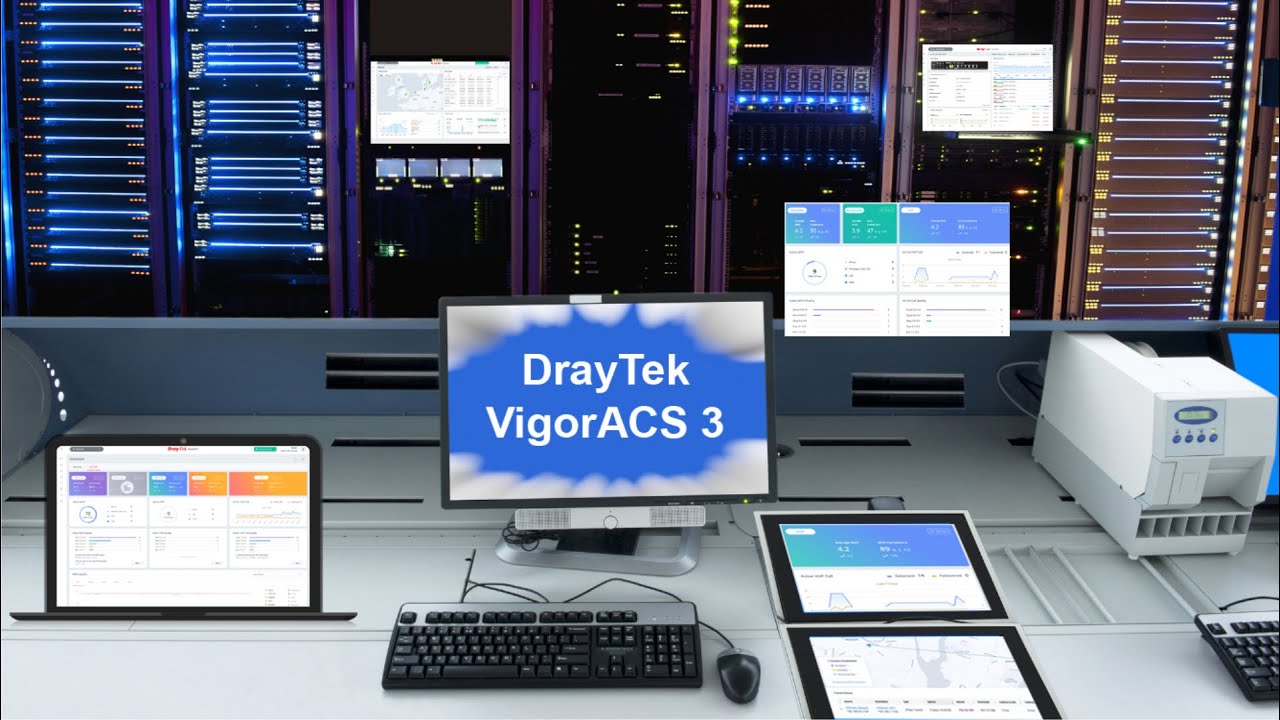
VigorACS 3 – Network Management System
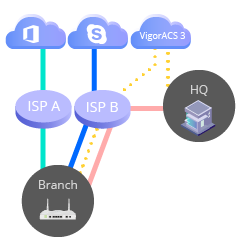
VigorACS 3 is also the core of the DrayTek SD-WAN solution. It is the central software Network Administrators use to configure, provision, and monitor edge routers.
Account: guest
Password: guest12345
SD-WAN Orchestrator
Quality-Driven Dashboard
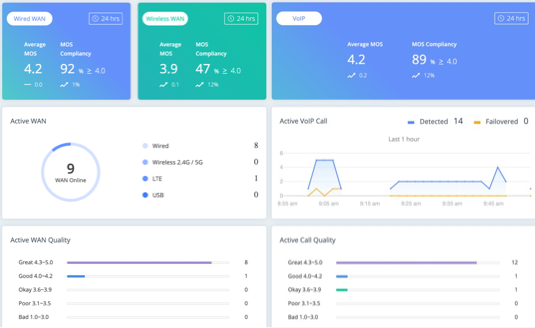
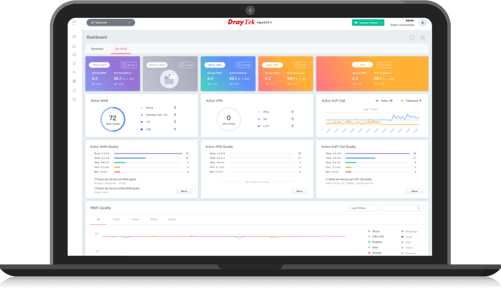
The quality of every WAN/VPN interface is measured by latency, loss, and jitter. A quality-driven dashboard shows Network Administrators the reliability of each interface at a glance.
VoIP MOS and SLA
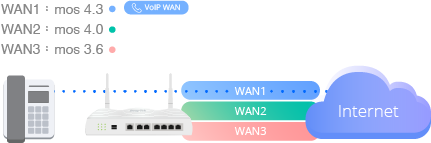
Every VoIP call is also monitored for MOS, latency, loss, and jitter. A call history list lets Network Administrators easily retrieve details on calls with poor quality.
VoIP Experience Optimization
Based on interface quality records, VigorACS 3 can adjust the metric so that all edge routers always use the best-quality interface for VoIP, optimizing the VoIP experience.
Application Visibility and SD-WAN Policy
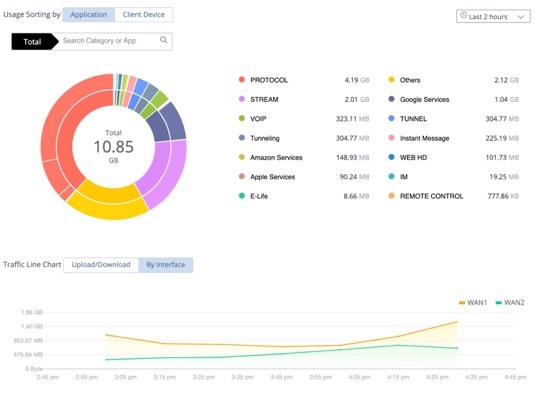
Application visibility shows Network Administrators how data is used: by each individual client, over which WAN, to which application, and at what time.
Using application visibility, Network Administrators can create SD-WAN policies that send business-critical applications over the best-quality interface to optimize the user experience.
Compatible Devices for SD-WAN
| Model | Firmware Version |
|---|---|
| Vigor2865 | 4.2.0 or later |
| Vigor2865 LTE | 4.2.0 or later |
| Vigor2865L-5G | 4.4.5 or later |
| Vigor2866 | 4.3.2 or later |
| Vigor2866 LTE | 4.3.2 or later |
| Vigor2927 | 4.2.0.1 or later |
| Vigor2927 LTE | 4.2.0.1 or later |
| Vigor2927L-5G | 4.4.5 or later |
| Vigor2962 | 4.3.1 or later |
| Vigor3910 | 4.3.1 or later |
| Vigor3912 | 4.3.5.1 or later |
More about SD WAN
Client Management with Captive Portal
VigorACS 3 as Captive Portal Server
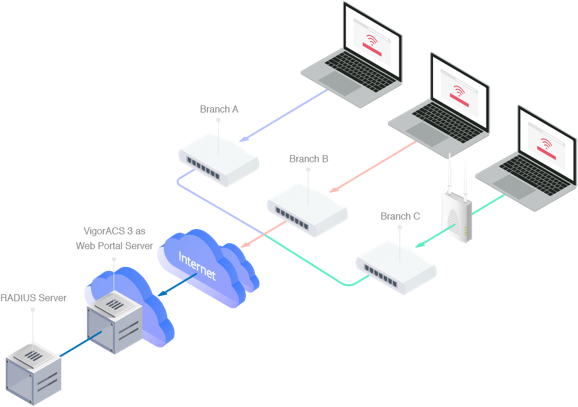
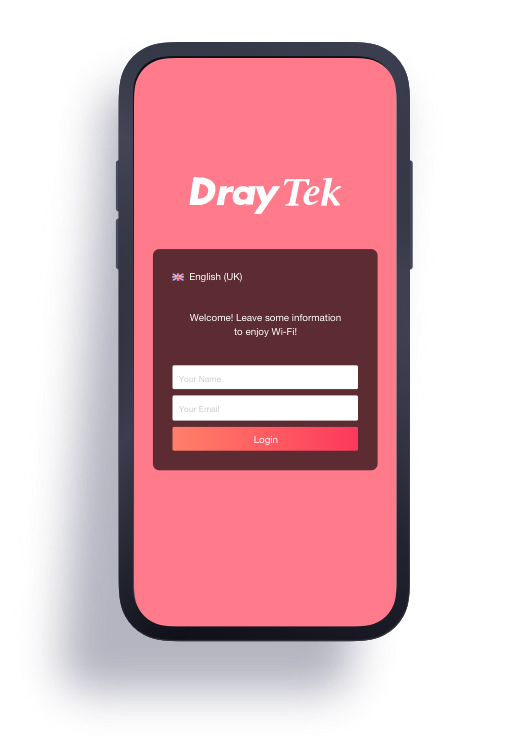
Many Vigor Router and VigorAP models support captive portal functions, redirecting LAN clients to VigorACS 3 to complete the hotspot login process. This is ideal for retail, restaurants, coffee shops, and hospitality businesses that want to do WiFi marketing and learn more about their customers for future marketing campaigns.
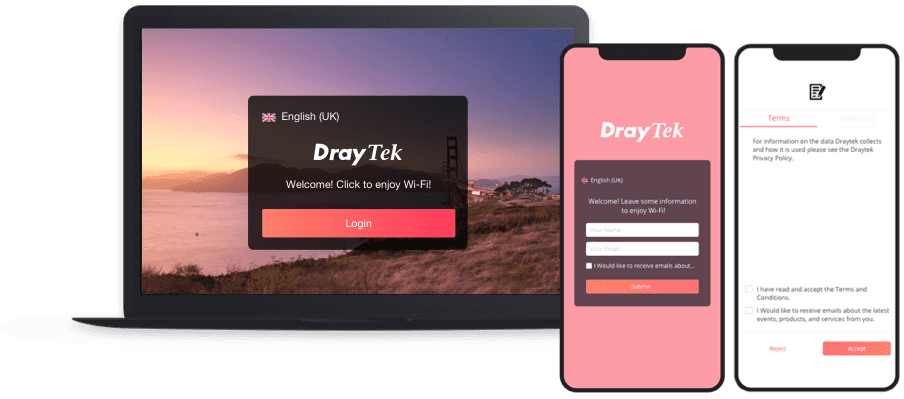
Robust Splash Page with Multilingual
Customize the splash page intuitively to meet your business needs. Live preview gives you a “what you see is what you get” editing experience. With support for 20 different languages, restaurant and hospitality owners can speak their customers’ language.
Terms and conditions and marketing terms are also available, and you can choose whether users must tick the checkboxes to get Internet access. Bandwidth limits, time quotas, and device management can also be applied to client devices.
Hotspot Clients Analytics
Beyond the splash page, VigorACS 3 provides a detailed analytics view that gives business owners an in-depth understanding of new customers, returning customers, visit frequency, which branches were visited, and more, so they can plan further marketing campaigns accordingly.
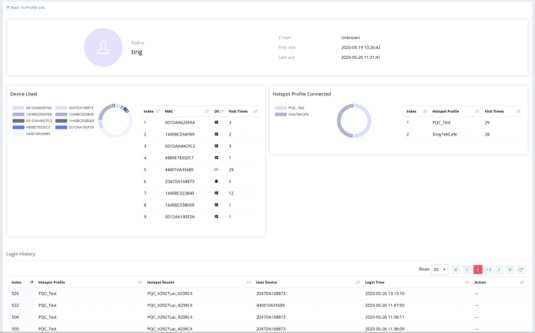
Compatible Devices for VigorACS 3 Hotspot
| Model | Firmware Version |
|---|---|
| Vigor2135 | 4.2.1.2 or later |
| Vigor2765 | 4.0.5 or later |
| Vigor2766 | 4.3.1.2 or later |
| Vigor2832 | 3.8.7 or later |
| Vigor2862 | 3.8.9 or later |
| Vigor2862 LTE | 3.8.9 or later |
| Vigor2865 | 4.0.5.1 or later |
| Vigor2865 LTE | 4.0.5.1 or later |
| Vigor2865L-5G | 4.4.5 or later |
| Vigor2866 | 4.3.2 or later |
| Vigor2866 LTE | 4.3.2 or later |
| Vigor2915 | 4.0.5 or later |
| Vigor2927 | 4.2.0.1 or later |
| Vigor2927 LTE | 4.2.0.1 or later |
| Vigor2927L-5G | 4.4.5 or later |
| Vigor2962 | 3.9.3 or later |
| Vigor3910 | 3.9.2 or later |
| Vigor3912 | 4.3.5.1 or later |
| Vigor2762 | Phased-out Model |
| Vigor2860 | Phased-out Model |
| Vigor2860 LTE | Phased-out Model |
| Vigor2925 | Phased-out Model |
| Vigor2925 LTE | Phased-out Model |
| Vigor2926 | Phased-out Model |
| Vigor2926 LTE | Phased-out Model |
| Vigor2952 | Phased-out Model |
| Vigor2952P | Phased-out Model |
| Vigor3220 | Phased-out Model |
Note :
- For the phased-out models : As the software and hardware have stopped updating, the product is not guaranteed to operate normally.
- For models not listed above, the product is also not guaranteed to operate normally.
More about Hotspot
Compatible Devices
Routers
Vigor130 (f/w 3.8.2 or later)
Vigor165 (f/w 4.0.4 or later)
Vigor166 (f/w 4.0.5 or later)
Vigor167 (f/w 5.1 or later)
Vigor180 (f/w 5.3.3 or later)
Vigor1220 Series (f/w 5.4.0 or later)
Vigor C410 Series (f/w 5.3.1 or later)
Vigor C510 Series (f/w 5.3.1 or later)
Vigor2135 Series (f/w 4.2.1.2 or later)
Vigor2136 Series (f/w 5.3.0 or later)
Vigor2136F Series (f/w 5.4.0 or later)
Vigor2136ax-4G Series (f/w 5.3.5 or later)
Vigor2620 LTE Series (f/w 3.8.11 or later)
VigorLTE 200n (f/w 3.8.14 or later)
Vigor2763 Series (f/w 4.4.2 or later)
Vigor2765 Series (f/w 4.0.5 or later)
Vigor2766 Series (f/w 4.3.1.2 or later)
Vigor2767 Series (f/w 5.3.5 or later)
Vigor2767ax-4G Series (f/w 5.3.6 or later)
Vigor2832 Series (f/w 3.8.7 or later)
Vigor2862 Series (f/w 3.8.9 or later)
Vigor2862 LTE Series (f/w 3.8.9 or later)
Vigor2865 Series (f/w 4.0.5.1 or later)
Vigor2865 LTE Series (f/w 4.0.5.1 or later)
Vigor2865L-5G (f/w 4.4.5 or later)
Vigor2866 Series (f/w 4.3.2 or later)
Vigor2866 LTE Series (f/w 4.3.2 or later)
Vigor2867 Series (f/w 5.4.2 or later)
Vigor2867be-4G (f/w 5.4.4 or later)
Vigor2867be-5G (f/w 5.4.4 or later)
Vigor2915 Series (f/w 4.0.5 or later)
Vigor2927 Series (f/w 4.2.0.1 or later)
Vigor2927 LTE Series (f/w 4.2.0.1 or later)
Vigor2927L-5G (f/w 4.4.5 or later)
Vigor2928 Series (f/w 5.4.1 or later)
Vigor2928be-4G (f/w 5.4.4 or later)
Vigor2928be-5G (f/w 5.4.4 or later)
Vigor1000B (f/w 4.3.1 or later)
Vigor2962 (f/w 3.9.3 or later)
Vigor3910 (f/w 3.9.2 or later)
Vigor3912 Series (f/w 4.3.5.1 or later)
Phased-out Models :
Vigor2760
Vigor2762
Vigor2860
Vigor2860 LTE
Vigor2925
Vigor2925 LTE
Vigor2926
Vigor2926 LTE
Vigor2952
Vigor2952P
Vigor2960
Vigor300B
Vigor3220
Vigor3900
Access Points
VigorAP 807 (f/w 5.1.1 or later)
VigorAP 1070C (f/w 5.1.0 or later)
VigorAP 1062C (f/w 1.5.2 or later)
VigorAP 805 (f/w 5.0.1 or later)
VigorAP 905 (f/w 5.0.4 or later)
VigorAP 903 (f/w 1.3.1 or later)
VigorAP 906 (f/w 1.4.5 or later)
VigorAP 912C (f/w 1.3.1 or later)
VigorAP 918R Series (f/w 1.3.2 or later)
VigorAP 962C (f/w 1.5.4 or later)
Phased-out Models :
VigorAP 1000C
VigorAP 1060C
VigorAP 710
VigorAP 802
VigorAP 810
VigorAP 900
VigorAP 902
VigorAP 910C
VigorAP 920R Series
VigorAP 960C
Switches
VigorSwitch G1085 (f/w 2.6.0 or later)
VigorSwitch P1282 (f/w 2.7.0 or later)
VigorSwitch G1282 (f/w 2.6.9 or later)
VigorSwitch P1281x (f/w 2.9.2 or later)
VigorSwitch PX2060 (f/w 2.9.9 or later)
VigorSwitch P2100 (f/w 2.6.5 or later)
VigorSwitch G2100 (f/w 2.6.5 or later)
VigorSwitch FX2120 (f/w 3.7.0 or later)
VigorSwitch Q2121x (f/w 2.8.1 or later)
VigorSwitch PQ2121x (f/w 2.8.1 or later)
VigorSwitch Q2200x (f/w 2.7.1 or later)
VigorSwitch PQ2200xb (f/w 2.7.1 or later)
VigorSwitch Q2300x (f/w 2.9.4 or later)
VigorSwitch PQ2300xb (f/w 2.9.4 or later)
VigorSwitch P2280x (f/w 2.6.1 or later)
VigorSwitch G2280x (f/w 2.6.1 or later)
VigorSwitch P2282x (f/w 2.9.1 or later)
VigorSwitch G2282x (f/w 2.9.1 or later)
VigorSwitch P2540xs (f/w 2.6.3 or later)
VigorSwitch G2540xs (f/w 2.6.3 or later)
VigorSwitch G2542x (f/w 3.9.7 or later)
VigorSwitch P2542x (f/w 3.9.8 or later)
VigorSwitch P2542xh (f/w 3.9.8 or later)
Phased-out Models :
VigorSwitch P1085
VigorSwitch P1280
VigorSwitch G1280
VigorSwitch P2121
VigorSwitch G2121
VigorSwitch P2280
VigorSwitch G2280
VigorSwitch P2500
VigorSwitch G2500
VigorSwitch P2540x
VigorSwitch G2540x
Note :
- For the phased-out models : As the software and hardware have stopped updating, the product is not guaranteed to operate normally.
- For models not listed above, the product is also not guaranteed to operate normally.
System Requirement
Server
-
Operating System: 64-bit Windows (Windows 7, Windows 8, Windows 10, Windows 11) or Multiple Linux distribution (e.g., Ubuntu, SUSE, OpenSUSE, CentOS)
-
CPU: Intel® i3-10105F Processor with 4 Cores, 8 Threads, and 6M Caches or Intel® AMD Ryzen 3 7320U Processor with 4 Cores, 8 Threads, and 4M Caches
-
Memory: 10GB RAM (DDR4/DDR5), Storage: 200GB (SSD Recommended, read 7000MB/s, write 7000MB/s)
Client
-
Browser: Firefox, Chrome, Opera, Safari, IE, Edge(version 79 or later)
Getting Started!
VigorACS 3 is free for 30 days. to get the installation package.
Key Features

Provisioning
Allow new devices to set themselves up and download the latest firmware.

Monitoring
Get notified when a device lost its WAN, VPN, or connection with the ACS server.

Statistics
Network insights about device, client, and traffic over a specified period.

VPN Wizard
Create an IPsec, L2TP, or SSL VPN between managed devices within a few clicks.

Scheduled Maintenance
Schedule a off-hour firmware update, configuration change, or device restart

Report
Generate network-based report about traffic, firmware version, device status and more.

SD-WAN
Intelligent Cloud first way to auto detect, and to optimize routing path or scheme.

Downloads
Release Notes
User’s Guide
Installers
Download VigorACS 3 for Windows, Linux and Unix-like systems from our server.