
28-Port L2+ Managed 10G PoE Switch
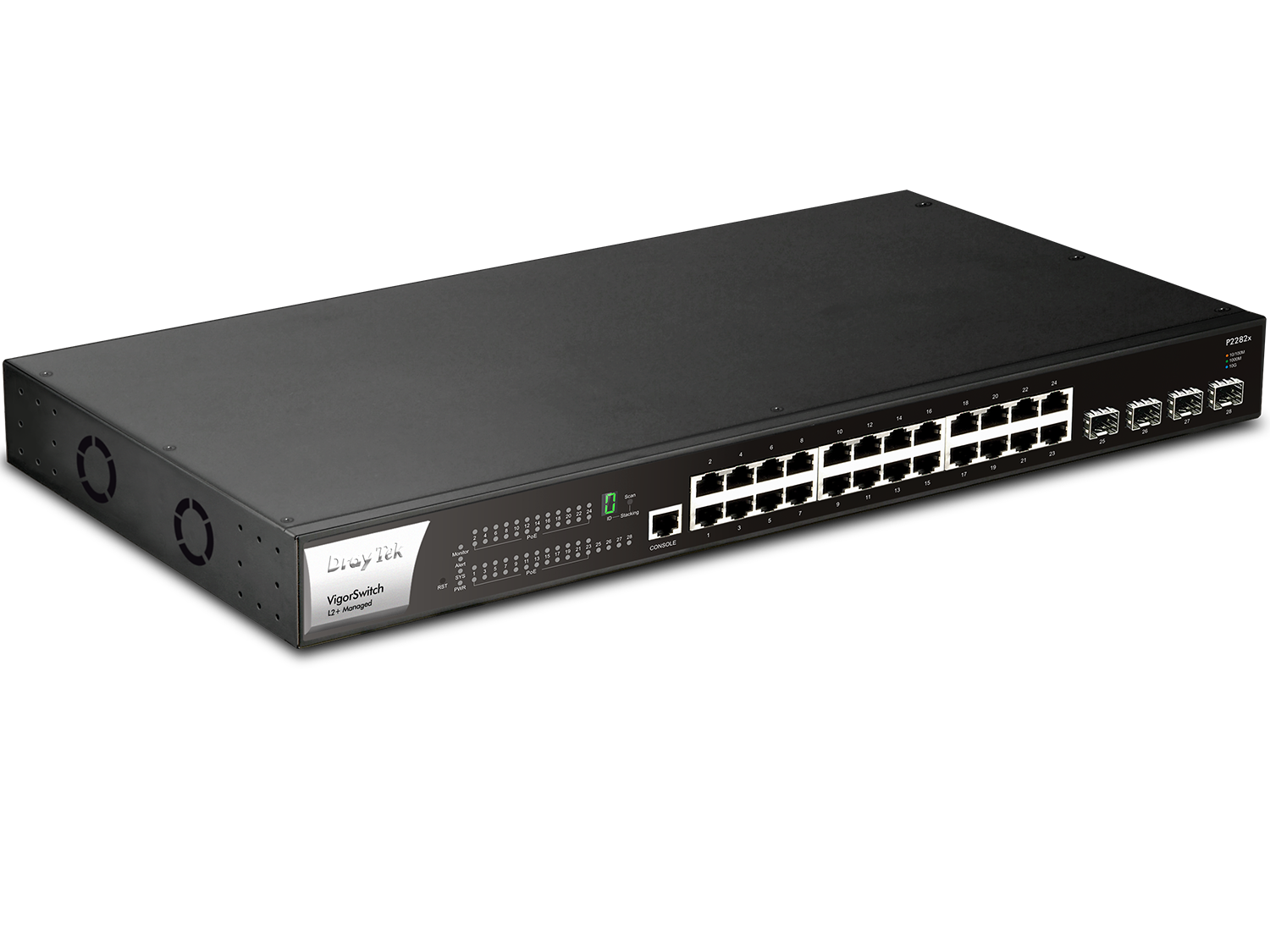
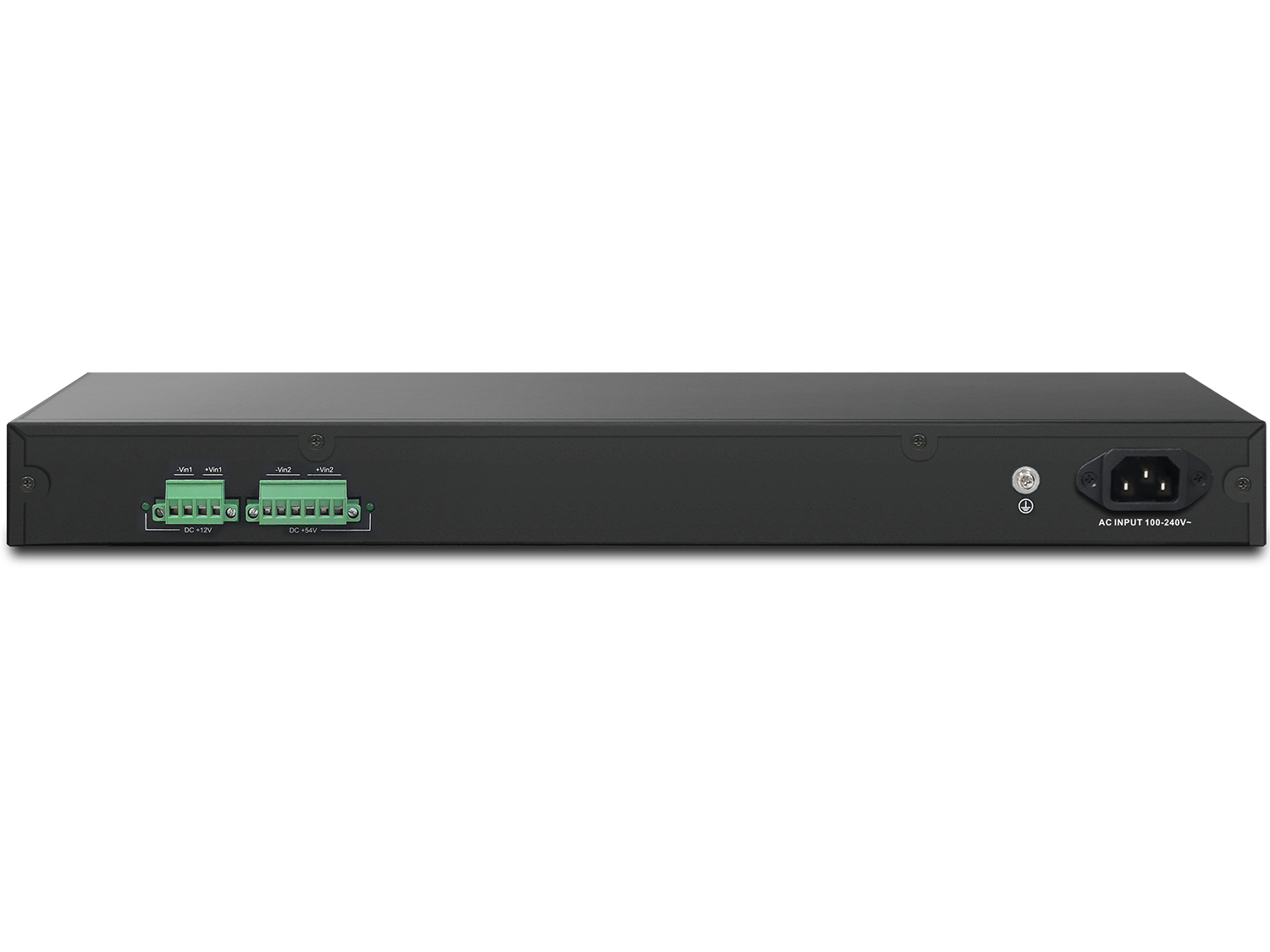
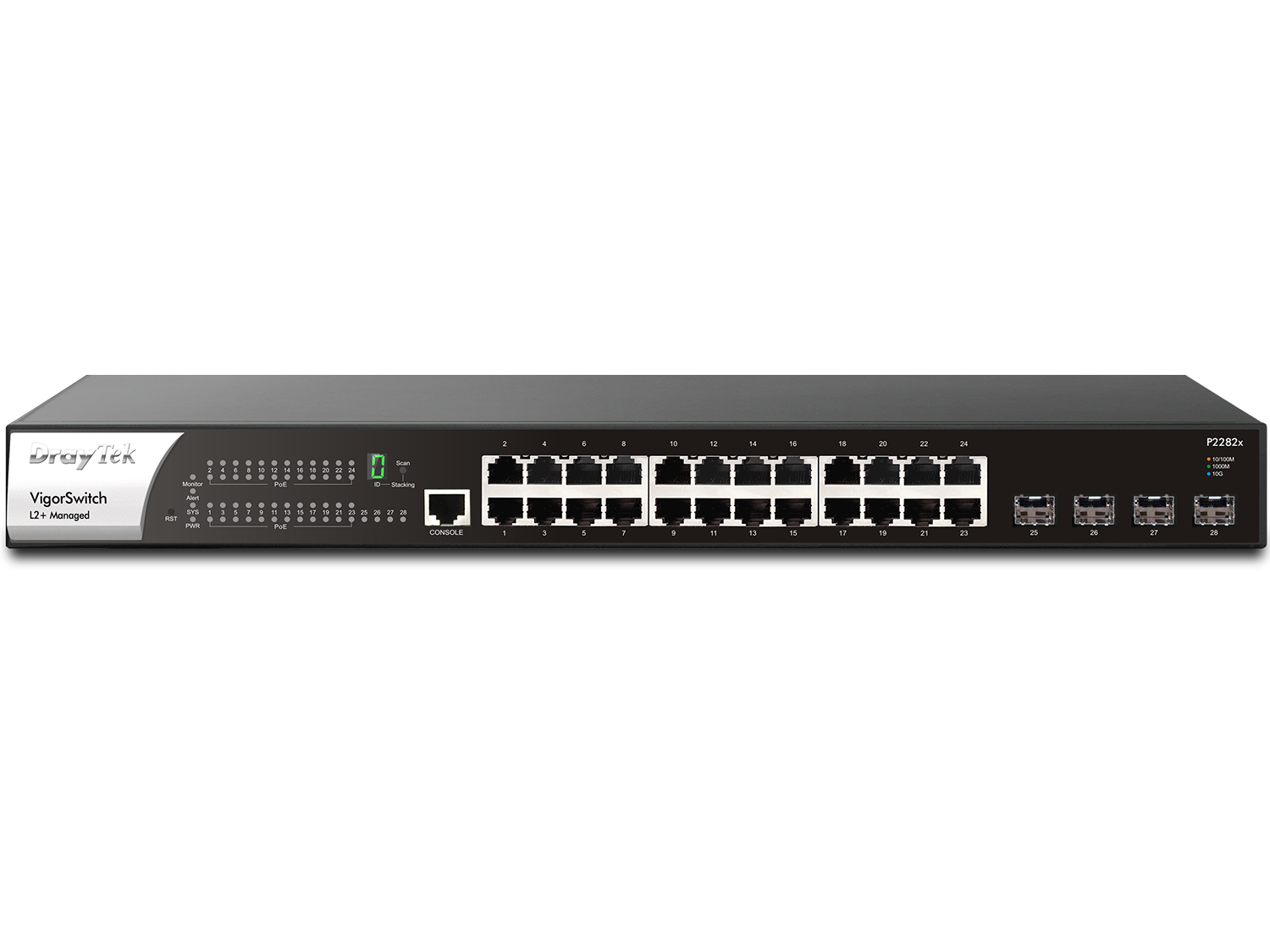
DrayTek VigorSwitch P2282x is a Layer 2+ Managed 10 Gbps switch. It has 24x Gigabit Ethernet LAN ports and 4x SFP+ 10Gbps Fiber links for uplink/downlink. Besides the fixed AC power input, VigorSwitch P2282x also provide DC power input as other power source, which helps to ensure uninterrupted operation and protect connected devices in the event of AC power supply failure.
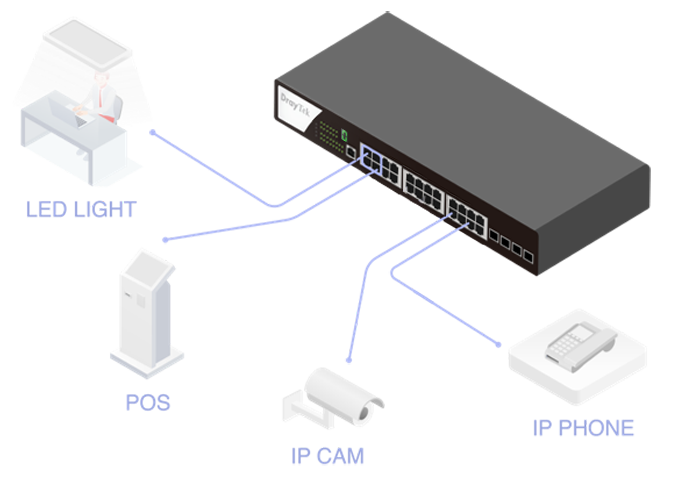
VigorSwitch P2282x has 24x PoE+ ports with 400W power budget, making it be suitable for more IoT applications integration, including LED lighting, POS (point of sale) computer, motion sensors, IP Cam,…etc. With a 12/54V DC backup power supply, VigorSwitch P2282x can protect critical data from the connected PD devices and maintain uninterrupted network connectivity.
Supporting advanced Layer 3 features, including DHCP Server and VLAN Routing. This enhances network efficiency and ensures uninterrupted LAN connectivity, even when the gateway is offline, which makes it an excellent solution for a network with increasing traffic demands.
Product information from DrayTek.
Overview
24x PoE/PoE+
10/100/1000Mbps Ethernet, RJ-45
4x 10G SFP+
1000Mbps/10Gbps fiber slot
400 watts
PoE Power Budget
Backup Power
2x DC redundant power socket
Interface
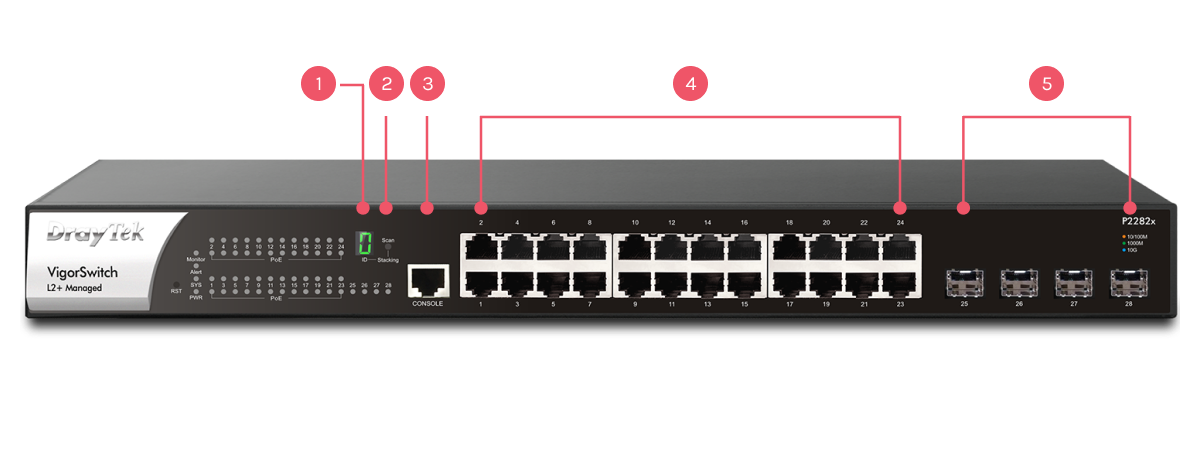
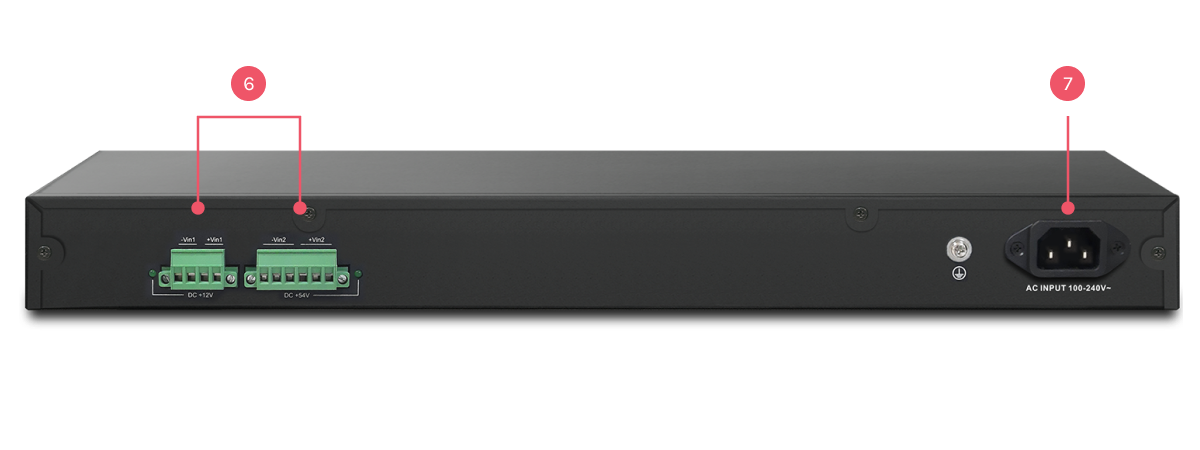
1Stack ID Indicator
2Stacking Button
3Console Port
424x PoE/PoE+ Gigabit Ethernet
54x SFP+ Port
62x DC Power Socket (backup usage)
7AC Power Supply
Advanced Layer 2+ Features
DHCP Server & VLAN Routing
Improving LAN Network Sustainability and Efficiency,
with or without a Router
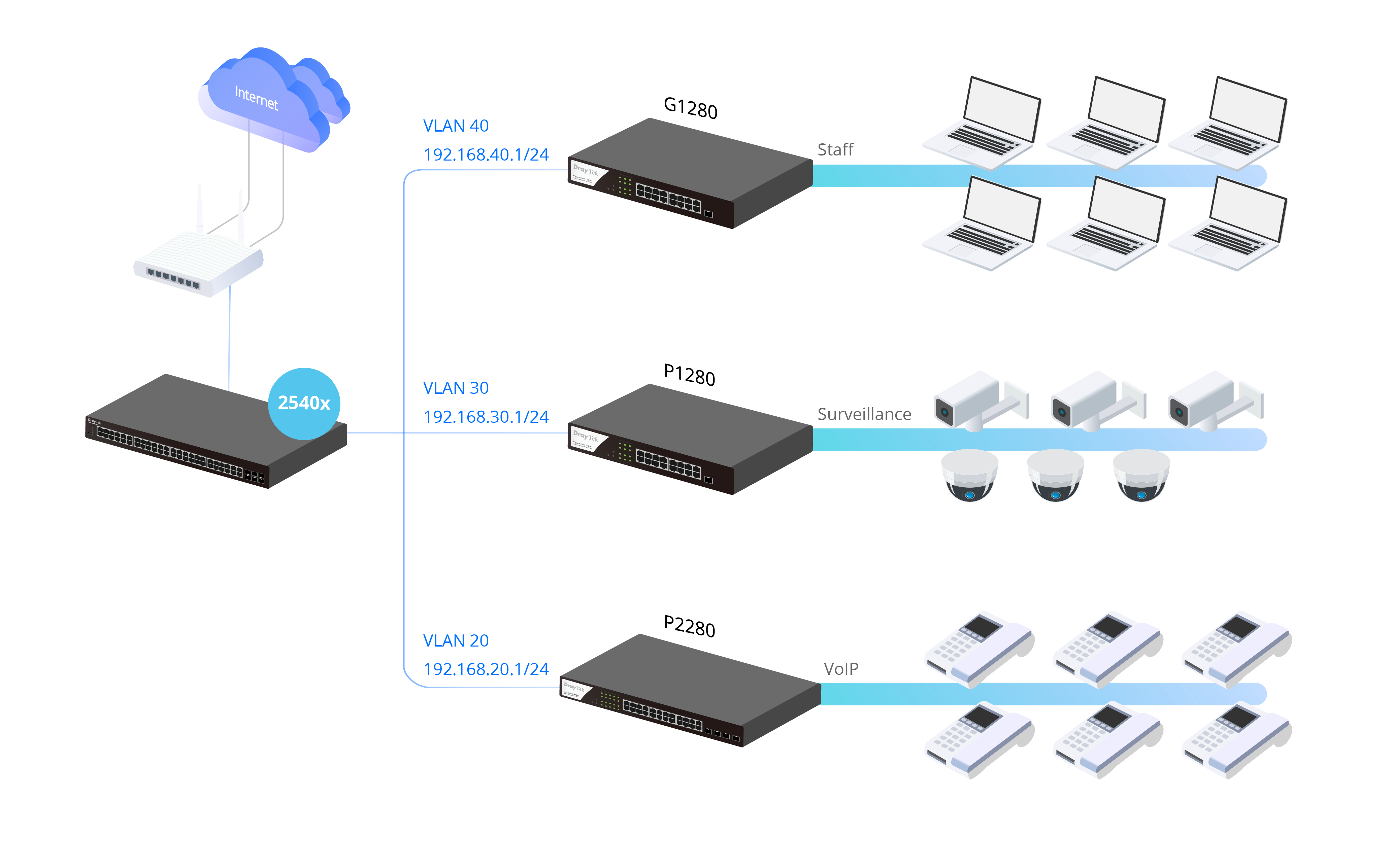
In a large LAN network, much traffic doesn’t go to Internet, but to the servers in LAN. For example, IP cameras store videos to NVR, IP phones register to PBX, clients access to file server, etc.
L2+ switch with DHCP server and VLAN routing functionalities, as the device receiving traffic before the router, is ideal to share the loading of your router and to help your LAN network to work continuously even when the router is offline.
As a DHCP server, VigorSwitch assigns dynamic IP addresses for up to 8 VLANs. With VLAN routing, VigorSwitch supports up to 512 routes.
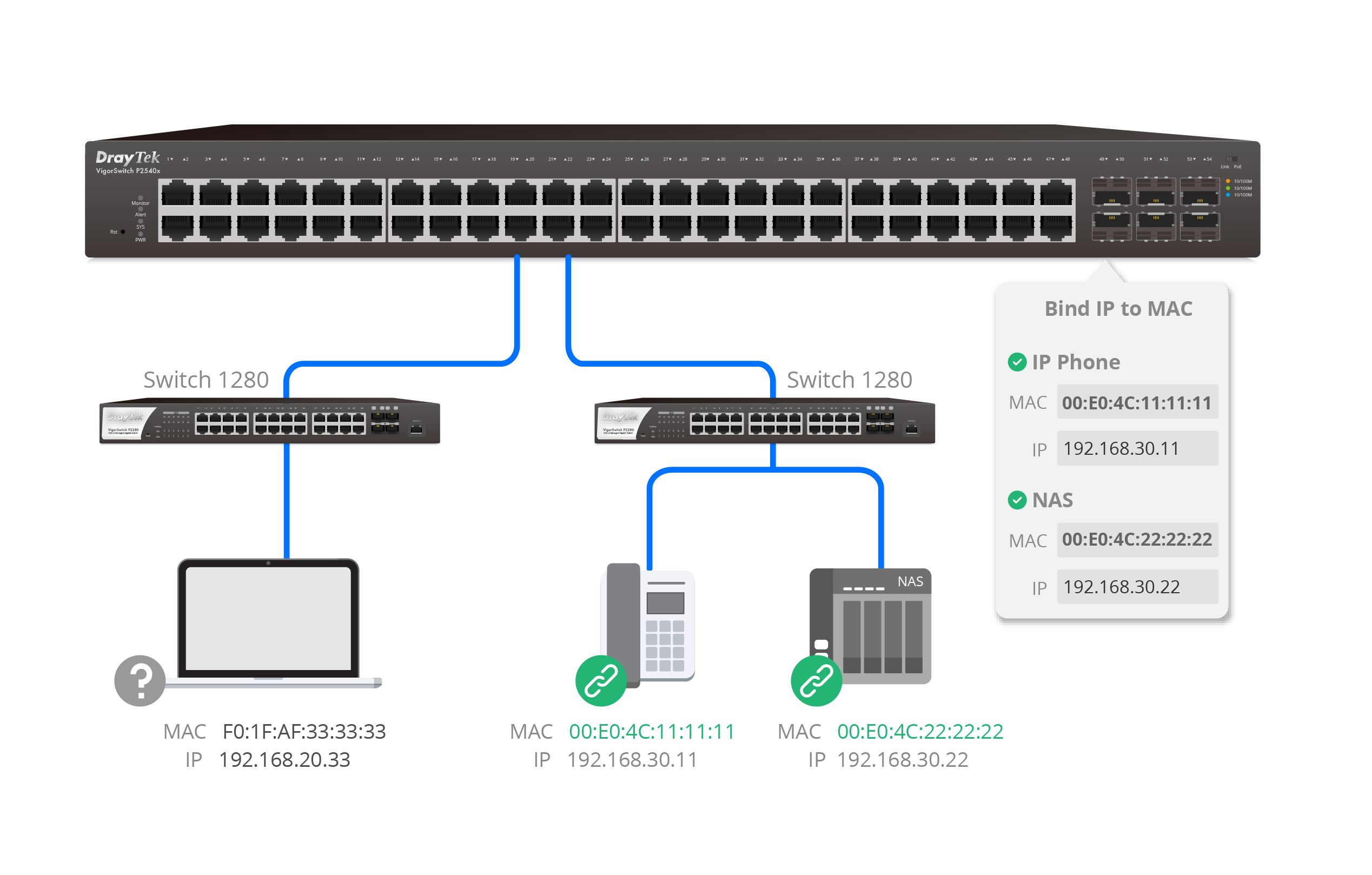
Bind IP to MAC
Reserve an IP Address for an Important Device
As a DHCP Server, layer 2+ VigorSwitch helps reserving IP addresses for your important devices that most users will access frequently.
Stacking — Build a Resilient & Flexible Network
With stacking support (Since firmware v2.10.1), up to 4 VigorSwitch P2282x units can operate as one logical switch*. It enables centralized management, unified configuration, and seamless failover, allowing the network to grow stronger, smarter, and always stay online.
Centralized Management by Single IP
Manage all stacked switches under one IP.
Scalability & Expansion
Stack up to 4 units to scale up to 96 Ethernet ports and 8x 10G SFP+ uplinks.
Config & Firmware Sync
Auto-sync VLAN, QoS, and firmware for consistent setup.
Resilience & Failover
Master switch failure ensures nonstop operation.
Integrated Security
DHCP Snooping, ARP Inspection, and Port Security across the stack.
Layer 2 Feature Integration
STP, LAG, and GVRP for redundancy and VLAN automation.
Unified Monitoring & Diagnostics
Real-time traffic view, SNMP, Syslog, and Port Mirroring support for remote monitoring and troubleshooting.
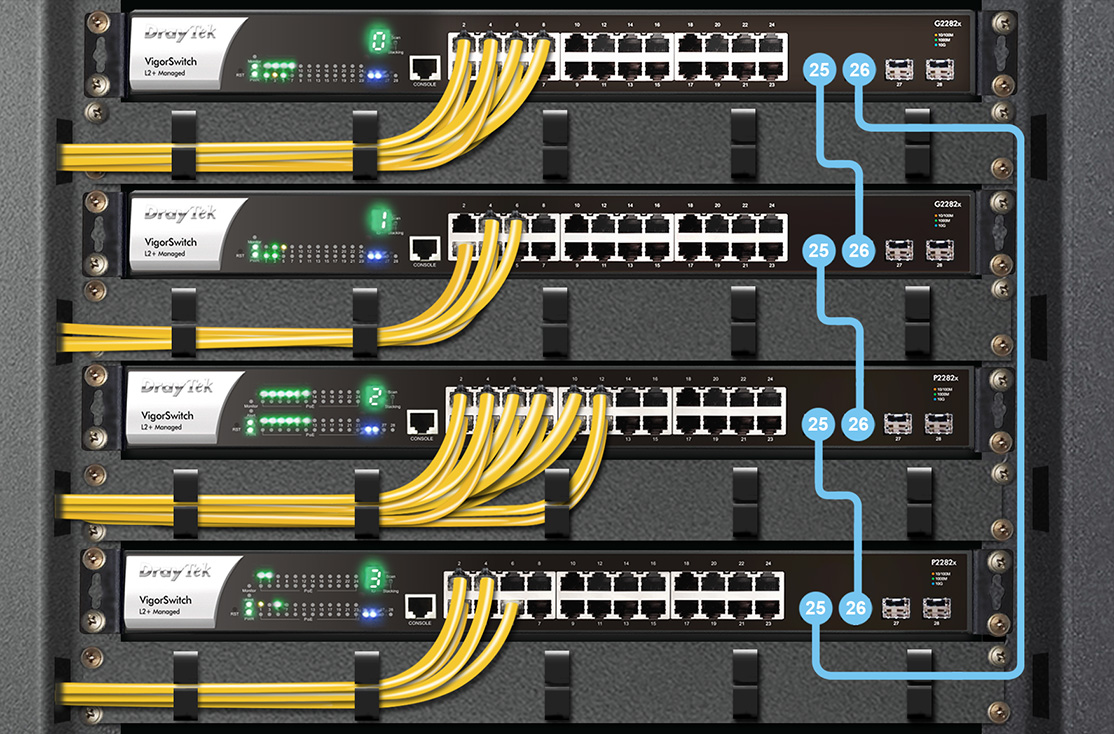
Stacking is supported only between models with the same port configuration (e.g., P2282x with G2282x), not across different series.
ONVIF-Friendly
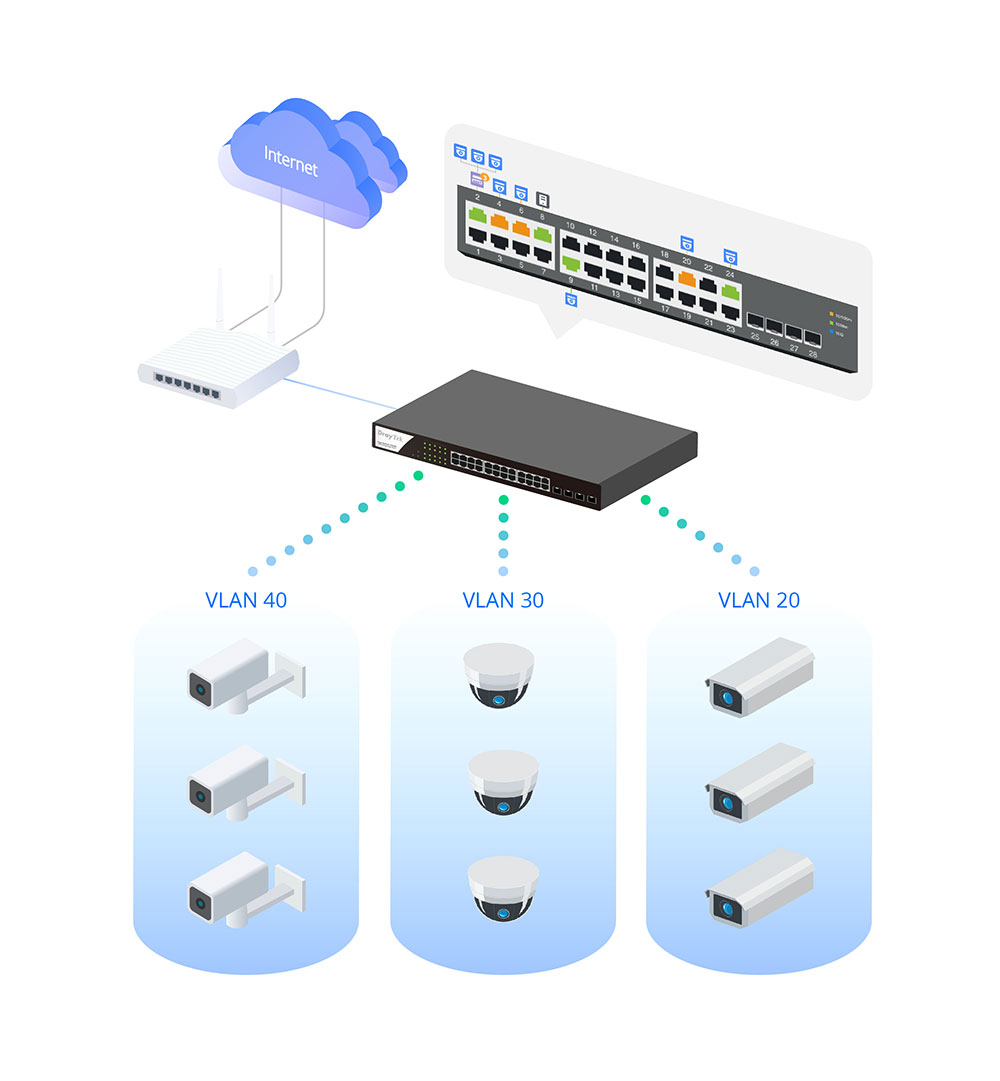
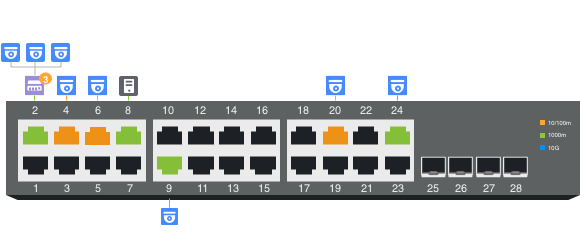
Recognize the ONVIF devices in different VLANs, display surveillance topology, provide UI for video streaming and device maintenance.
Centralized Hierarchical View
VigorSwitch automatically detects ONVIF devices, and displays the topology of connecting IP cameras and NVRs.
Images Viewing
Images filmed by IP cameras can be viewed directly on VigorSwitch.
Device Management
Support ONVIF devices basic configuration/maintenance remotely via VigorSwitch. Such as remote reboot, factory reset, network settings, etc.
ONVIF Snapshot Alert
Monitor. Detect. Recover.
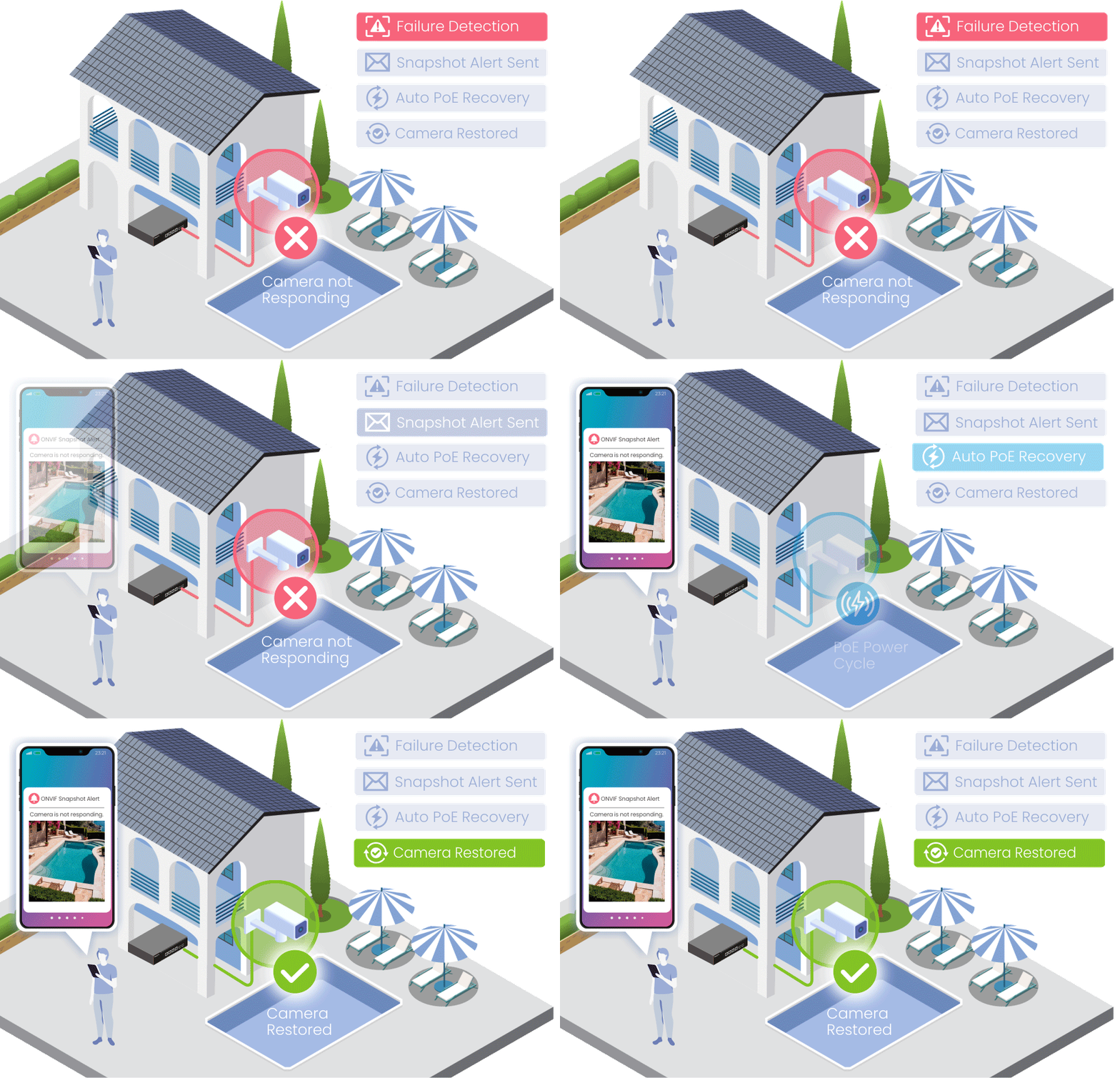
Automatically monitor ONVIF cameras and receive alerts when a camera becomes unavailable.
The latest snapshot helps identify the affected location quickly, while PoE auto recovery can help restore camera operation automatically.
Key Benefits
- Snapshot Alerts
- Camera Monitoring
- Auto Recovery
- Faster Response
- Reduced Downtime
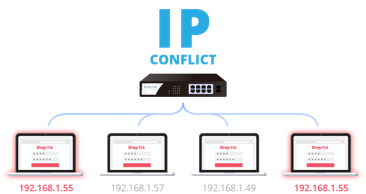
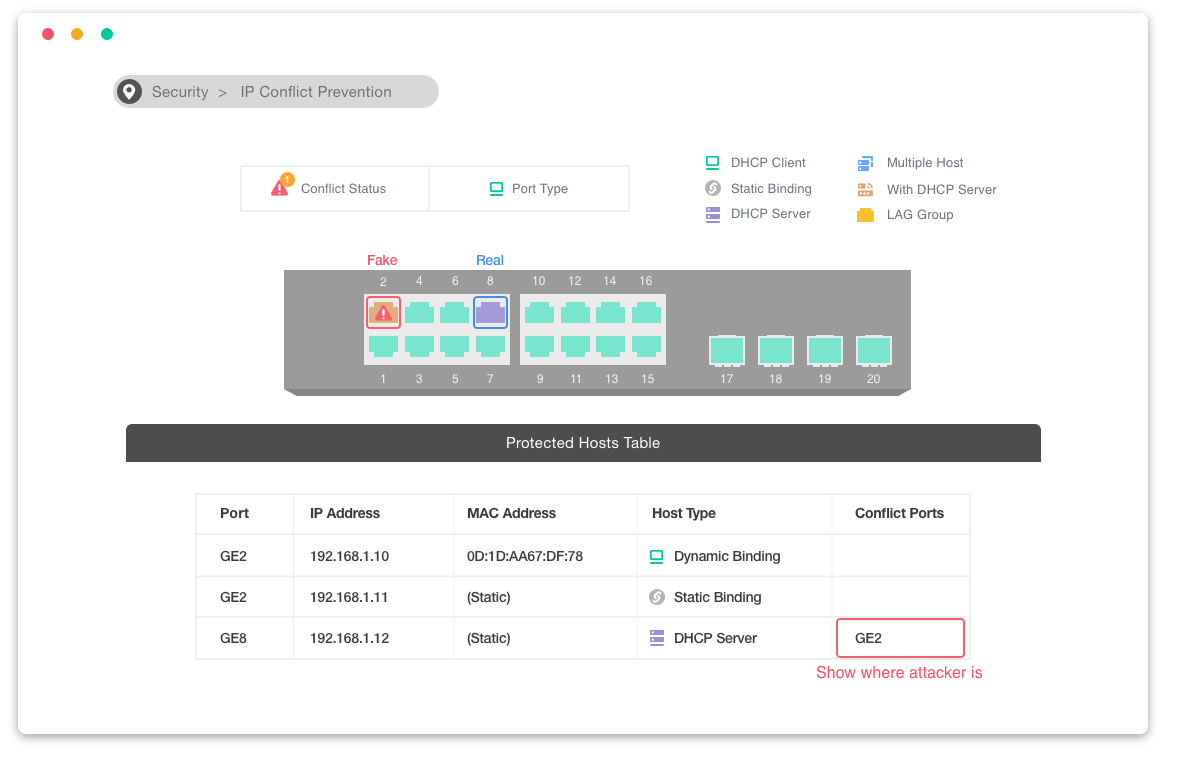
IP Conflict Detection & Prevention
Conflict Detection
Keep an eye on the environment and notify the administrator of any IP conflicts.
Conflict Prevention
For a more stable network, VigorSwitch can’t only detect but block the misconfigured or malicious IP host.
Device Check
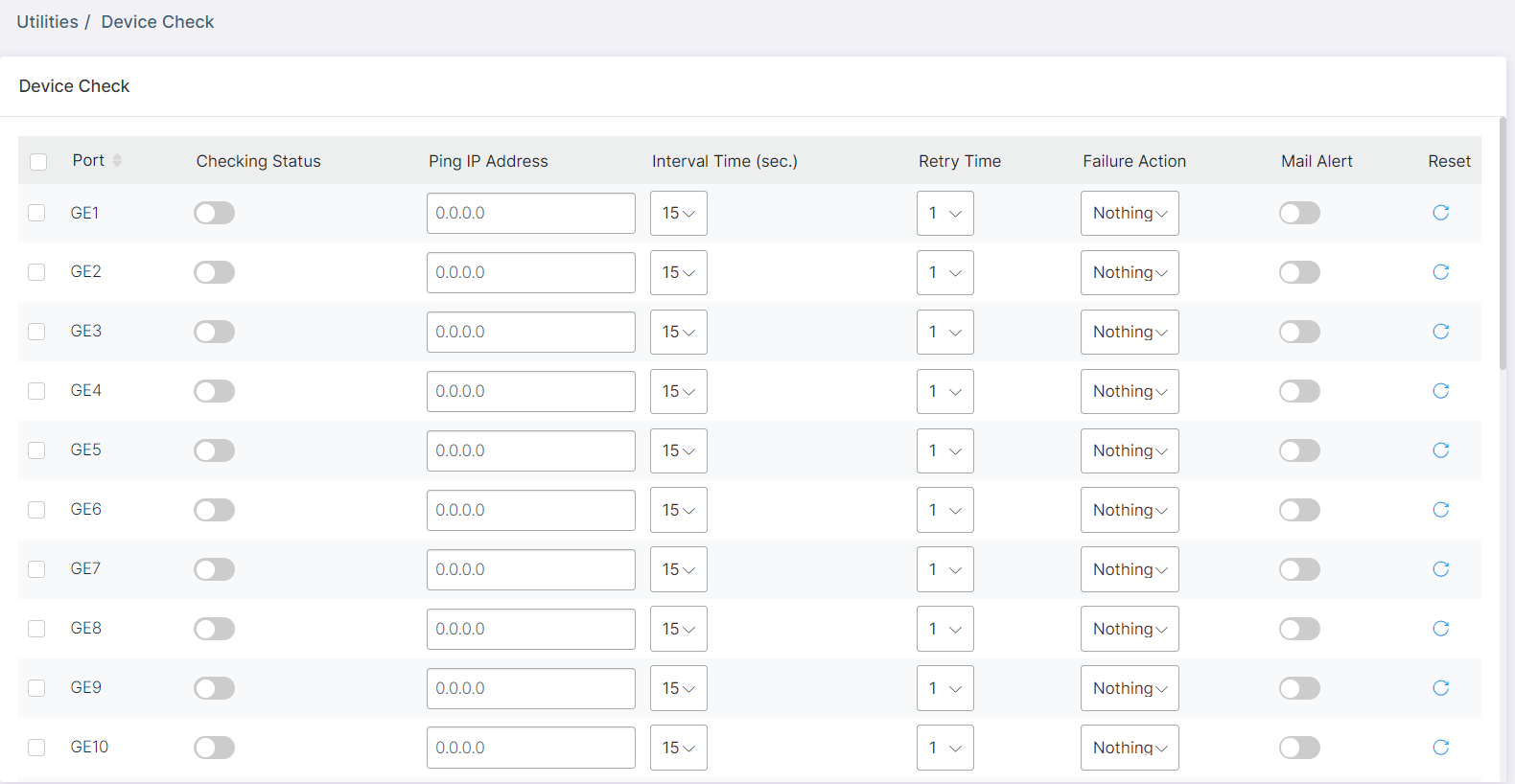
Ping Check for LAN Devices
VigorSwitch keeps pinging on the LAN devices. Once the device stops responding to the ping, PoE cycle a port (PoE model only) or send email alert.
LAN Management
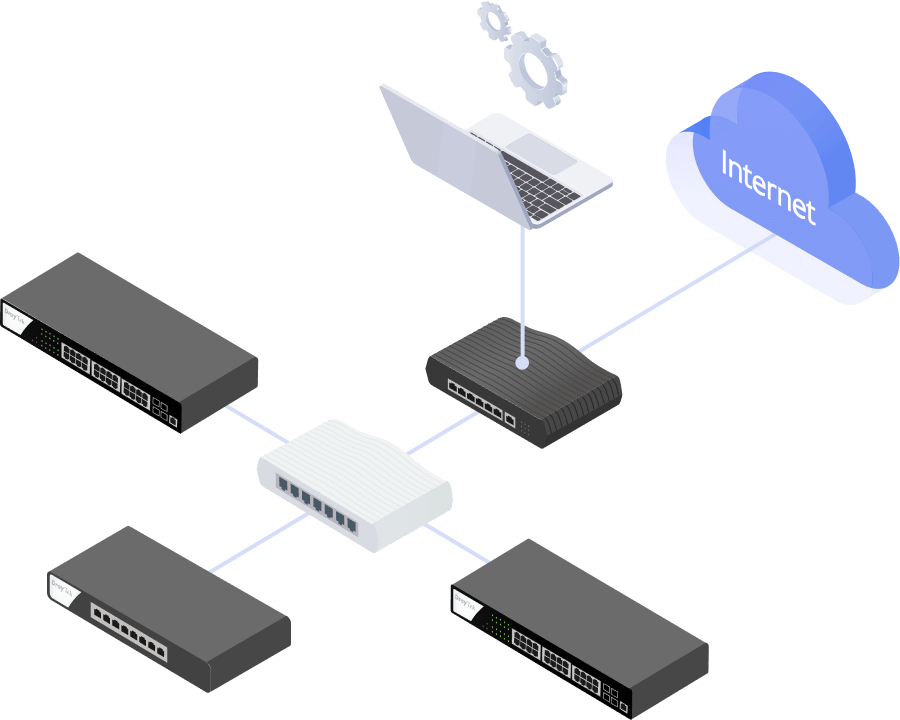
DrayTek provides an all-in-one management platform for Vigor devices on the LAN side.
Automatic Device Discovery
All you need is connect the VigorSwitch to the LAN side of the router, Vigor Router will then discover the devices to be managed.
Provisioning
Switch profile may be set on the Vigor Router. VLAN and scheduled ports control may be set and provision to the VigorSwitch remotely.
Monitoring
VigorRouter provides a hierarchical centralized view of managing devices, you may always check if the managed VigorSwitch is online and if there’s log and alert happens.
System Maintenance
You may perform a factory reset, save/restore a configuration backup, or trigger a remote reboot directly on the VigorRouter. There’s no need to log in to each device’s management page.
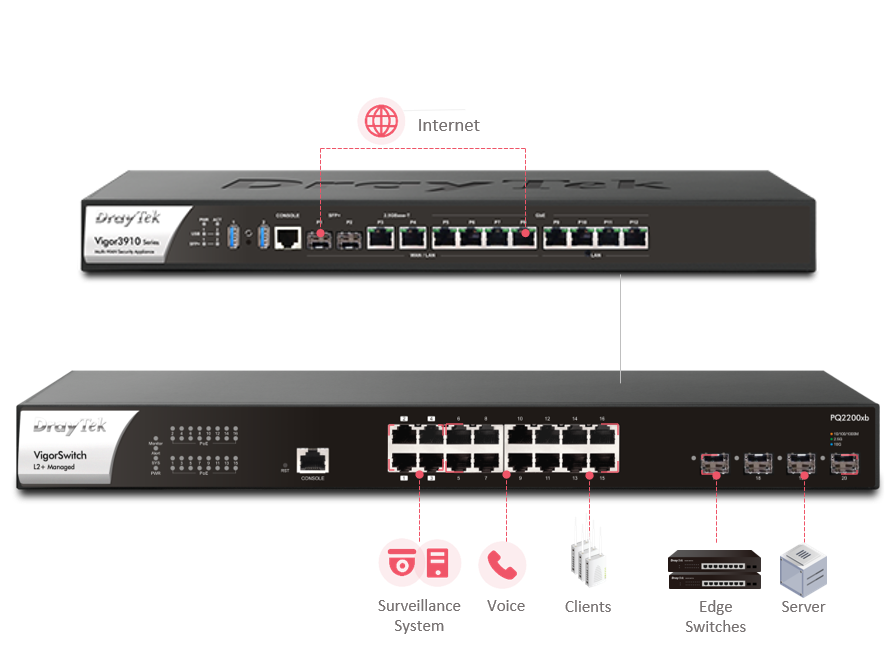
Management Solution
All-in-One Management
VigorRouter SWM
- Auto-Discovery
- Provisioning
- Monitoring
- Centralized Hierarchy View
- Reboot PoE Devices Remotely
- Quick VLAN Configuration
Software Management
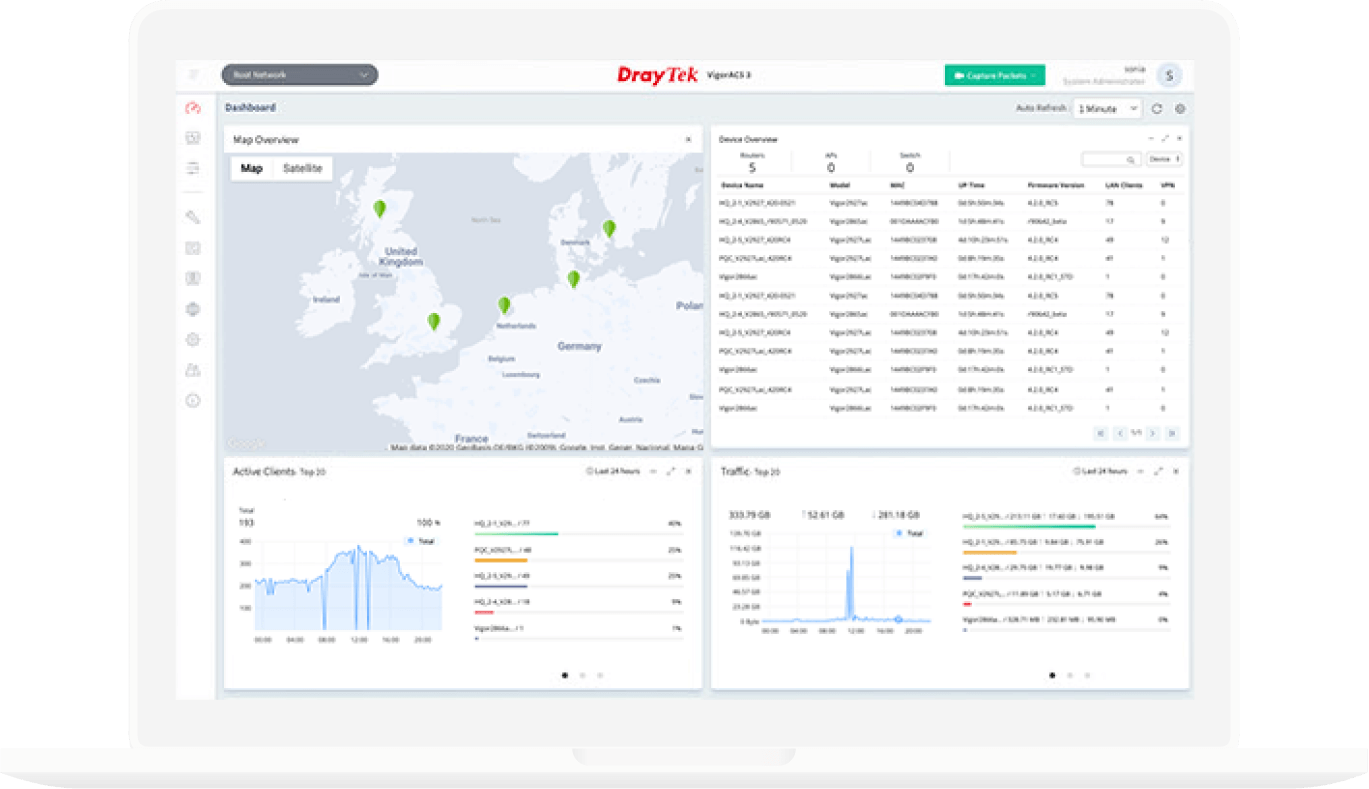
VigorACS 3
- Provisioning
- Monitoring
- Centralized Hierarchy View
- Alarm
- Remote AP/Switch/Router Maintenance
- Scheduled Maintenance
- Report
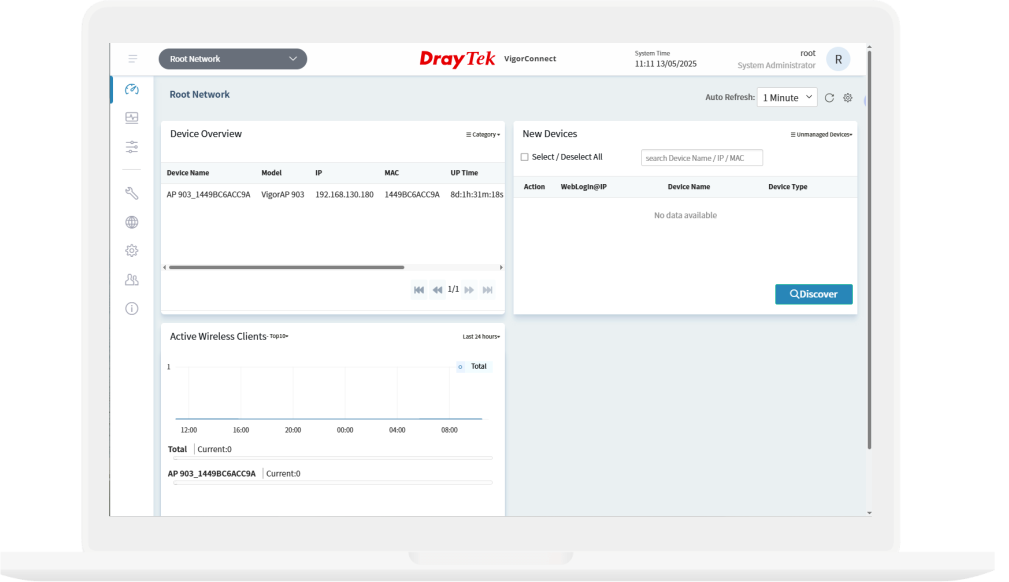
VigorConnect
- AP/Switch Discovery
- Auto-Provisioning
- Monitoring
- Centralized Hierarchy View
- Alarm
- Remote AP/Switch Maintenance
- Scheduled Maintenance
In the Box
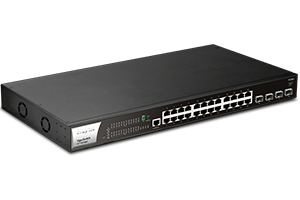 VigorSwitch P2282x
 Rack Mount Kit
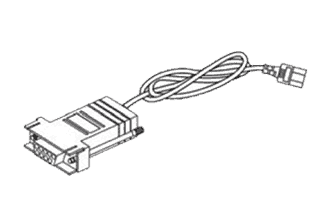 Console Cable
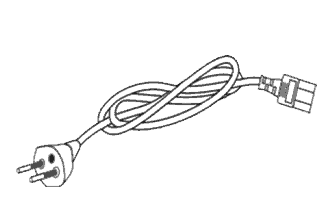 Power Cord
 Quick Start Guide
Related Products
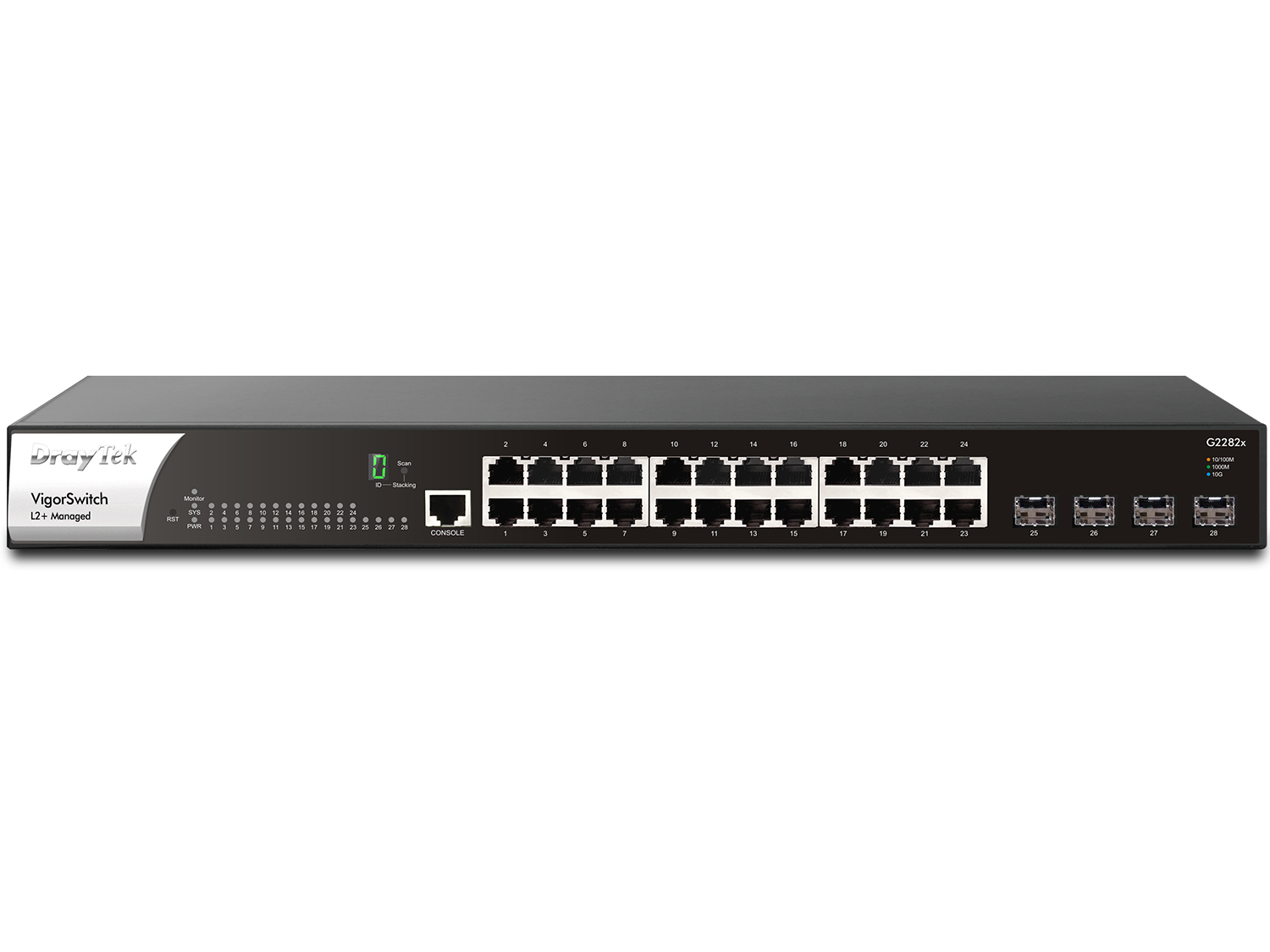
VigorSwitch G2282x
– 24x GbE ports
– 4x 10G fiber SFP+
– L2+ Managed
– 128G Switching Capacity
– Backup DC power input
– 1U Rackmount
Note: The stated throughput performance figures are the maximum derived from DrayTek internal testing, conducted under optimal conditions, with Hardware Acceleration enabled where available. The actual performance may vary based on network conditions and activated applications.
Key Features

PoE (Power over Ethernet)
Deliver power and data over one ethernet cable, turn on/off the PoE device periodically with PoE Schedule.

10G SFP+
Provides 10G-capable fiber SFP+ ports for aggregation or uplinking to the core switches.

Ping Device Check
Enable Ping check to selected devices to keep monitoring on their status. If ping timeout, power cycle (if PoE enabled) the port and/or send out mail alert.

Wire-Speed VLAN Routing
Improve overall network performance by using VigorSwitch P2282x to route the inter-VLAN traffic directly and offload the router.

Stacking
Stacking lets multiple switches function as one, improving network management, scalability, and resilience.

ONVIF-Friendly
Recognize the ONVIF devices, display surveillance topology, provide UI for video streaming and device maintenance. Learn more

Auto Surveillance & Voice VLAN
Recognize traffic from IP cameras and IP phones automatically and add CoS tag for QoS prioritization.

IPv6 Ready
VigorSwitch P2282x supports IPv6 by offering MLD Snooping, IPv6 ACL, and IPv6 DNS Resolver.

IP Conflict Prevention
Improve network stability by avoiding IP conflicts caused by a misconfigured or malicious host. Learn more

Web-Based GUI
Easily manage and monitor the network through the web-based console with graphics showing ports and hardware status.

QoS (Quality of Service)
Improve the performance of critical traffic by prioritizing the traffic with CoS, DSCP, and IP Precedence tag.

Multiple Admin Accounts
Multiple Admin accounts with two levels of administrator privilege.

Central Switch Management
Set up VLAN easily from the router and get a centralized hierarchy view of the switches. Learn more

LLDP-MED
Automatically detects VoIP devices, simplifies VLAN assignment, and prioritizes voice traffic for smoother VoIP deployment.
Specs
Performance |
|
| Buffer Size (Mbit) | 12 |
| Switching Capacity (Gbps) | 128 |
| Forwarding Rate (64 bytes)(Mpps) | 95.2 |
| MAC Address Table | 16K |
| Max. Jumbo Frame (KB) | 12 |
| L3 Routing Table | ✓ |
Ports |
|
| 1 GbE | 24 |
| SFP+ (10G) | 4 |
| Console (RJ-45) | 1 |
PoE |
|
| PoE+(802.3af/at) Ports | 24 |
| PoE Power Budget (watts) | 400 |
| Scheduled On/Off | ✓ |
Standard Compliance |
|
| Ethernet Standards | 802.3af PoE 802.3at PoE+ 802.3 10Base-T 802.3u 100Base-T 802.3ab 1000Base-T 802.3ae 10GBase-X 802.3x Flow Control 802.3 Auto-Negotiation 802.1q Tag-based VLAN 802.1p Class of Service 802.1d STP 802.1w RSTP 802.1s MSTP 802.3ad LACP 802.1ad QinQ 802.1x Port Access Control 802.1AB LLDP 802.3az EEE |
Spanning Tree |
|
| STP | ✓ |
| RSTP | ✓ |
| MSTP | ✓ |
Link Aggregation |
|
| Max. Number of Group | 8 |
| Max. Number of Member in Each Group | 8 |
| Type | Static, LACP |
| Traffic Load Balancing | ✓ |
Stacking |
|
| Max. Stackable Devices | 4 |
| Stacking Topology | Line, Ring |
VLAN |
|
| Max. Number of VLAN | 512 |
| VLAN Type | 802.1q Tag-based VLAN MAC-based VLAN Protocol-based VLAN Management VLAN Voice VLAN Surveillance VLAN |
| GVRP | ✓ |
| QinQ (Basic) | ✓ |
Layer3 Features |
|
| Static Route | ✓ |
| VLAN Route | ✓ |
| DHCP Server | ✓ |
Multicast |
|
| IGMP Snooping | v2, v3(BISS) |
| IGMP Querier | ✓ |
| MLD Snooping | v1, v2 |
| Max. Number of Multicast Group | 256 |
| Multicast Group Filtering / Throttling | ✓ |
| MVR (Multicast VLAN Registration) | ✓ |
ONVIF Surveillance |
|
| Discovery | ✓ |
| Surveillance Topology | ✓ |
| Real-Time Video Streaming | ✓ |
| ONVIF Device Maintenance | Device Info Network Settings Time Settings Reboot Reset to Factory Default |
QoS |
|
| Number of QoS Queues | 8 |
| Queue Schedule | SPQ, WRR |
| CoS (Class of Service) | CoS DSCP CoS-DSCP IP Precedence |
| Rate Limiting | ✓ |
Security |
|
| Authentication Server | RADIUS, TACACS+ |
| 802.1X/MAC Authentication | ✓ |
| IP Source Guard | ✓ |
| Traffic Control | Storm Control, DoS Defense |
| Dynamic ARP Inspection (DAI) | ✓ |
| DHCP Snooping | ✓ |
| IP Conflict Prevention | ✓ |
| Loop Protection | ✓ |
Management |
|
| Local Service | HTTP HTTPS Telnet SSH v2 |
| Config Backup/Restore | ✓ |
| Dual Image | ✓ |
| 2-Level Administration Privilege | ✓ |
| Access Control | Access List |
| OpenVPN Client | ✓ |
| sFlow | ✓ |
| SNMP | v1, v2c, v3 |
| RMON Group | 1, 2, 3, 9 |
| SNTP (Simple Network Time Protocol) | ✓ |
| LLDP | ✓ |
| LLDP-MED | ✓ |
| Mail Alert | Port Status Port Speed System Restart PoE Warning IP Conflict Hardware Monitor Device Check ONVIF IP Cam Snapshot |
| VigorRouter Management (SWM) | ✓ |
| VigorConnect Management (Since f/w) | V2.9.1 |
| VigorACS Management (Since f/w) | V2.9.1 |
Physical |
|
| Rack Mountable | 1U |
| Power Input | AC 100-240V @ 6.5A |
| Backup Power Input | DC 12V @ 5A & DC 54V @ 7.4A |
| Max. Power Consumption (watts) | 460.4 |
| Dimension (mm) | 440 x 281 x 44 |
| Weight (g) | 4260 |
| Operating Temperature | 0 to 50°C |
| Storage Temperature | -20 to 70°C |
| Operating Humidity (non-condensing) | 10 to 90% |
| Storage Humidity (non-condensing) | 5 to 90% |
Note:
- * : Future Support
- The stated throughput performance figures are the maximum derived from DrayTek internal testing, conducted under optimal conditions, with Hardware Acceleration enabled where available. The actual performance may vary based on network conditions and activated applications.
Accessories
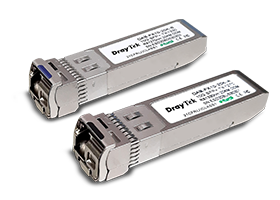
Resources
Firmware
VigorSwitch P2282x Firmware Version 2.10.9
VigorSwitch P2282x Firmware Version 2.10.9 Release Note
Live Demo
Manuals
VigorSwitch P2282x User’s Guide
VigorSwitch P2282x Quick Start Guide