

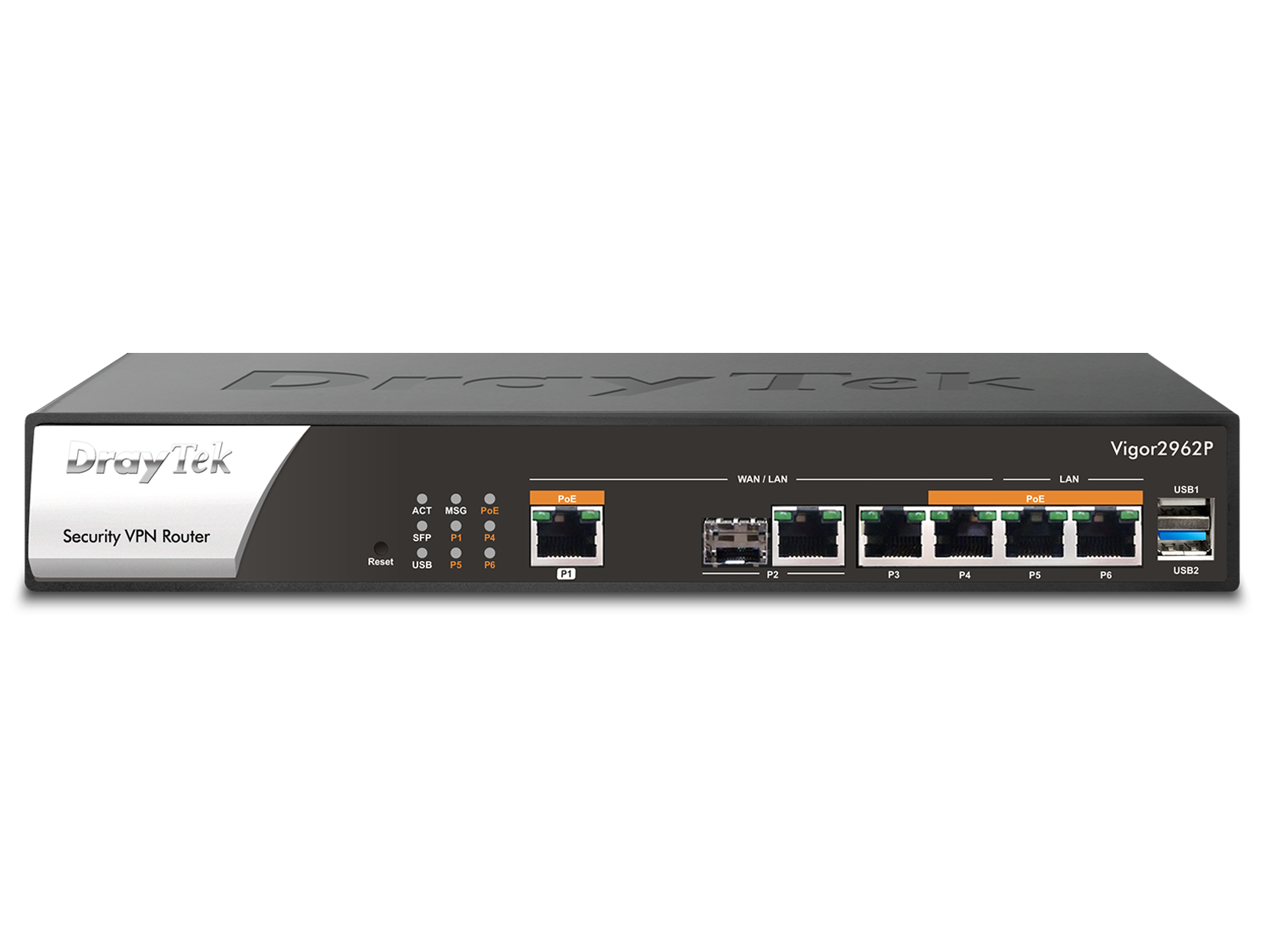
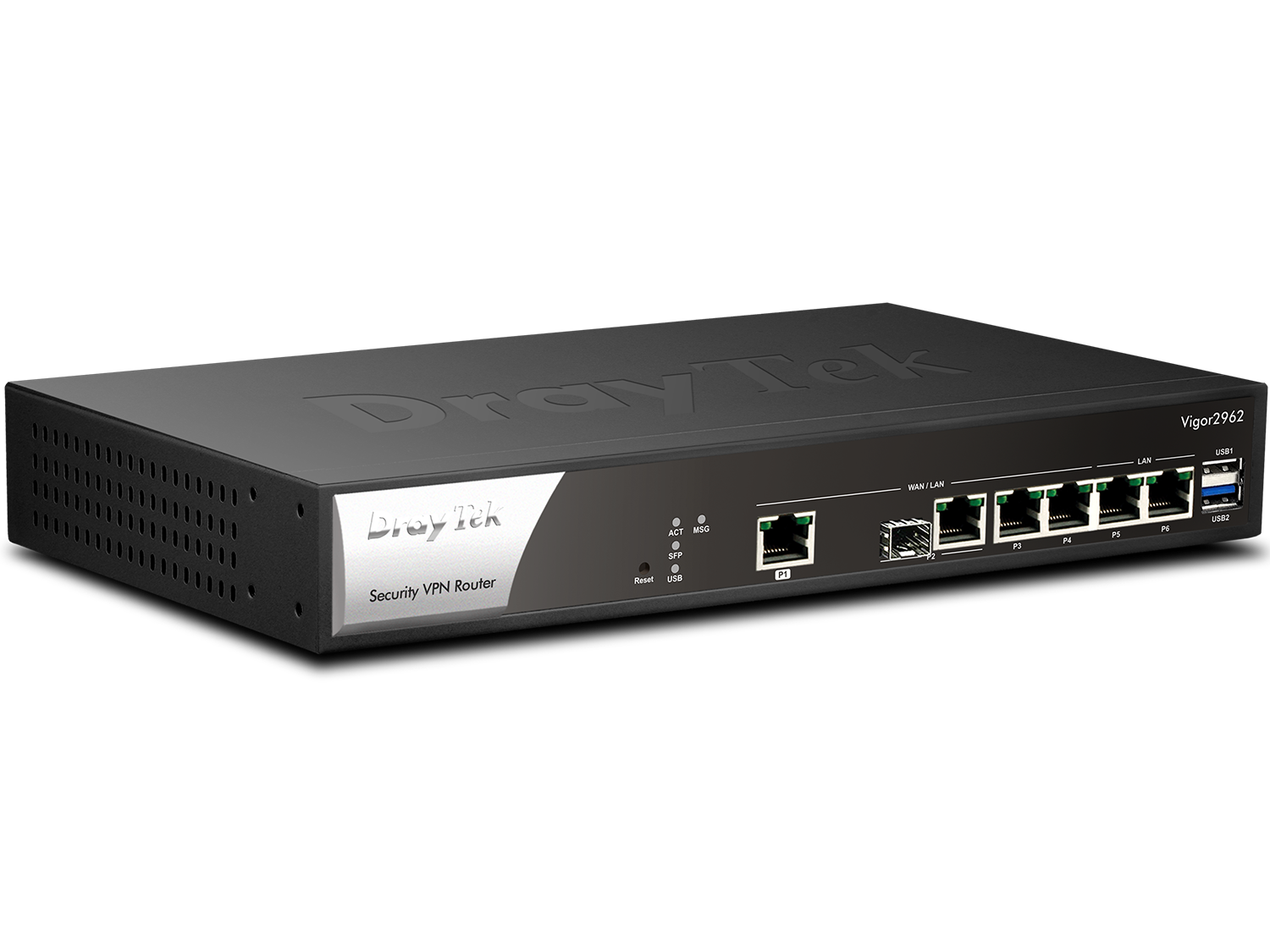
High Performance Multi-WAN Router/VPN Gateway
High Performance 2.5G Router
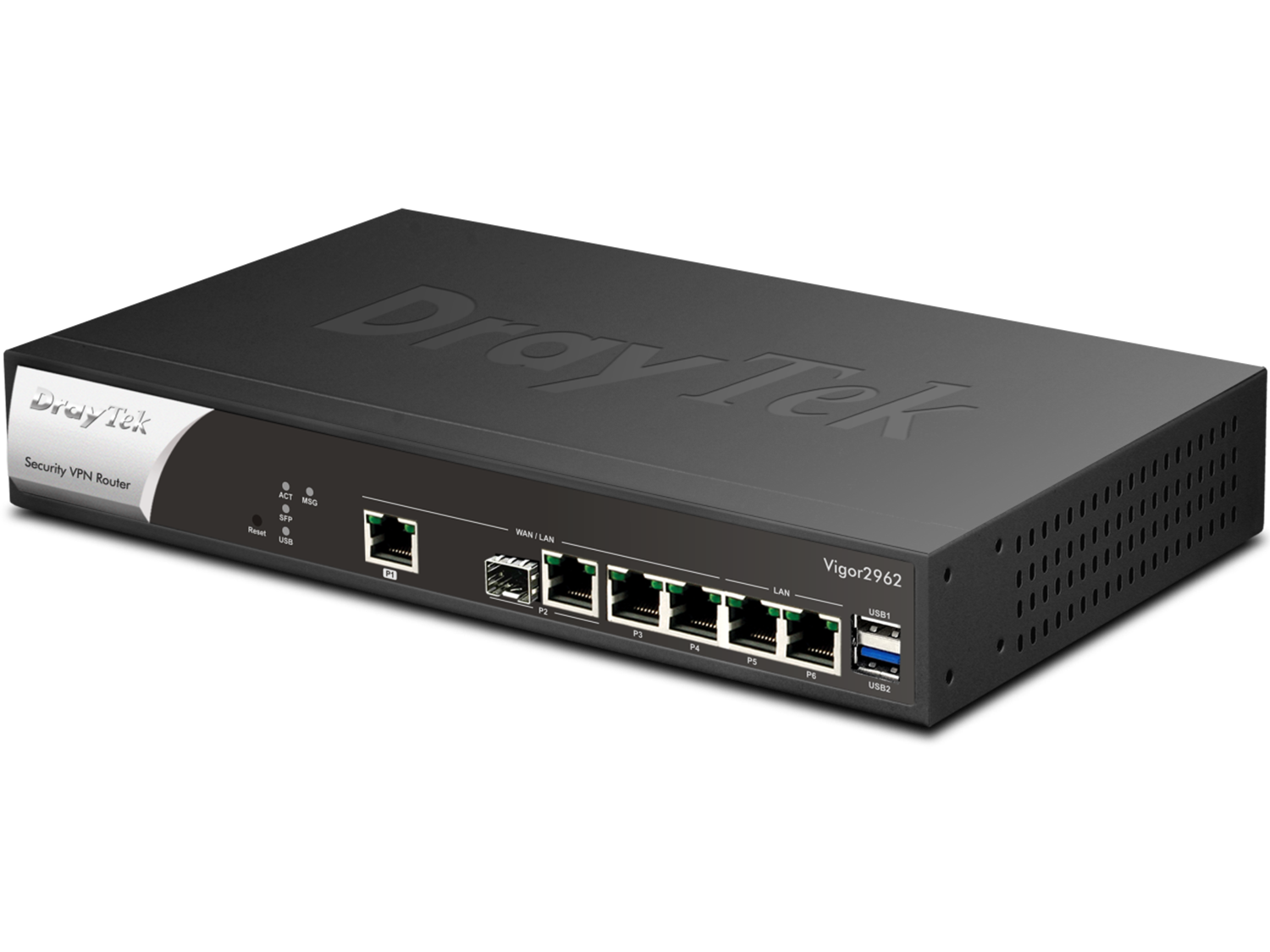
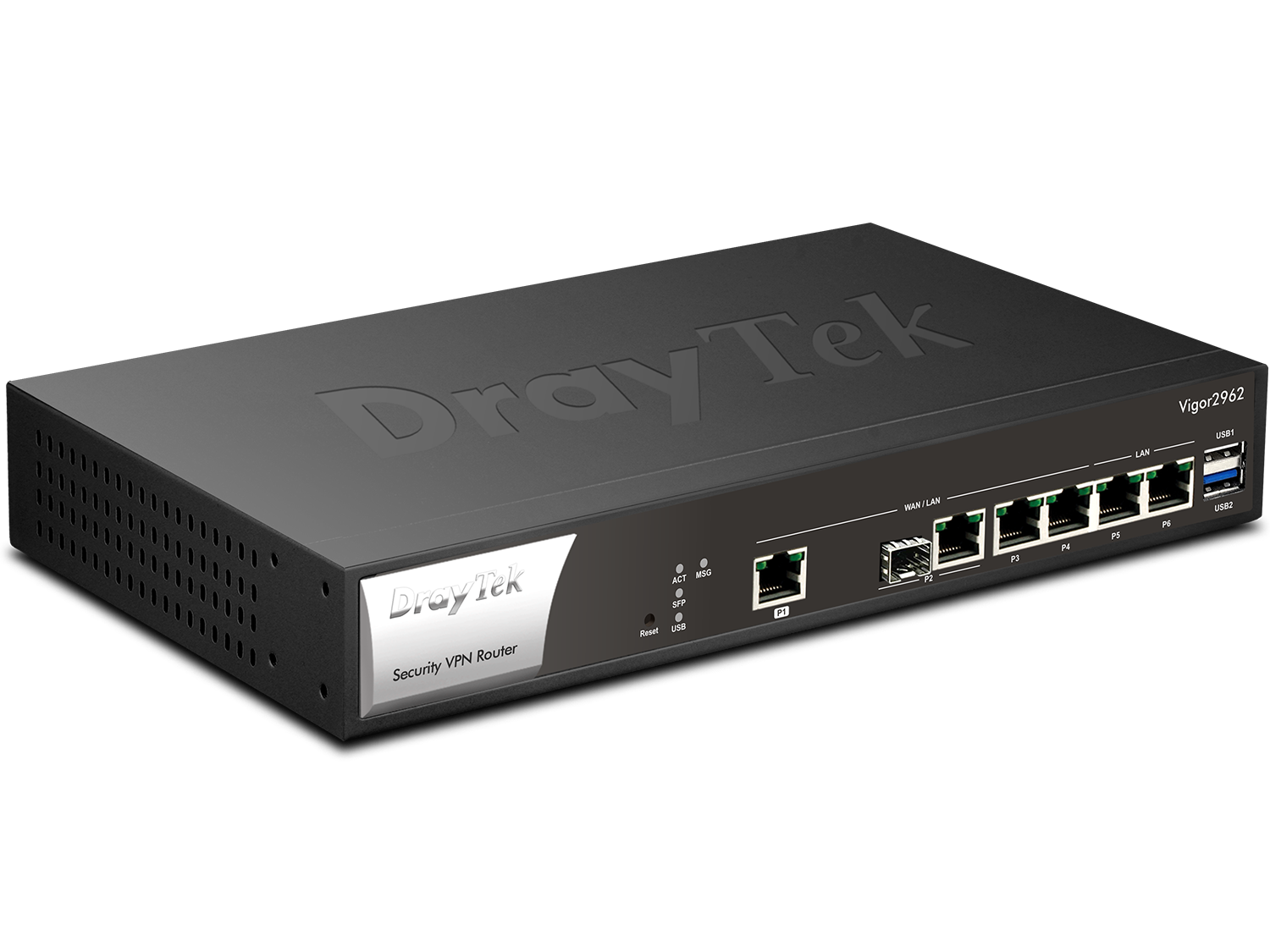
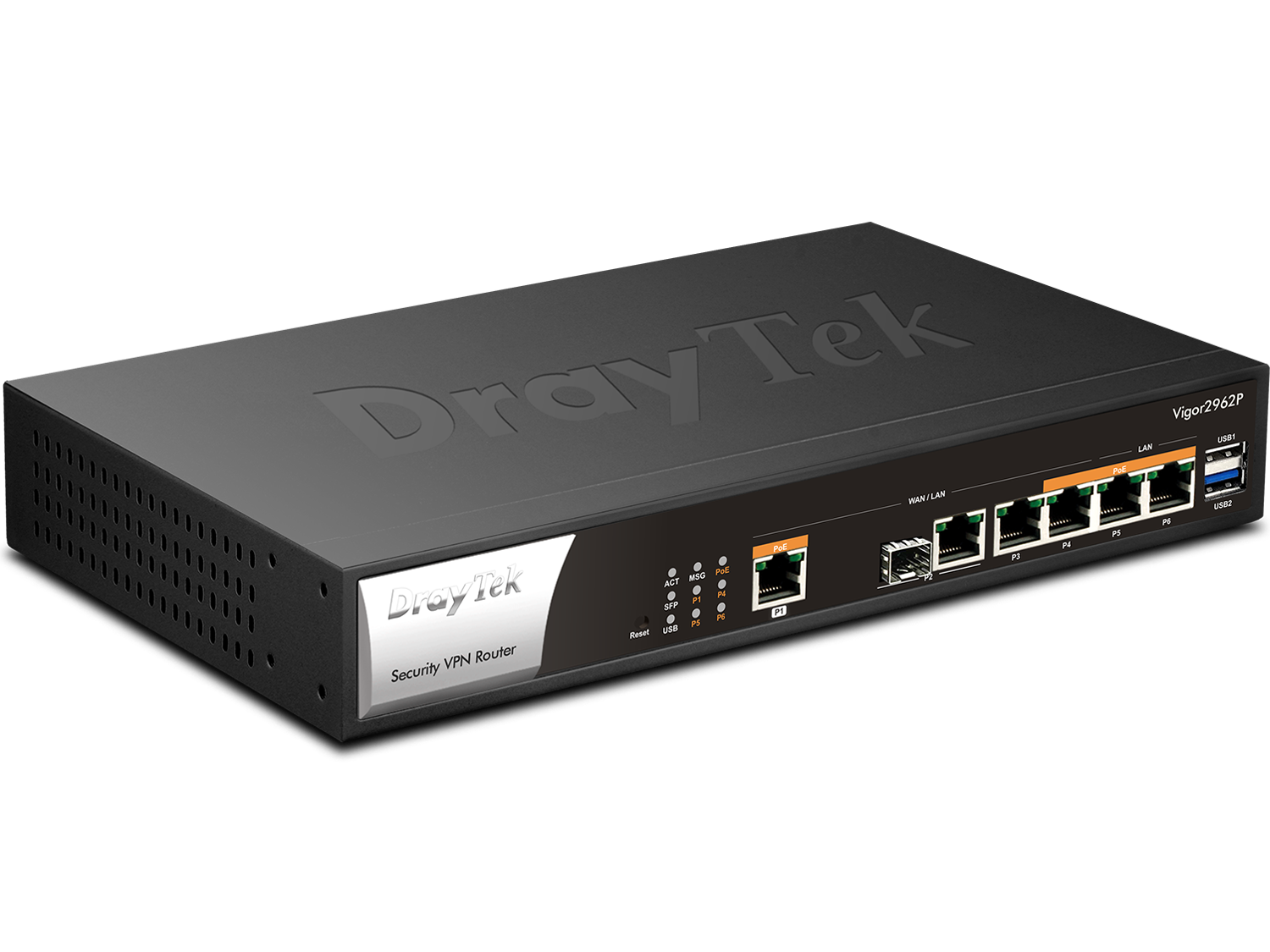
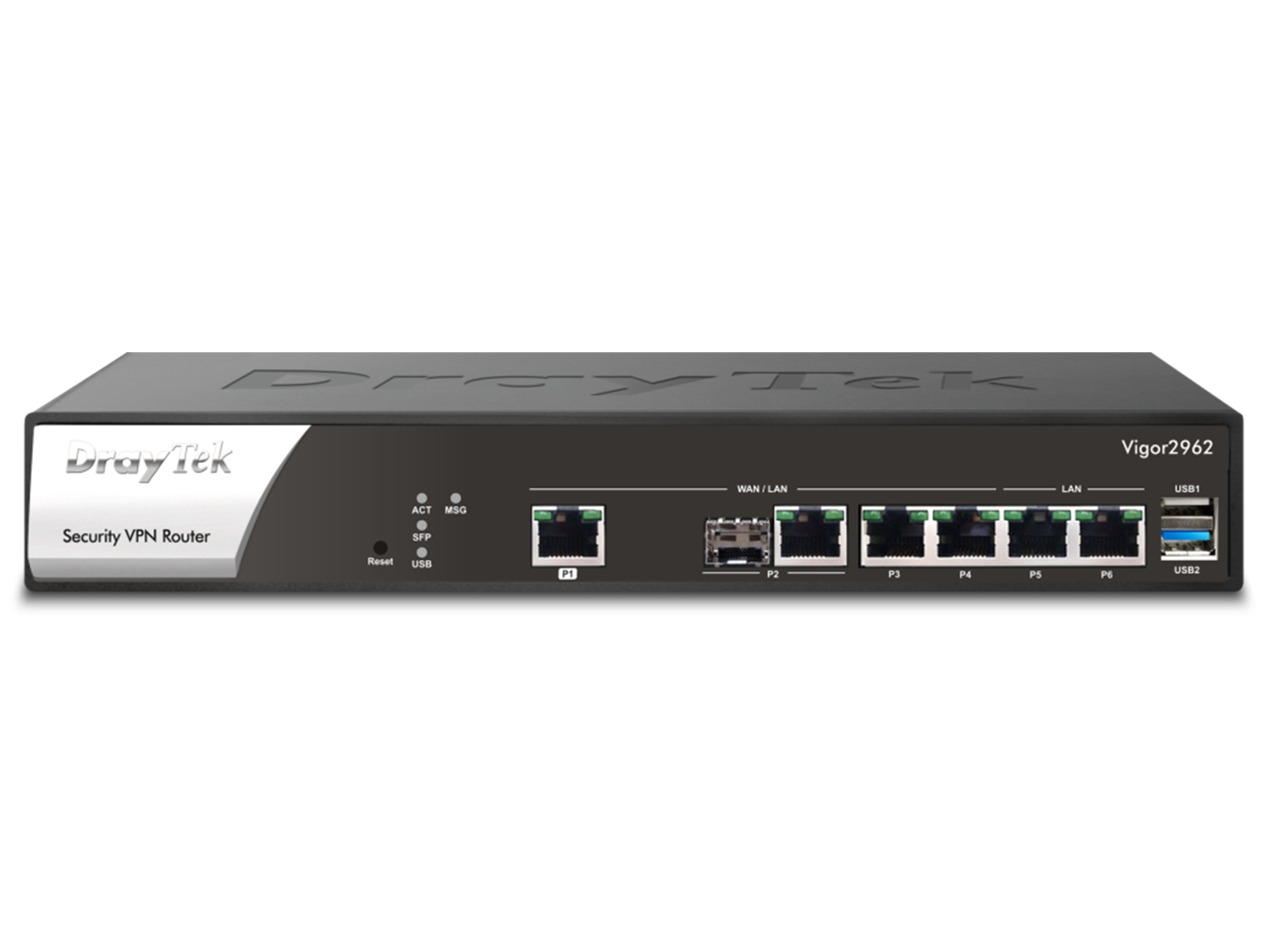
Vigor2962 is a high performance and dynamic firewall router with configurable WAN/LAN ports. With the selection of 2.5GbE port, 1GbE Fiber port, and 2 of 1GbE ports, users can set 4 of the ports as WAN for load balancing/failover purpose and enjoy overall 2.2Gbps NAT throughput.
Overview
Up to 4 WANs
including 2.5G Ethernet and SFP
200 VPN
IPsec VPN throughput up to 1 Gbps
2.2 Gbps
Max. NAT Throughput
300k Sessions
Recommended for a network of 250 hosts
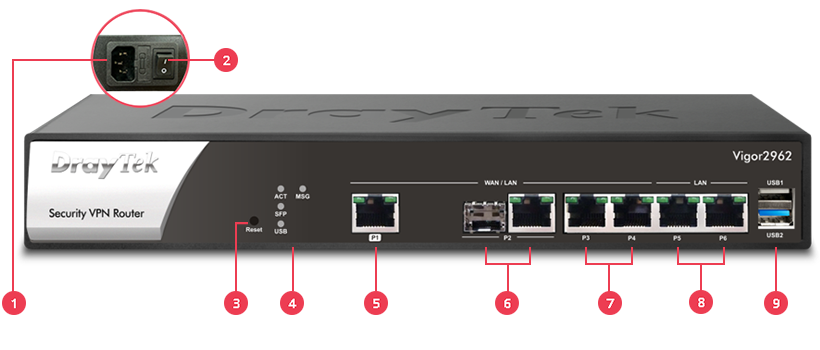
1Power Input
2Power On/Off Switch
3Reset Button
4LED Indicator
51x 2.5G RJ-45*
61x GbE/SFP Combo*
72x GbE RJ-45*
8Fixed LAN Port: 2x GbE RJ-45
91x USB 2.0 & 1x USB 3.0
*WAN/LAN Switchable
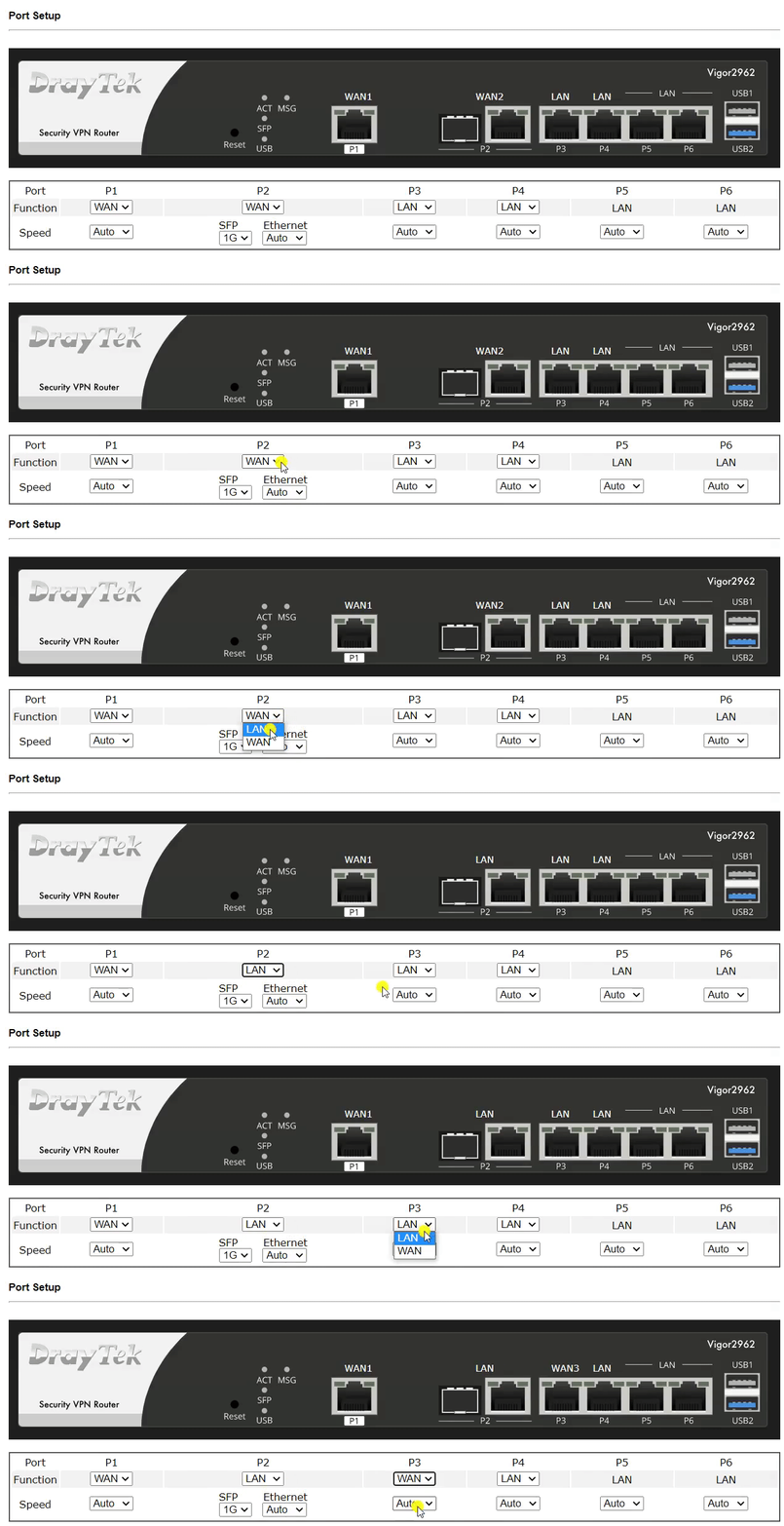
Flexible WAN/LAN Ports
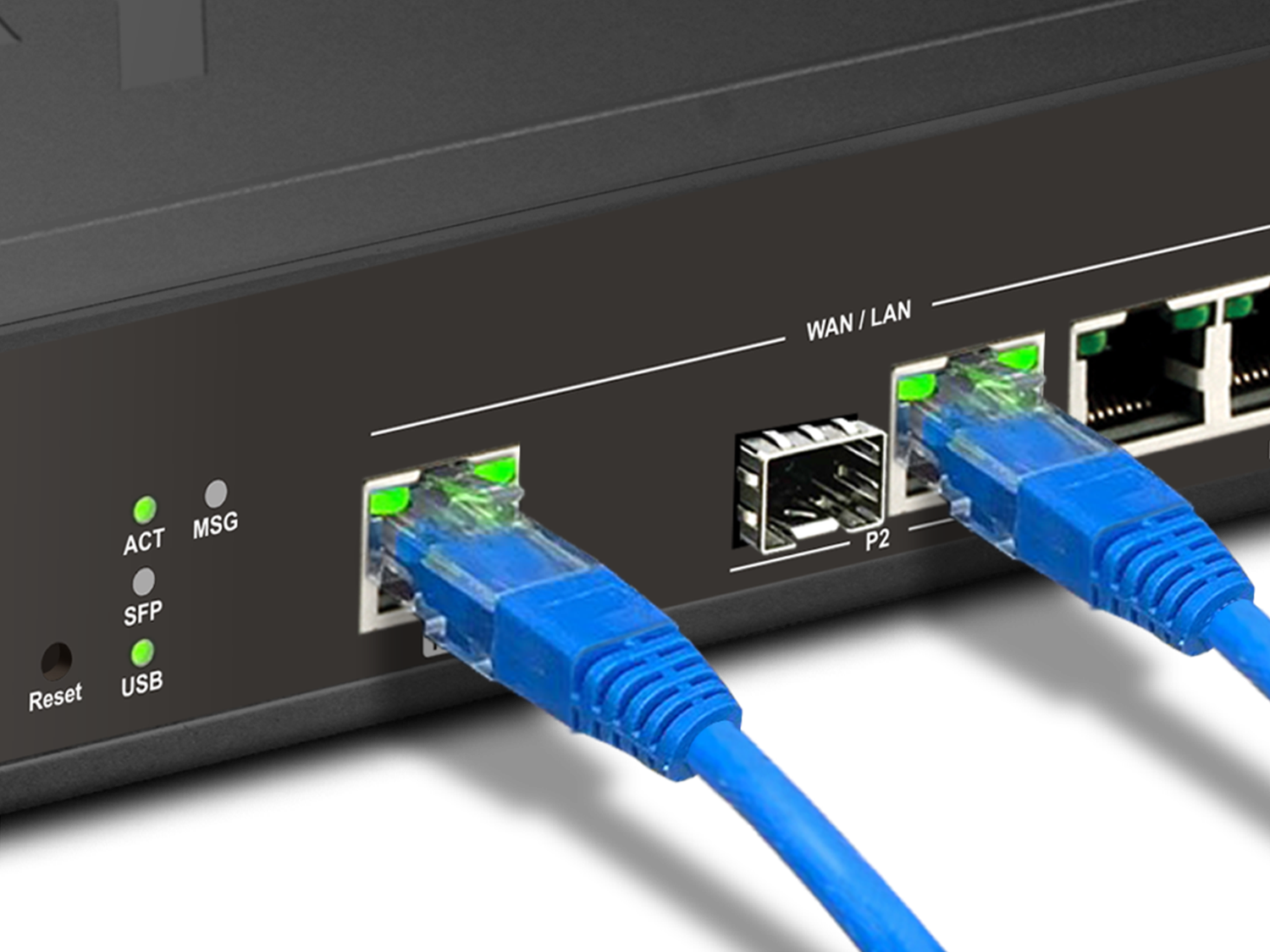
The Vigor2962 has four configurable WAN/LAN ports: one 2.5GbE port, one SFP/GbE combo port, and two GbE ports. Up to four ports can be used as WAN ports at the same time, and Multi-WAN load balancing/failover makes your business’s Internet connection more resilient.
Advanced VPN Features
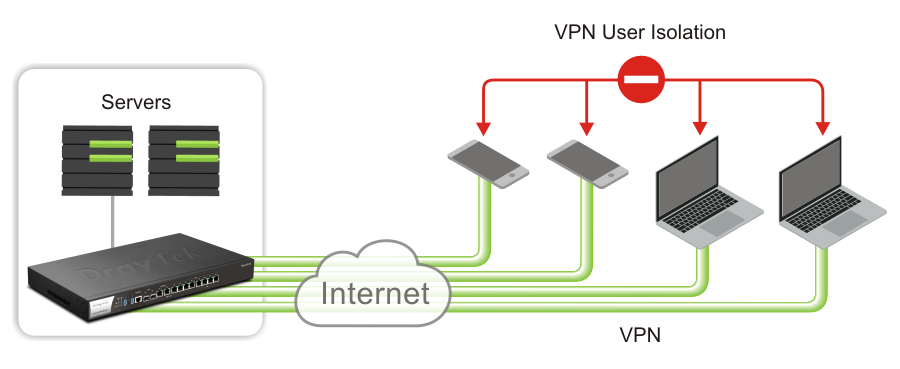
VPN User Isolation
Remote dial-in accounts are isolated from one another to protect VPN users. Each user can reach the company’s servers but not other users’ devices. This helps prevent unauthorized access to sensitive data and protects the network from malware and other intrusions.
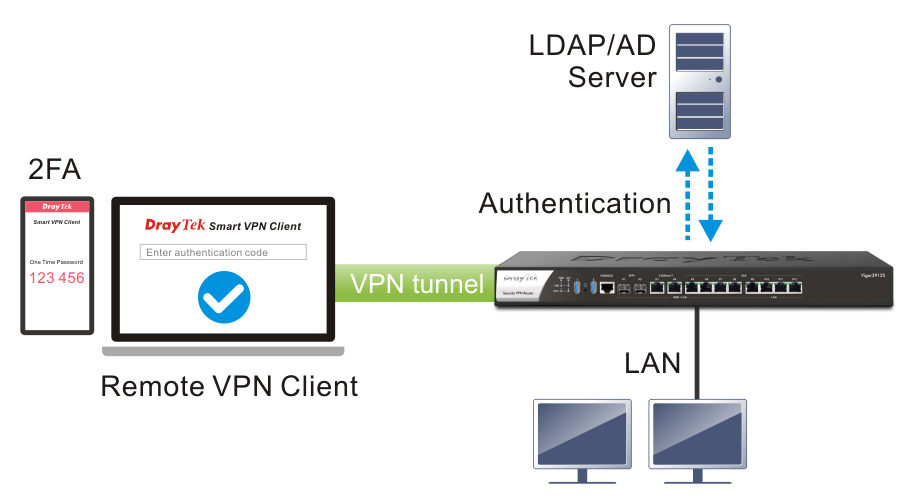
VPN 2FA on AD/LDAP Server
New Two-Factor Authentication strengthens the security of VPN connections cost-effectively, with no SMS charges or license fees.
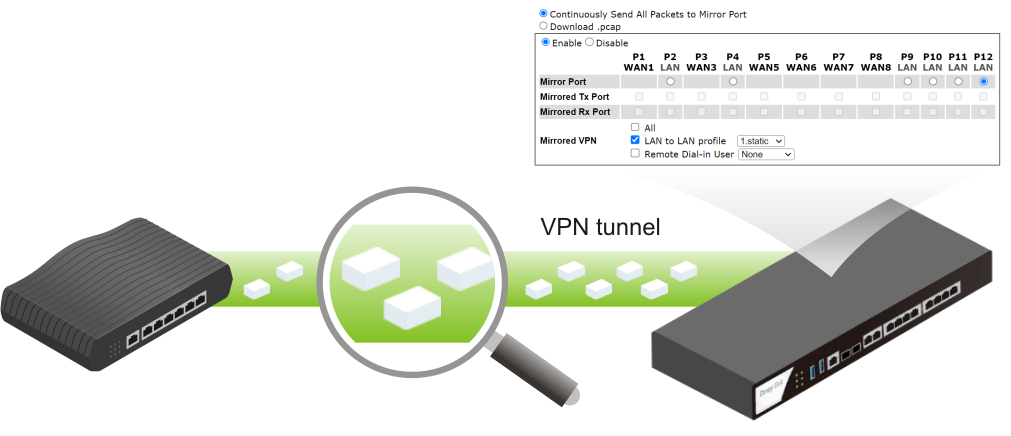
Packet Capture Tool for VPN tunnel
Troubleshooting is easier than ever: mirror all packets to a designated LAN port, or now to a VPN connection (whether a LAN-to-LAN profile or remote dial-in users), and even download a .pcap file remotely through the WUI.
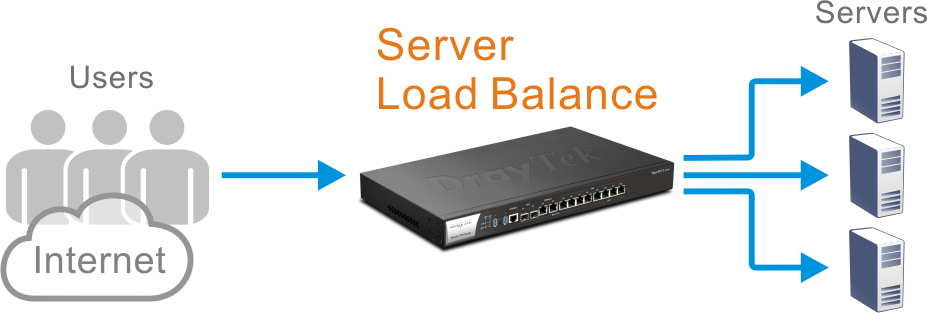
Server Load Balancing
Hosting multiple servers to share the traffic load for the same service is common practice. Distributing the load keeps any single server from being overloaded, optimizes resource usage, and helps prevent single-server failures.
With Server Load Balance, when a large number of connections reach the router, it distributes the inbound NAT sessions among the servers according to the configured load-balance weights.
Stealth Security Protection with Port Knocking
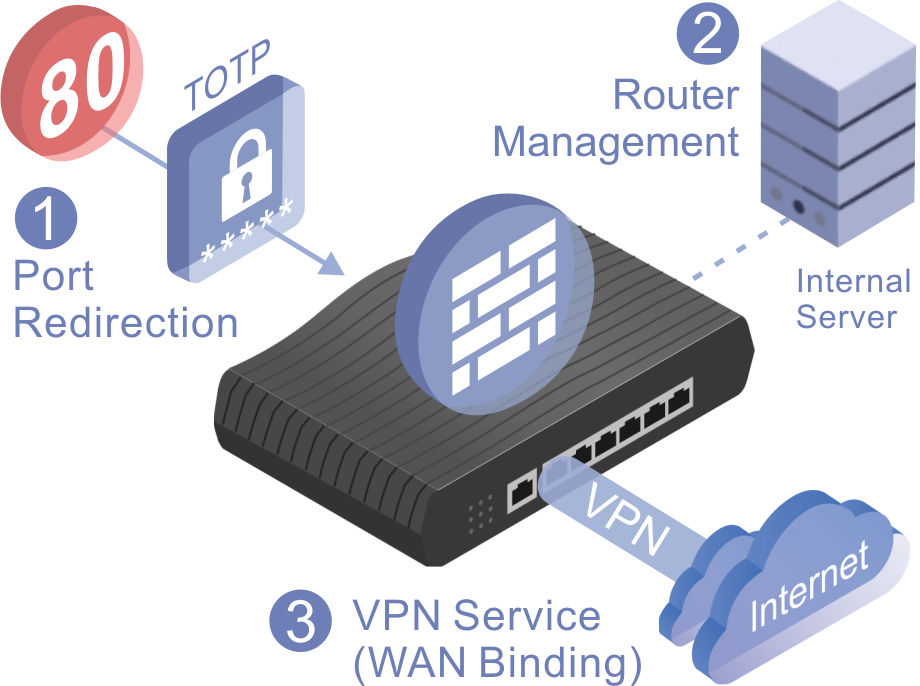
DrayTek’s Port Knocking technology adds an advanced stealth layer of security by keeping critical network services invisible to unauthorized users. Rather than exposing management ports or VPN services to the public internet, Port Knocking requires a predefined “knock” sequence before granting access, so only trusted users can find and use these services.
By integrating three key functions, Port Knocking provides strong protection against port scanning, brute-force attacks, and unauthorized access.
Port Redirection
- Hide your real service ports from the public internet.
- Redirect unauthorized requests to non-existent services, preventing detection.
Router Management Access
- Allow router management only through a secure internal server or after successful knocking.
- Eliminate exposure of the management interface to the open internet.
VPN Service Control (WAN Binding)
- Keep VPN services invisible and inaccessible until the correct knock sequence is received.
- Bind VPN availability to specific WAN interfaces and authorized IP addresses.
How It Works
- In normal state, all targeted ports remain closed and undetectable.
- After the correct knock sequence, selected ports open temporarily for authorized access.
- Once the time window expires, services return to hidden mode automatically.
With DrayTek Port Knocking, your network runs in stealth mode: invisible to attackers, yet instantly accessible to authorized administrators and remote users. That makes it an ideal solution for organizations that need high security without sacrificing accessibility.
Hotspot Web Portal
Promote your business while offering free WLAN
WLAN Marketing
Redirect hotspot guests to your company homepage or an online survey, or display a promotional message.
Grow Your Email List
Require guests to provide contact information or a social media account before they can use the Internet service.
Various Authentication Type
A variety of login methods are supported to meet your business needs, including Facebook Login, Google Login, SMS PIN, Voucher PIN, and RADIUS.
3rd-Party Service Compliant
External captive portal authentication is supported, so you can keep using the WLAN marketing solution you prefer.
Quota Management
Bandwidth management is built into Hotspot to control the bandwidth and session usage of hotspot guests.
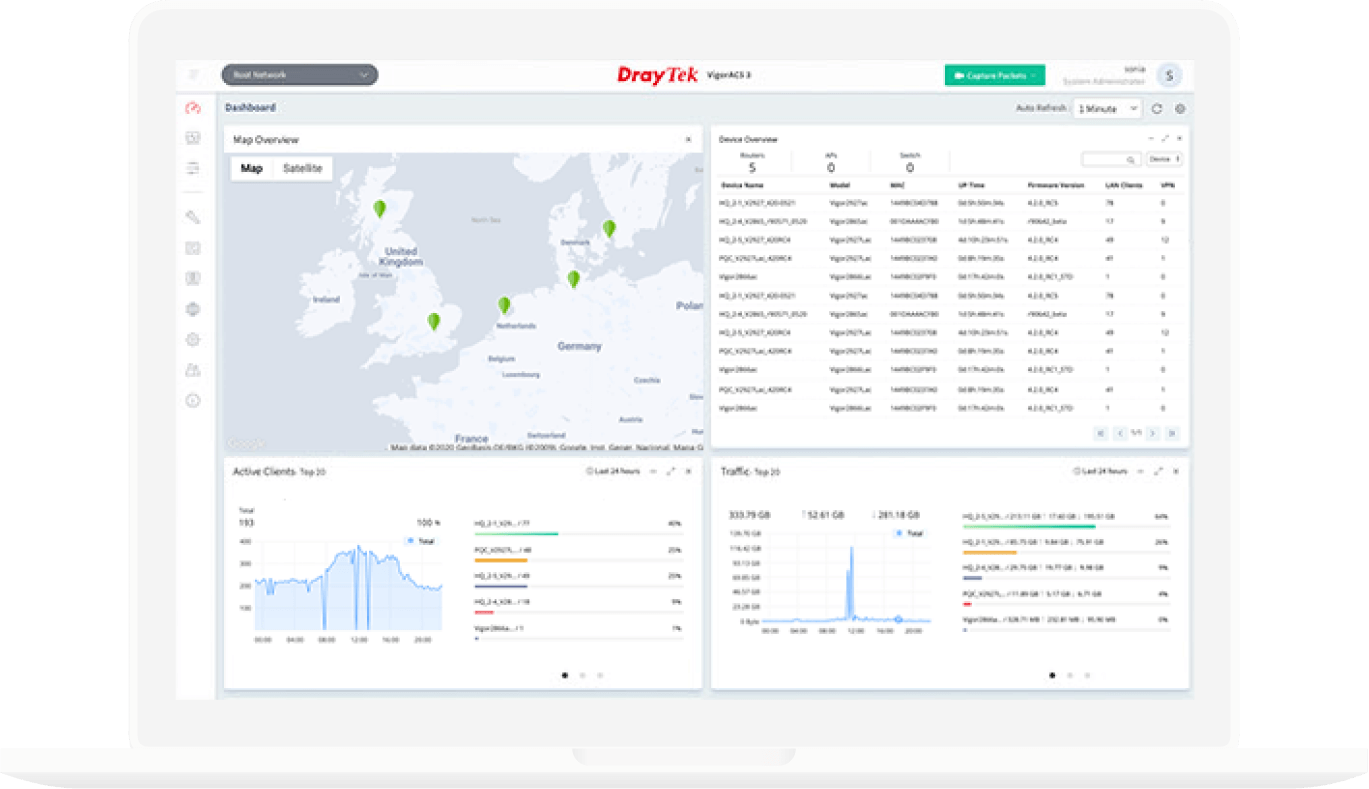
All-in-One Management
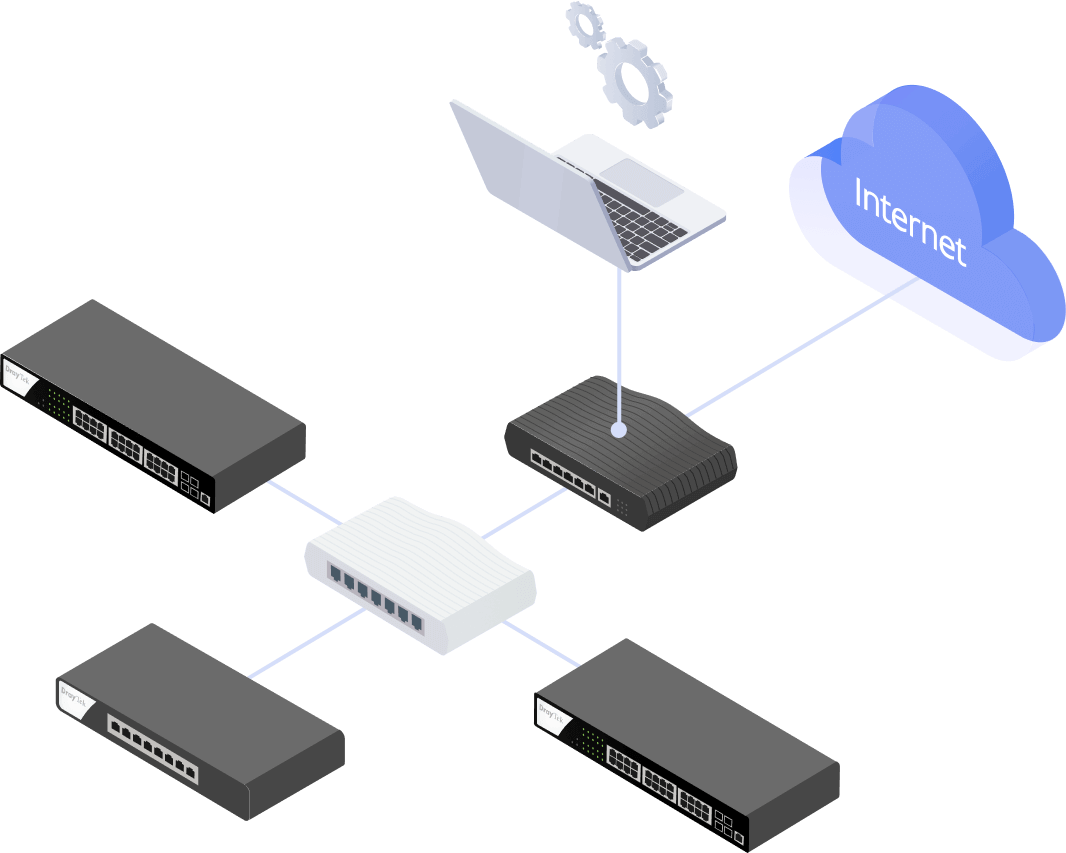
A management platform for Vigor devices on the LAN side, offering simple, large-scale deployment.

Automatic Device Discovery
Automatically discovers LAN subnets and adds detected VigorSwitch/AP units to the managed list.
Provisioning
Define the most frequently used settings on the Vigor Router in advance and provision them to the managed VigorSwitch/AP units.
Monitoring
The Vigor Router provides a centralized view of managed devices, so you can always check whether each managed Vigor Switch/AP is online.
System Maintenance
You can perform a factory reset, save or restore a configuration backup, or trigger a remote reboot directly from the Vigor Router, with no need to log in to each device’s management page.
Management Solution
All-in-One Management
Vigor Router SWM
Auto-Discovery, Provisioning, Monitoring, Centralized Hierarchy View, Reboot PoE Devices Remotely, Quick VLAN Configuration
Vigor Router APM
Auto-Discovery, Provisioning, Monitoring, Centralized View, Alarm, Reboot VigorAP Remotely, Wi-Fi Client Load Balancing
Software Management
VigorACS 3
- Zero Touch Deployment & Provisioning
- Auto VPN
- Interface Quality & SLA
- VoIP Optimization & Monitoring
- Application Visibility
- Application Based SD-WAN Policy
*Click here to check the support model list. - Customized Hotspot Page with Multilingual
- Hotspot Clients Analytics
- ACS Server Load Balancing / Failover
Reviews

In the Box
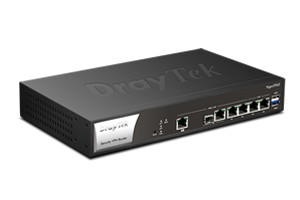 Vigor2962
 Rack Mount Kit (brackets)
 RJ-45 Cable (Ethernet)
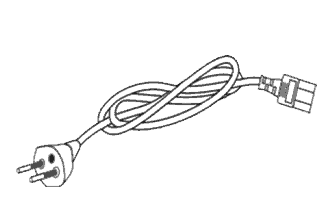 Power Cord
 Quick Start Guide
Note: Stated throughput figures are the maximums from DrayTek internal testing under optimal conditions, with Hardware Acceleration enabled where available. Actual performance may vary depending on network conditions and the applications in use.
Key Features

Load Balancing
Maximize throughput and reliability by using multiple Internet connections. Learn more

Bandwidth Management
Prevent one device using all the bandwidth by bandwidth limit policy, session limit policy, and QoS settings.

Firewall & Content Filter
Filter web pages by URL keyword or web category to block access to insecure or inappropriate contents.

Hotspot Web Portal
Market your business and communicate with the guests while offering hospitality WLAN. Learn more

VPN (Virtual Private Network)
Build a secure and private tunnel from the LAN of Vigor2962 to the remote offices and teleworkers over the Internet. Learn more

SSL VPN
The VPN works through firewalls providing secure remote access to any network environment. Learn more

EasyVPN
Secure VPN in Seconds: No Keys, No Configs, Just Login.

DrayDDNS
The free DDNS service for you to access the router by a fixed hostname of your choice. Learn more


PPPoE Server
Use Point-to-Point connection on LAN to keep track of individual user’s traffic. Setup Guide

Central AP Management
Use the Vigor2962 router as a wireless controller to maintain and monitor the VigorAPs. Learn more

Central Switch Management
Set up VLAN easily from the router and get a centralized hierarchy view of the switches. Learn more

Port Knocking
Add a stealth security layer to protect ports from unauthorized access.

VRRP
Keep network running by automatically switching to a backup router if the primary fails.
Specs
Performance | |
| NAT Session | 300K |
| Max. NAT with Software Acceleration (single-directional) (Mbps) | 2200 |
WAN | |
| SFP/Ethernet Combo | 1 |
| Ethernet (1 GbE) | 2 |
| Ethernet (2.5 GbE) | 1 |
| Ethernet – Switchable * When this field is filled, the port count above includes both switchable and fixed ports. | ✓ (WAN/LAN) |
| SFP/Ethernet Combo – Switchable * When this field is filled, the port count above includes both switchable and fixed ports. | ✓ (WAN/LAN) |
Internet Connection | |
| IPv4 | PPPoE DHCP Static IP |
| IPv6 | PPP DHCPv6 Static IPv6 TSPC AICCU 6rd 6in4 Static Tunnel |
| 802.1p/q Multi-VLAN Tagging | ✓ |
| Multi-VLAN/PVC | ✓ |
| Failover | ✓ |
| Load Balancing | IP-based, Session-based |
| WAN Active on Demand | Link Failure, Traffic Threshold |
| Connection Detection | ARP, Strict ARP, Ping |
| WAN Data Budget | ✓ |
| Dynamic DNS | ✓ |
| DrayDDNS | ✓ |
LAN | |
| Fixed LAN (RJ-45, GbE) | 2 |
| LAN Subnet | 20 |
| VLAN | 802.1q Tag-based VLAN Port-based VLAN |
| Max. Number of VLAN | 20 |
| DHCP Server | Multiple IP Subnet Custom DHCP Options Bind-IP-to-MAC |
| LAN IP Alias | ✓ |
| Wired 802.1x Authentication | ✓ |
| Port Mirroring | ✓ |
| Local DNS Server | ✓ |
| Conditional DNS Forwarding | ✓ |
| Hotspot Web Portal (Profile No.) | 4 |
| Hotspot Authentication | Click-Through Social Login SMS PIN RADIUS External Portal Server |
Other Ports | |
| USB | 2 |
| USB Type | 2.0 + 3.0 |
Networking | |
| Routing | IPv4 Static Route IPv6 Static Route Policy Route Inter-VLAN Route RIP v1/v2 BGP OSPF |
| Policy-based Routing | Protocol IP Address Port Domain Country |
| Smart Action | ✓ |
| High Availability | Dray High Availability |
| DNS Security (DNSSEC) | ✓ |
| IGMP | IGMP v2/v3 IGMP Proxy IGMP Snooping & Fast Leave |
| Local RADIUS server | ✓ |
VPN | |
| LAN-to-LAN | ✓ |
| Teleworker-to-LAN | ✓ |
| EasyVPN | ✓ |
| Port Knocking | ✓ |
| Protocols | PPTP L2TP IPsec L2TP over IPsec SSL GRE IKEv2 IKEv2-EAP IPsec-XAuth OpenVPN(Host to LAN) WireGuard |
| Max. VPN Tunnels | 200 |
| Max. OpenVPN + SSL VPN Tunnels | 50 |
| IPsec VPN Throughput (AES 256 bits) (single-directional) (Mbps) | 1000 |
| SSL VPN Throughput (single-directional) (Mbps) | 800 |
| User Authentication | Local RADIUS LDAP TACACS+ mOTP TOTP |
| IKE Authentication | Pre-Shared Key, X.509 |
| IPsec Authentication | SHA-1, SHA-256, SHA-512, MD5 |
| Encryption | MPPE, DES, 3DES, AES |
| VPN Trunk (Redundancy) | Load Balancing, Failover |
| Single-Armed VPN | ✓ |
| NAT-Traversal (NAT-T) | ✓ |
| VPN Isolation | ✓ |
| VPN Packet Capture | ✓ |
| VPN 2FA Authentication for AD/LDAP | ✓ |
| VPN Matcher | ✓ |
Firewall & Content Filtering | |
| NAT | Port Redirection Open Ports Port Triggering Port Knocking DMZ Host UPnP |
| ALG (Application Layer Gateway) | SIP, RTSP, FTP, H.323 |
| VPN Pass-Through | PPTP, L2TP |
| IP-based Firewall Policy | ✓ |
| Content Filtering | APP URL Keyword DNS Keyword Web Features Web Category*(*subscription required) |
| DoS Attack Defense | ✓ |
| Spoofing Defense | ✓ |
Bandwidth Management | |
| IP-based Bandwidth Limit | ✓ |
| IP-based Session Limit | ✓ |
| QoS (Quality of Service) | TOS DSCP 802.1p IP Address Service Type |
| VoIP Prioritization | ✓ |
| APP QoS | ✓ |
Management | |
| Local Service | HTTP HTTPS Telnet SSH v2 FTP TR-069 |
| Port Knocking for Local Service | ✓ |
| Config Backup/Restore | ✓ |
| Firmware Upgrade | WUI, TFTP, TR-069 |
| 2-Level Administration Privilege | ✓ |
| Access Control | Access List, Brute Force Protection |
| Notification Alert | SMS, E-mail |
| SNMP | v1, v2c, v3 |
| Syslog | ✓ |
| AP Managment | 50 |
| Switch Management | 30 |
| VigorACS Management (Since f/w) | V3.9.3 |
Physical | |
| Power Input | AC 110-220V @ 1A |
| Max. Power Consumption (watts) | 15 |
| Dimension (mm) | 273 x 171 x 45 |
| Operating Temperature | 0 to 45°C |
| Storage Temperature | -25 to 70°C |
| Operating Humidity (non-condensing) | 10 to 90% |
Note:
- * : Future Support
- The stated throughput performance figures are the maximum derived from DrayTek internal testing, conducted under optimal conditions, with Hardware Acceleration enabled where available. The actual performance may vary based on network conditions and activated applications.
Accessories

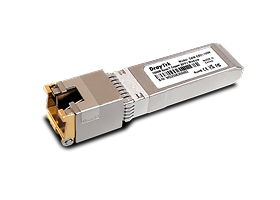
Resources
Firmware
Vigor2962 Firmware Version 4.4.6.3 (Mainline)
Vigor2962 Firmware Version 4.4.5.3 (Stable)
Vigor2962 Firmware Version 4.4.6.3 (Mainline) Release Note
Vigor2962 Firmware Version 4.4.5.3 (Stable) Release Note