
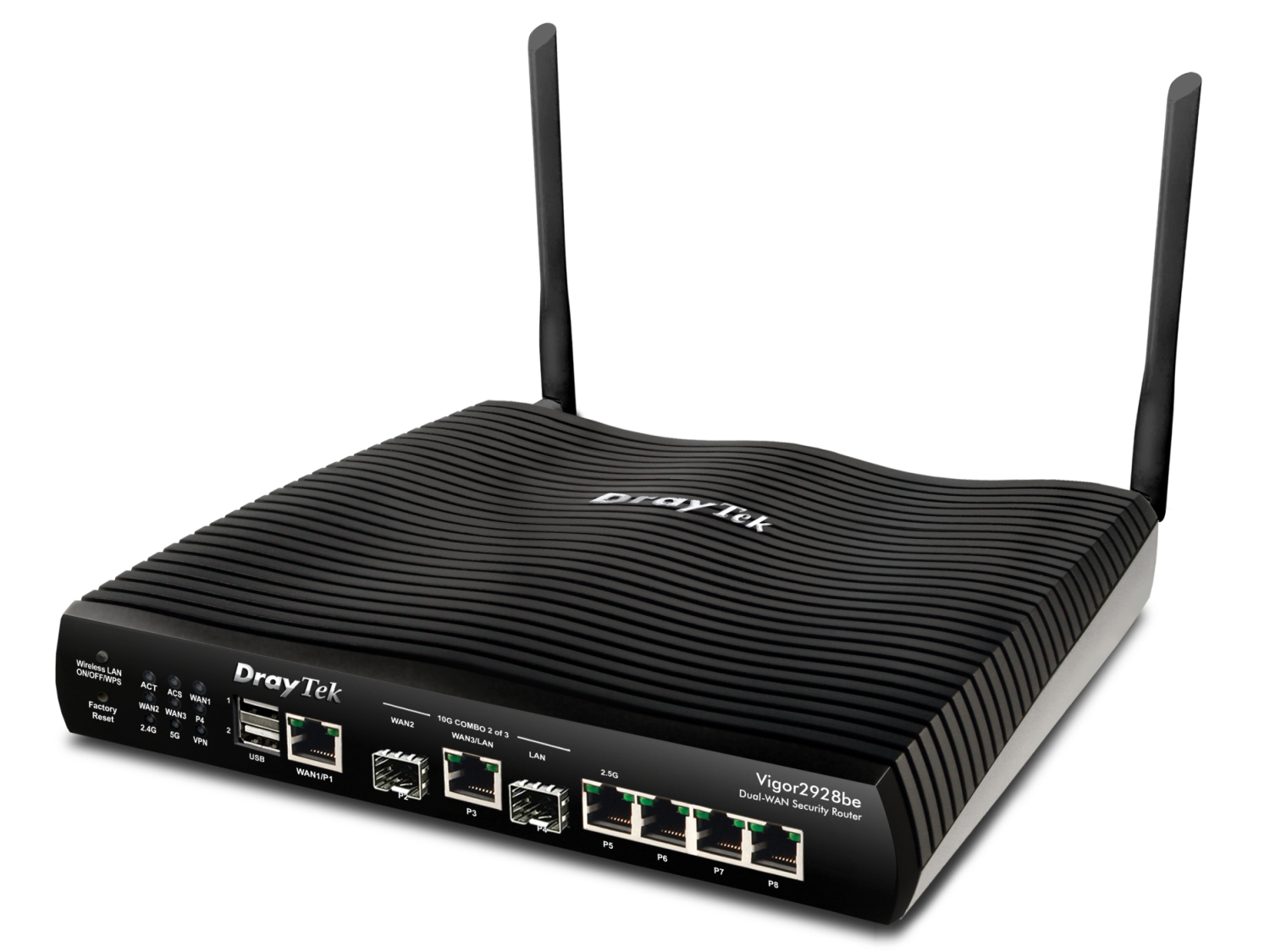
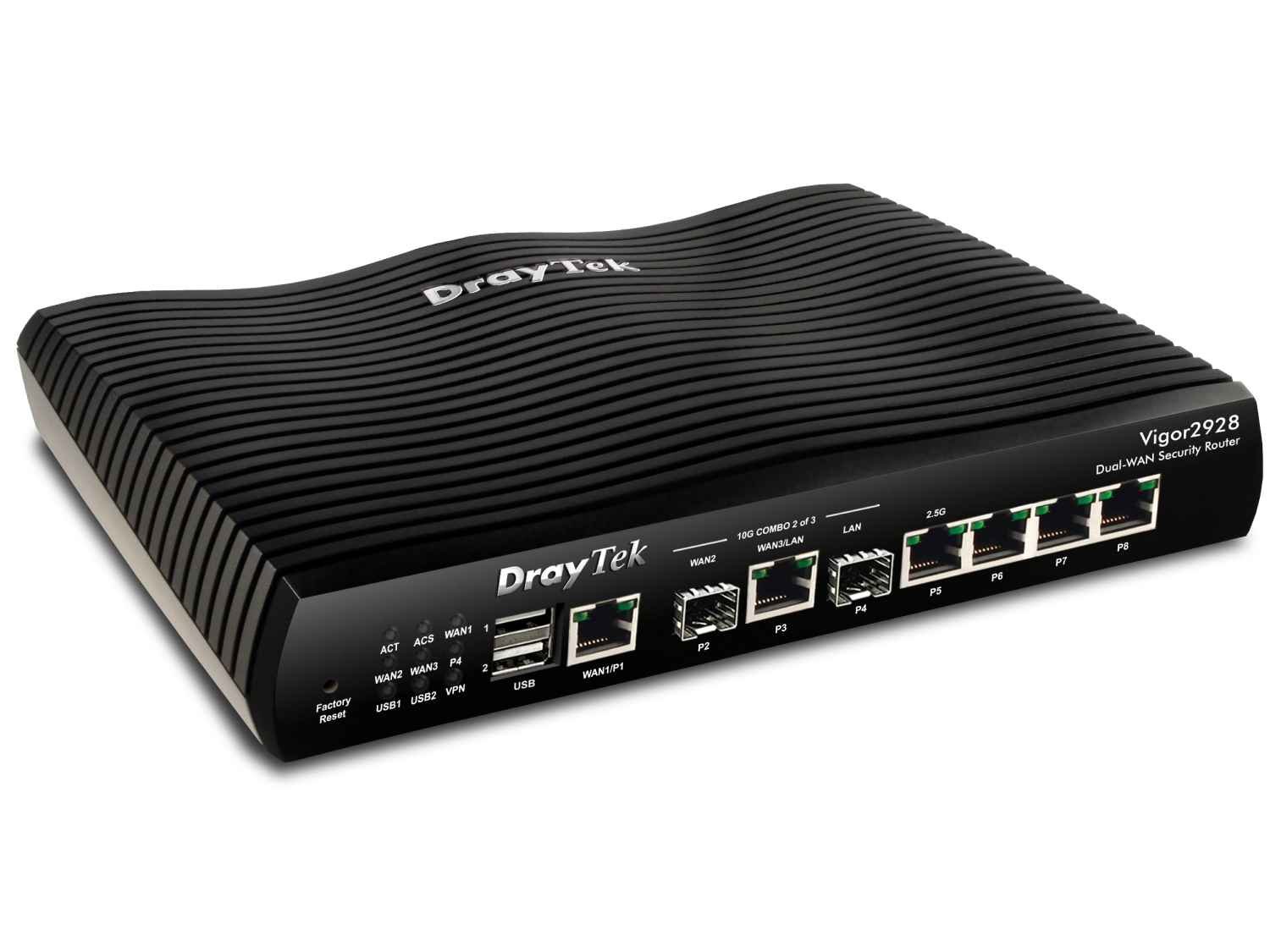
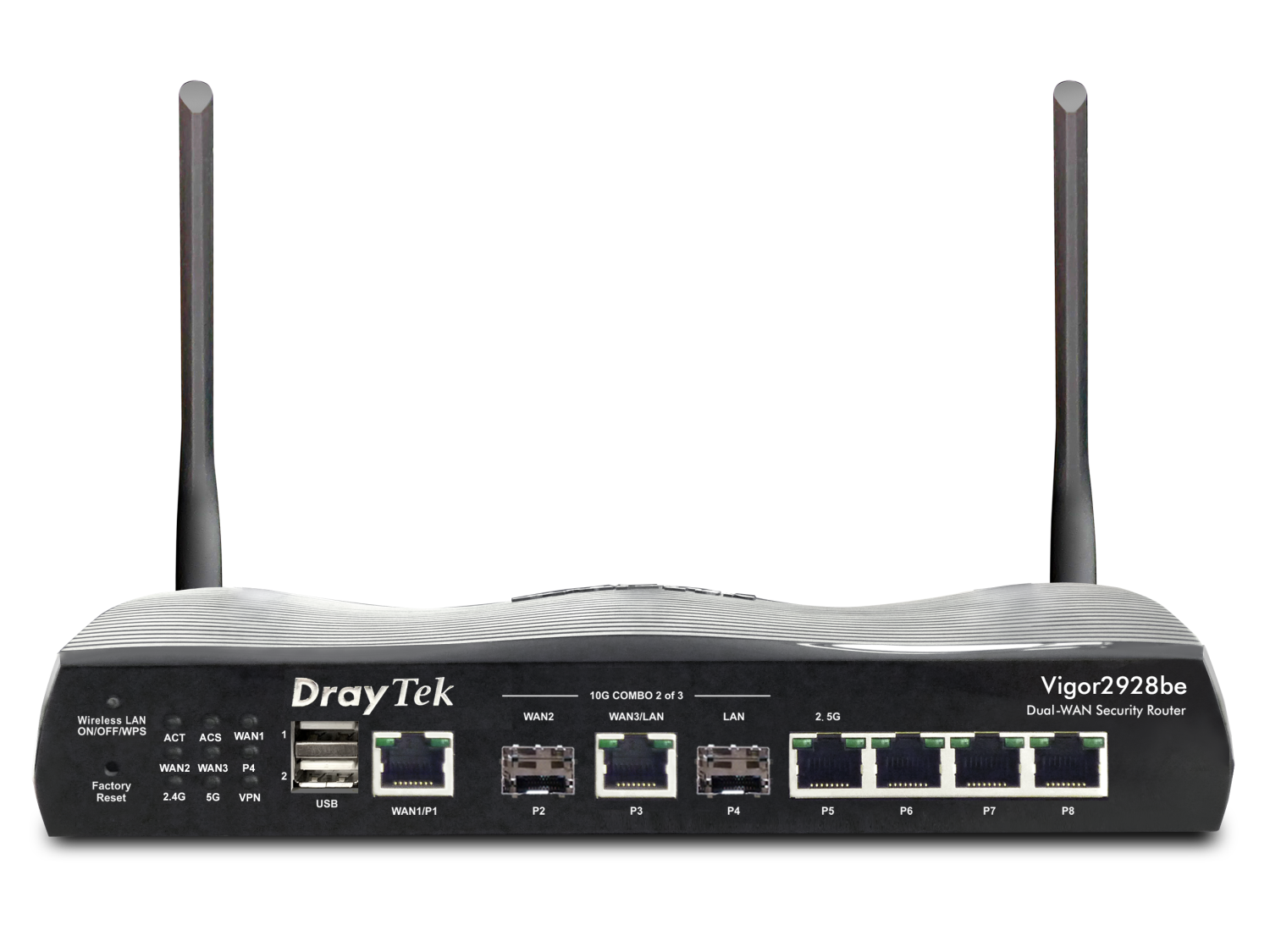
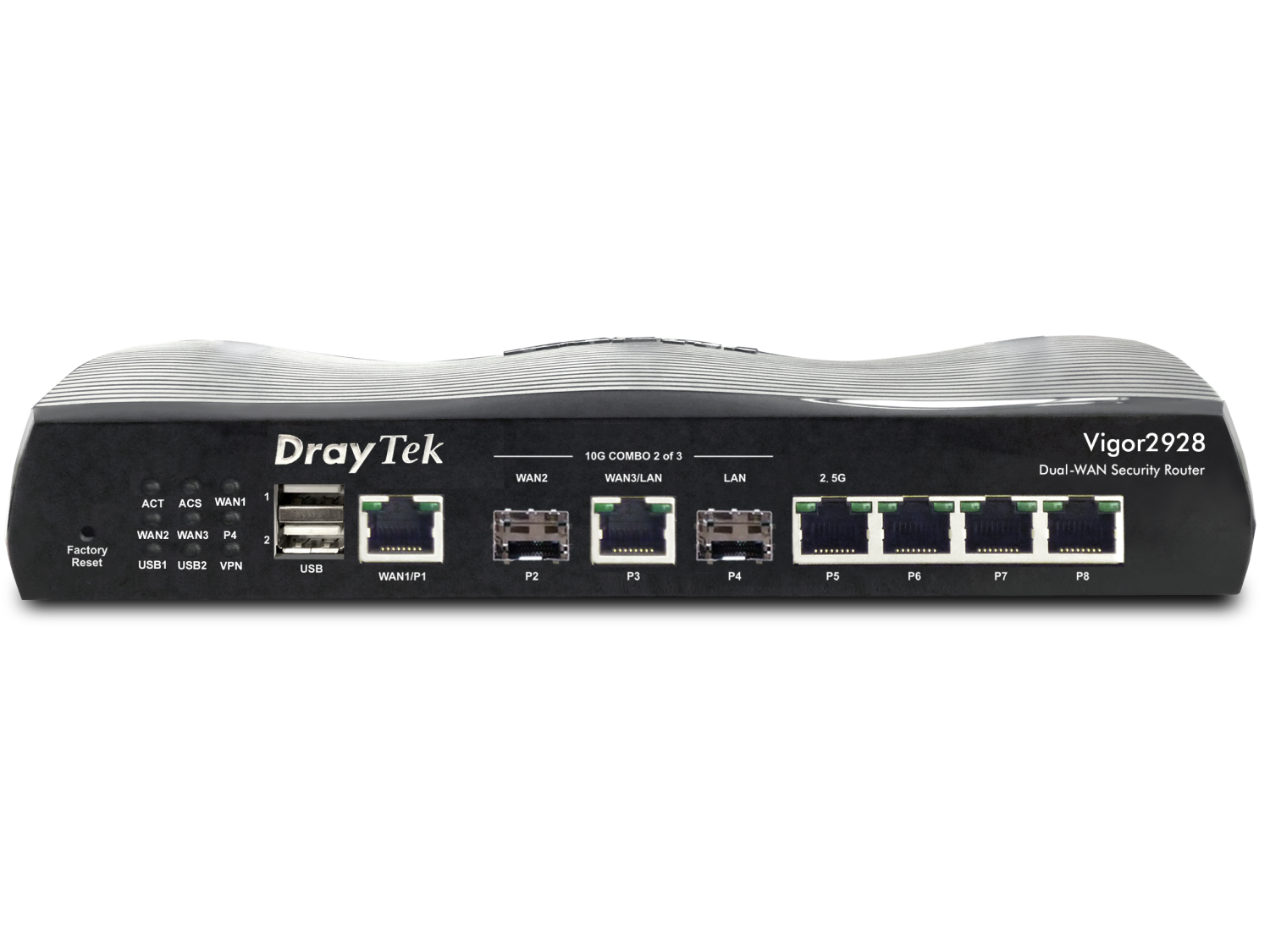
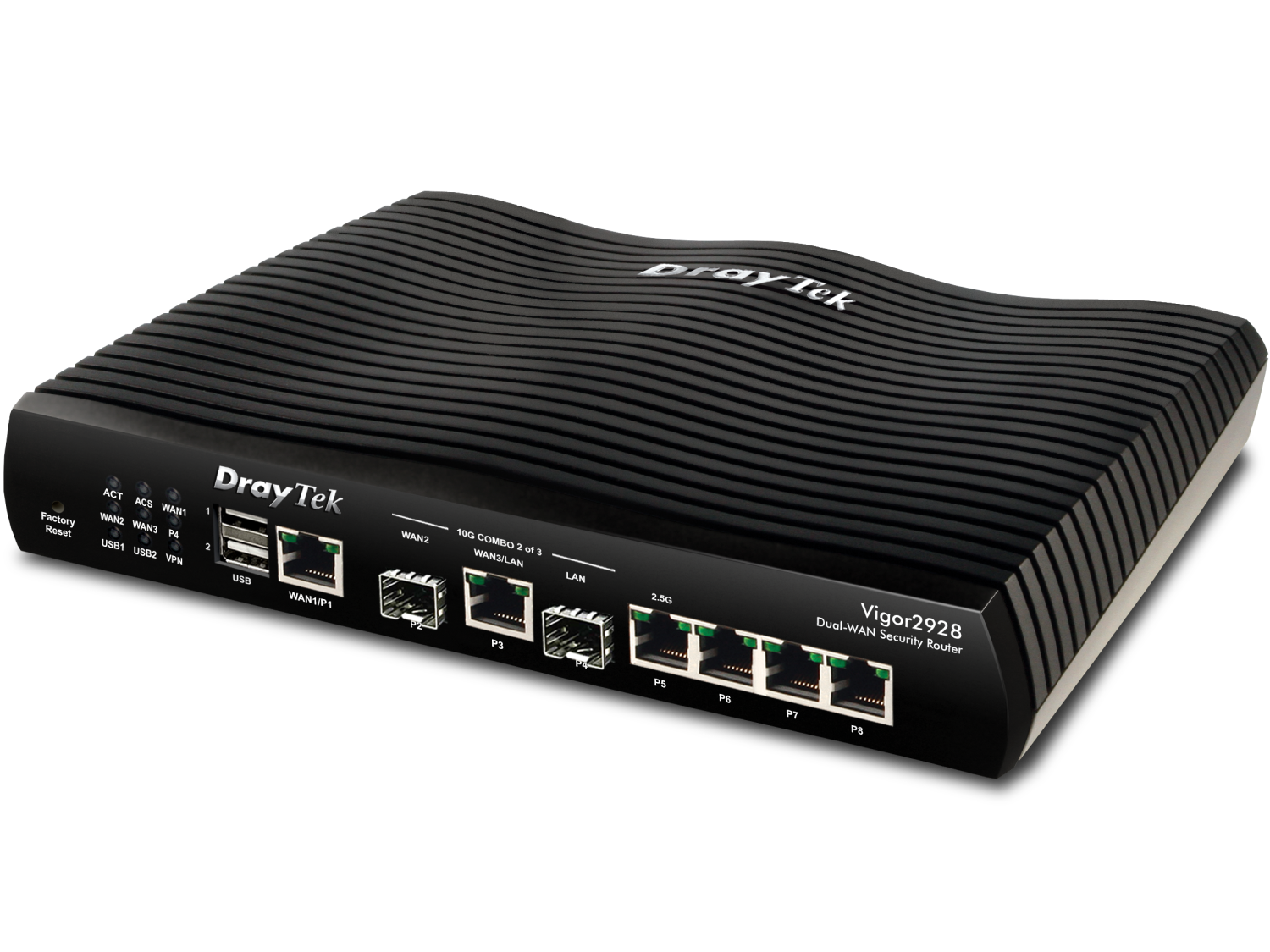
10G Multi-WAN VPN Security Router
The Vigor2928 is a Multi-WAN VPN Security Router featuring three 10G interfaces for Ethernet and fiber connectivity. Built for Multi-Gig and Wi-Fi 7(IEEE 802.11be) networks, it delivers high-performance networking, advanced VPN capabilities, and centralized management through Virtual Controller. Its 10G architecture enables the key benefits of Wi-Fi 7, including higher throughput, lower latency, and improved connectivity for more devices.
With support for DrayTek VigorShield services, including URL/IP Reputation and Threat Protection, the Vigor2928 leverages continuously updated cloud threat intelligence to help defend against evolving cyber threats, providing a future-ready platform for modern business networks.
Overview

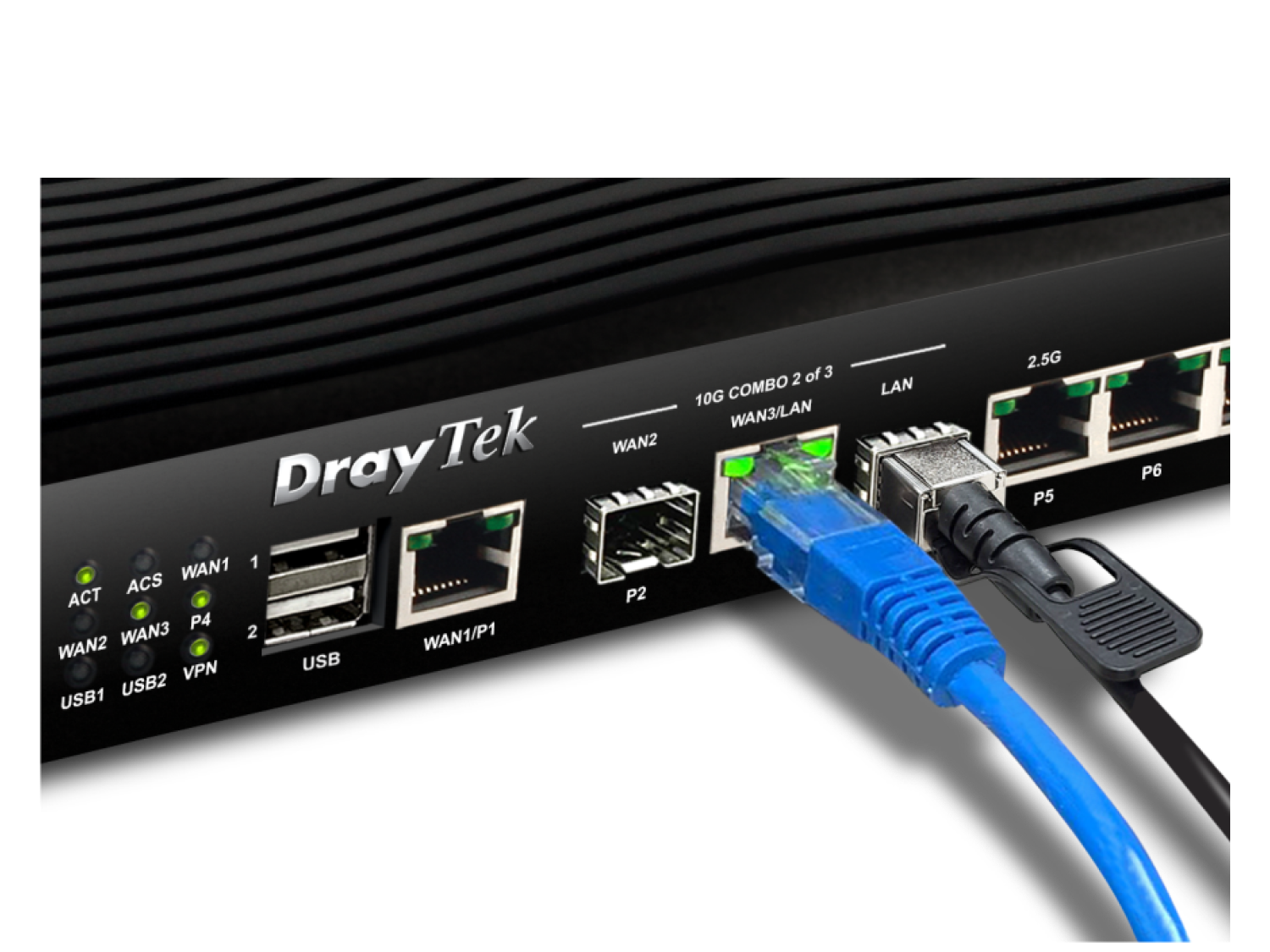
10GbE WAN/LAN Switchable
10M/100M/1G/2.5G/10G Ethernet, RJ-45
10G SFP+
1G/10G SFP Slot
50 VPN
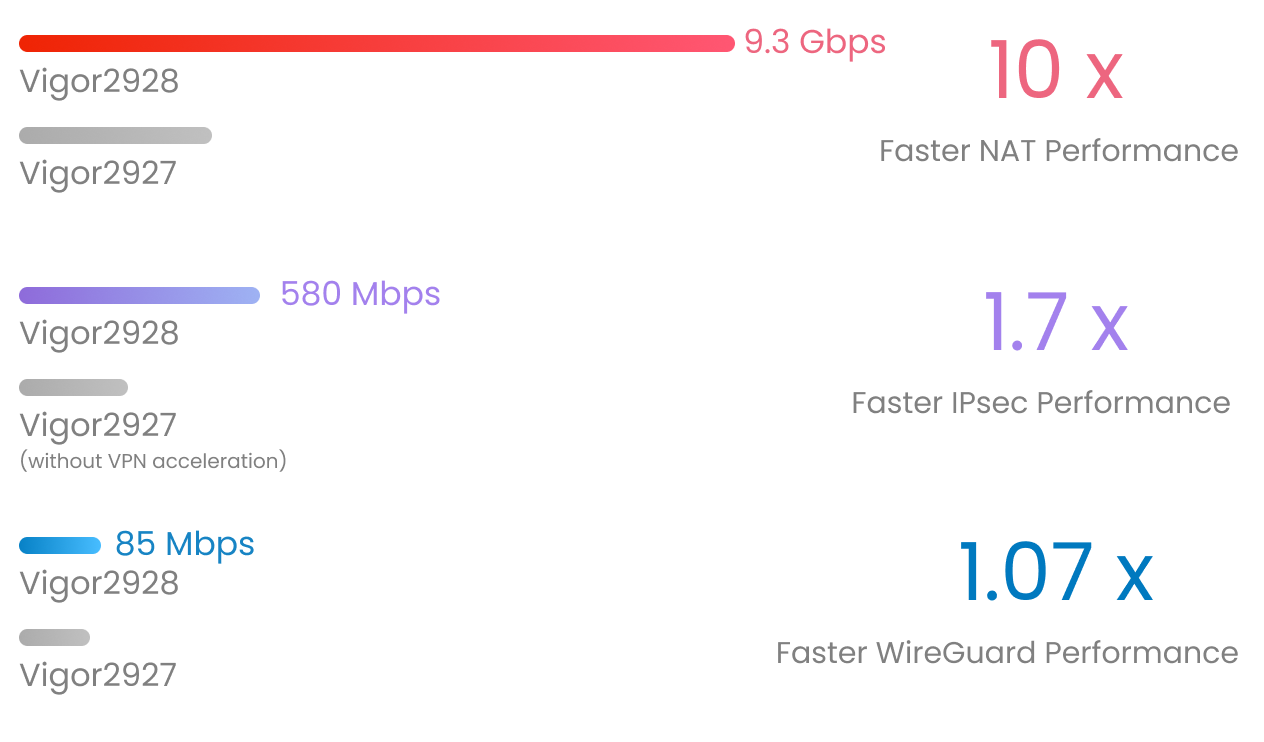
IPsec throughput up to 580 Mbps
100k Sessions
Recommended for a network of 50 hosts
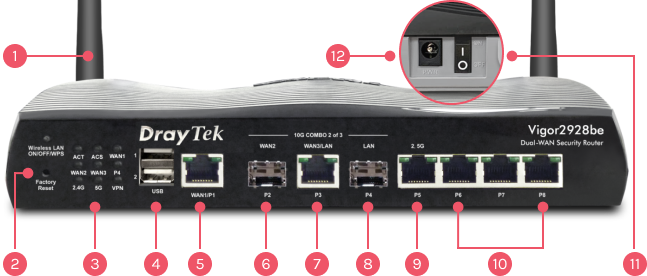
(be model)
12x Wi-Fi Antenna (External)
4x Wi-Fi Antenna (Internal)
2Reset Button
3LED Indicator
42x USB 2.0
5Fixed WAN Port: 1x GbE RJ-45
6Fixed WAN Port: 1x 10GbE SFP+*
7WAN/LAN Switchable Port: 1x 10GbE RJ-45*
8Fixed LAN Port: 1x 10G SFP+*
9LAN/WAN Switchable Port: 1x 2.5GbE RJ-45
10Fixed LAN Port: 3x GbE RJ-45
11Power On/Off Switch
12Power Input
*Only two of these ports can be active at the same time, and P2 & P3 cannot both act as WAN
10 Gigabit Multi-WAN VPN Firewall Router
10G for Next-Gen Connectivity
The Vigor2928 Series is a Multi-WAN VPN router with high-speed 10G connectivity through three versatile interfaces. It features VPN, QoS, route policy, web content filtering, a hotspot web portal, and more.
The series includes a model with built-in 802.11be that offers Wi-Fi 7 features such as Multi-Link Operation (MLO) and Multiple Resource Units (MRU). It is ideal for companies that need high-performance 10G connectivity and an efficient network.
Multiple 10G WAN Load Balancing
WAN Load Balancing
The Vigor2928 Series delivers high throughput with load balancing, making it ideal for fiber and 10 Gigabit internet. All active WAN interfaces join the Load Balance Pool to make the best use of available bandwidth.
Seamless Failover
Automatic WAN failover keeps your internet connection running during ISP outages, minimizing downtime and the costs that come with it.
Policy-Based Routing
Routing policies let you assign specific WAN interfaces to applications, VoIP, or traffic based on source or destination, improving network efficiency and performance.
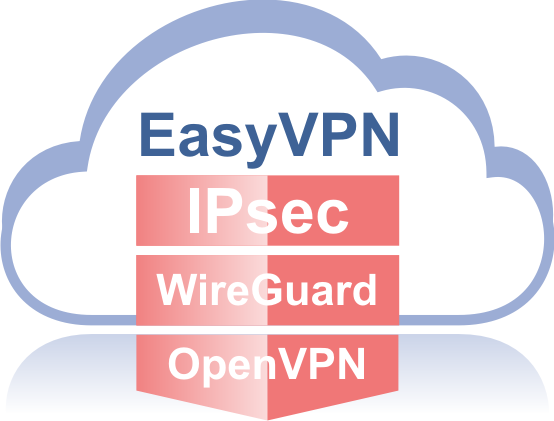
Effortless Secure Access with EasyVPN
Setting up a traditional VPN can be complicated, with protocols to choose and settings to configure by hand. The Vigor2928 Series supports IPsec, WireGuard, and OpenVPN, and EasyVPN simplifies Teleworker VPN: remote users get secure access just by importing a profile.
EasyVPN lets users set up secure connections without the hassle of:
- Generating WireGuard keys
- Importing OpenVPN configuration files
- Uploading certificates
Because EasyVPN automates these steps, every user gets a fast, secure, and easy VPN experience.
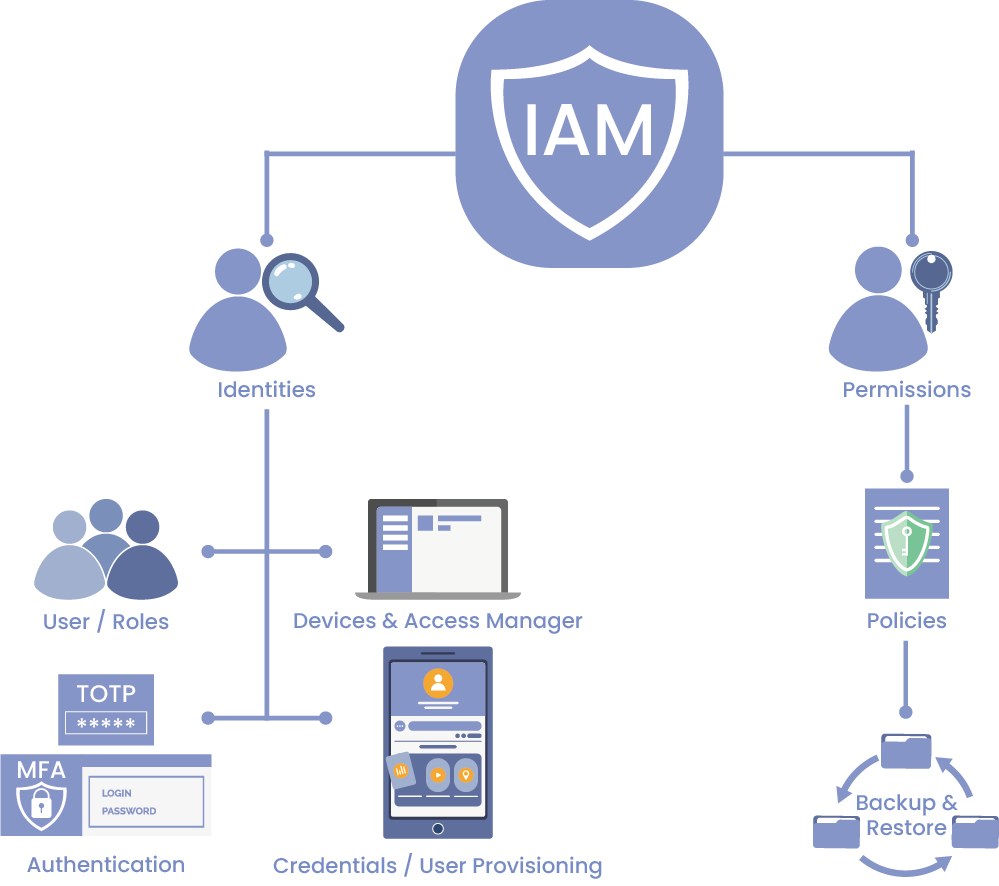
Identity and Access Management (IAM)
The Vigor2928 Series, running the new DrayOS 5, is Zero Trust ready.
Precise Device Authentication
Each device’s unique IP and MAC address provides a solid basis for identification and authentication.
Role-Based Access Control
IAM assigns access permissions based on user roles, so the IT team can manage high-security access by department, authority level, and responsibilities.
Holistic Security
Combining user-, device-, and session-based policies strengthens security without relying on any single factor.
Enhanced Incident Response
When a security incident occurs, you can quickly pinpoint the devices involved and take appropriate action.
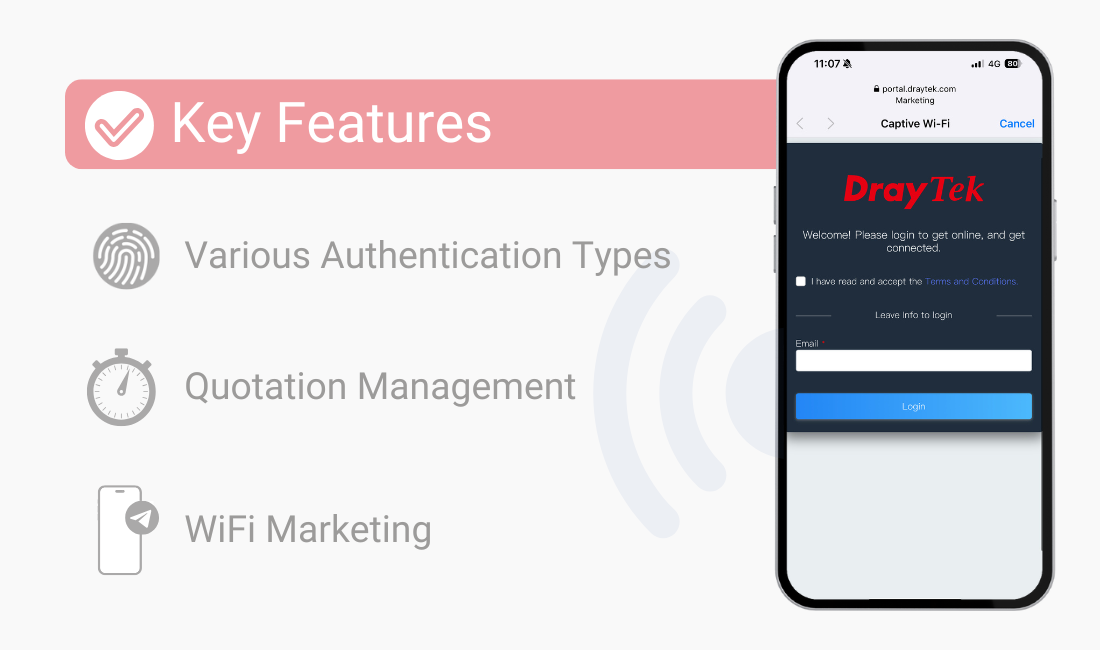
IAM—Hotspot Web Portal
Vigor2928 Series with the new DrayOS 5 is Zero Trust ready!
IAM Integration with Hotspot Web Portal
The Vigor2928 Series running DrayOS 5 provides built-in IAM and advanced security features, so it is ready for Zero Trust deployments.
Various Authentication Types
It supports a variety of login methods to meet business needs, including Click Through, IAM User Login, and external RADIUS authentication.
Adaptive Access Control
Hotspot offers simple but powerful tools, including quota and bandwidth control, per-subnet or per-SSID policies, server bypass options, session timeouts, and MAC binding, giving guests seamless access without disrupting internal services.
WiFi Marketing
Redirect hotspot guests to your company homepage, online surveys, or promotional messages to build brand engagement and customer interaction.
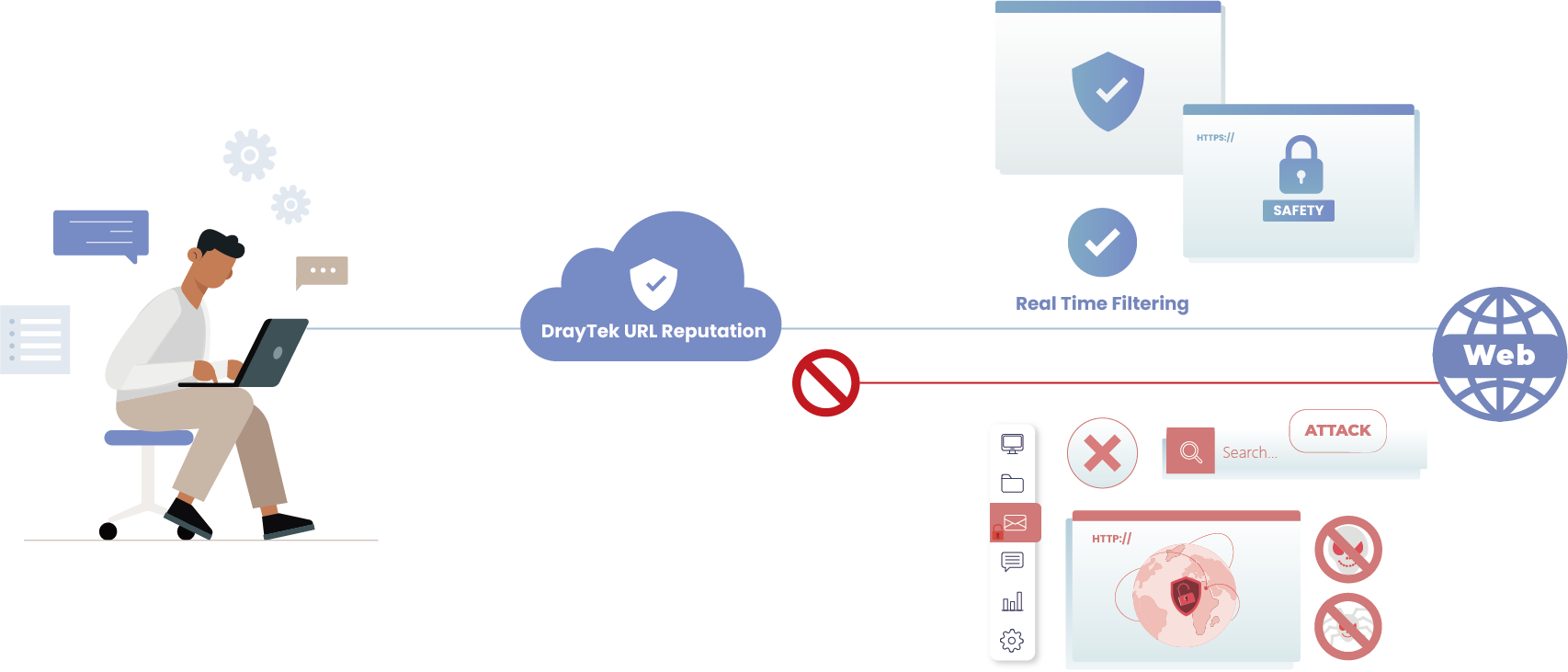
URL Reputation
URL Reputation is a cloud-based Threat Intelligence Service that adds an extra layer of security for LAN clients during their online activities.
It offers 82 categories in total, 10 of them security-focused, to provide comprehensive, up-to-date protection for your home or office network.
The categories span network security (including malware, spyware, and adware), parental controls for child protection, business, social networking, and more. Together they help keep the online environment safe, boost employee productivity, and support efficient bandwidth management.
IP Reputation
Every internet communication involves two IP addresses: a source and a destination. Cybercriminals often use known malicious IP addresses to launch attacks with techniques such as:
- Botnets
- TOR nodes and anonymous proxies
- Command-and-control (C2) servers
- Phishing servers
- DDoS attacks
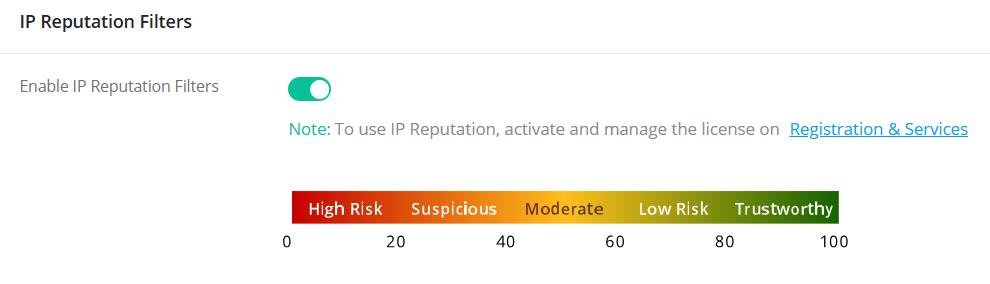
Blocking communication with these harmful IPs is essential, but it takes dynamic, predictive intelligence—something static blocklists can’t provide. The IP Reputation Service solves this by scoring and classifying IP addresses in real time, so it can automatically block:
- High-risk traffic
- Suspicious proxies
- Malware distributors
- IPs linked to recent malicious behavior
The system evaluates each IP against multiple criteria, including infection history, protocol usage, and attack frequency. Each IP receives a reputation score that determines whether it is trusted, monitored, or blocked outright.
Threat Protection Guardian AI-assisted Firewall
Up to 200 LAN Devices • Multi-Layer Defense • Cloud-Enhanced Security
Unified Protection
Router Protection
- Anti-DoS/DDoS, Port Scan Blocker, Brute Force Defense, IP/URL Reputation
Network Protection
- Device fingerprinting, anomaly detection, auto-quarantine of risky devices
IoT / Unmanaged Device Security
- DPI virtual hot patching, exploit prevention, command injection blocking
Web Protection
- Safe Browsing, Category Filtering, Service Filtering, user-assigned policy
Cloud-Driven Intelligence
- Real-time threat analytics
- Updated malicious IP/URL lists
- Centralized reports & event visibility
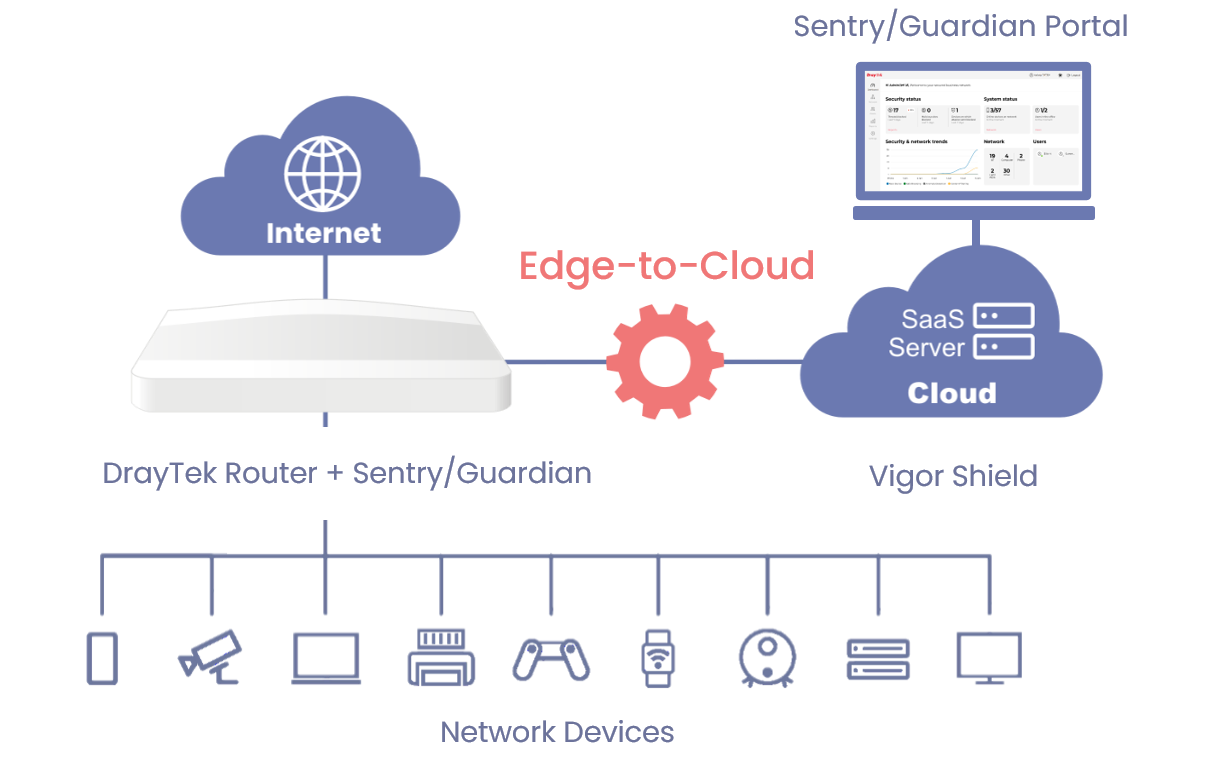
*Note: URL/IP Reputation and Threat Protection cannot be enabled at the same time; each router can run only one of these services.
Wi-Fi 7 Capacity
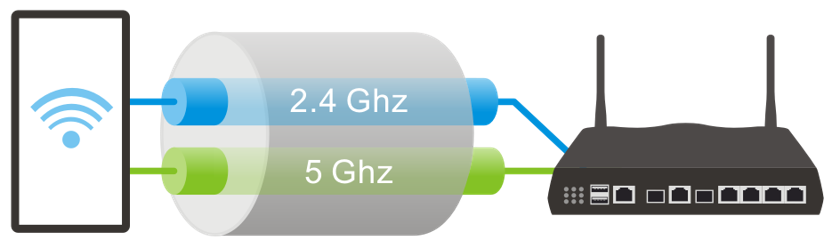
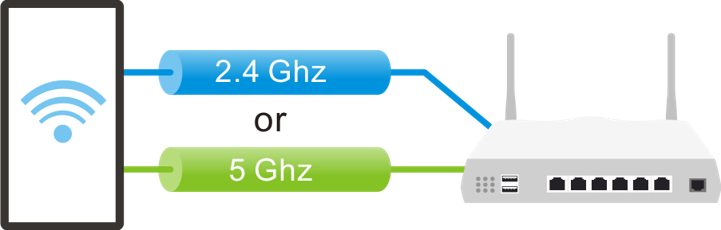
Wi-Fi 7 with advanced Multi-Link Operation (MLO) lets devices use the 2.4 GHz, 5 GHz, and 6 GHz bands simultaneously, unlike traditional Wi-Fi, which can transmit data on only one band at a time. The result is faster speeds, lower latency, and more reliable connections.
By improving speed and reliability and reducing latency, MLO greatly benefits business applications such as video conferencing, large file transfers, and business-critical platforms, because it reduces congestion and keeps connections more stable.
Wi-Fi 7
Wi-Fi 6
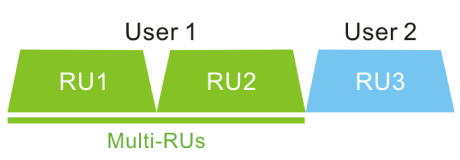
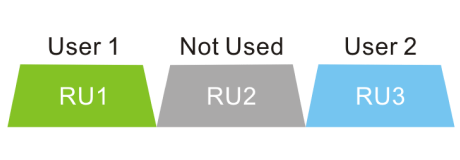
Multiple Resource Units (MRU) enhances the OFDMA technology first introduced in Wi-Fi 6. In Wi-Fi 6, each client is limited to a single Resource Unit (RU), which can leave parts of the channel bandwidth unused. Wi-Fi 7 MRU removes this restriction by letting clients use multiple RUs at once, for more efficient use of the spectrum. With more of the available spectrum in active use, overall throughput rises and latency drops.
Wi-Fi 7
Wi-Fi 6
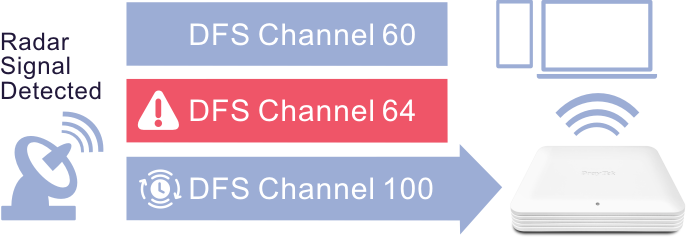
Zero-Wait DFS lets a Wi-Fi router monitor DFS channels for radar signals without interrupting service. The router has a dedicated 5G antenna for Zero-Wait DFS, so it can detect radar independently while maintaining active communication. When it detects radar interference, the router can quickly switch to a standby block that has already passed the CAC.
In the example below, the wireless device operates on an 80 MHz block (Channels 52, 56, 60, 64). When radar is detected on Channel 64, DFS rules require the device to vacate the entire block. With Zero-Wait DFS, a standby block (Channels 100, 104, 108, 112) is already prepared, so the router can switch instantly and keep service running smoothly.
Stealth Security Protection with Port Knocking
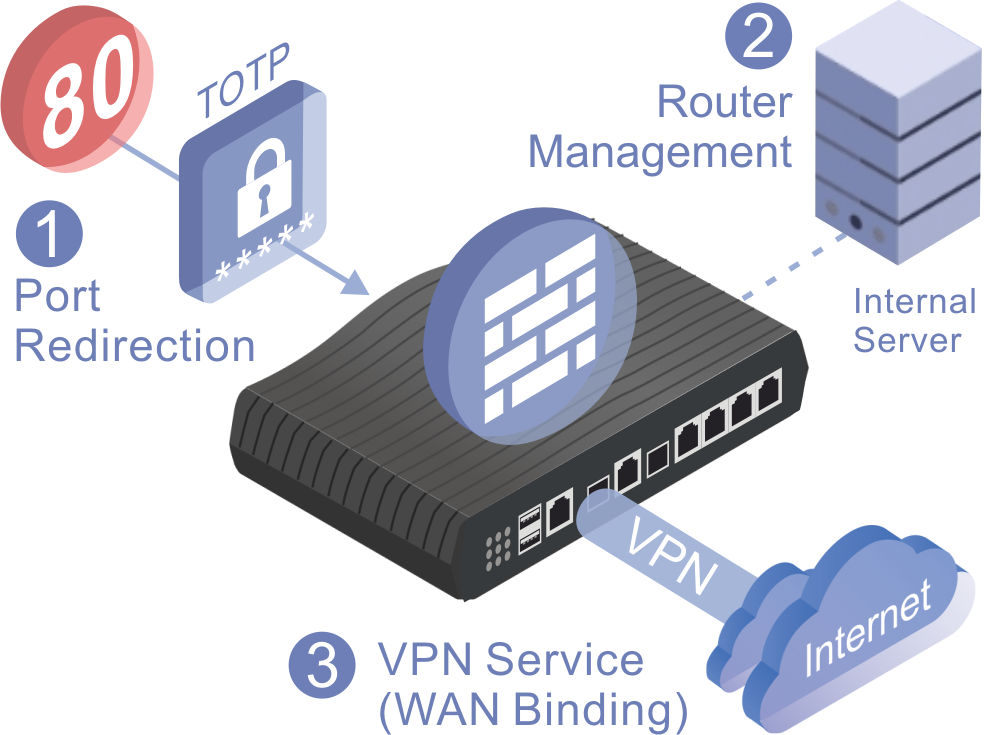
DrayTek’s Port Knocking technology adds an advanced stealth layer of security by hiding critical network services from unauthorized users. Instead of exposing management ports or VPN services to the public internet, Port Knocking requires a predefined “knock” sequence before it grants access, so only trusted users can find and use these services.
Port Knocking combines three key functions to deliver strong protection against port scanning, brute-force attacks, and unauthorized access.
Port Redirection
- Hide your real service ports from the public internet.
- Redirect unauthorized requests to non-existent services, preventing detection.
Router Management Access
- Allow router management only through a secure internal server or after successful knocking.
- Eliminate exposure of the management interface to the open internet.
VPN Service Control (WAN Binding)
- Keep VPN services invisible and inaccessible until the correct knock sequence is received.
- Bind VPN availability to specific WAN interfaces and authorized IP addresses.
How It Works
- In normal state, all targeted ports remain closed and undetectable.
- After the correct knock sequence, selected ports open temporarily for authorized access.
- Once the time window expires, services return to hidden mode automatically.
With DrayTek Port Knocking, your network runs in stealth mode: invisible to attackers, yet instantly available to authorized administrators and remote users. That makes it an ideal solution for organizations that need high security without giving up accessibility.
Management Solution
Virtual Controller
On-Device Network Management with DrayTek Virtual Controller
DrayTek’s Virtual Controller is a management platform built into supported routers and firewalls. It provides centralized control without depending on the cloud, which reduces data exposure risk and improves network privacy.
Wireless Management
- Mesh Controller: Easily build and manage wireless mesh networks, with auto-routing and self-healing capabilities.
- AP Management (APM): Automatically discover, configure, and monitor connected VigorAPs – ideal for deploying multiple APs with unified settings.
Switch Management
- Central Switch Manager (SWM): Detect and manage supported VigorSwitches, push configurations, monitor status, and apply VLAN or QoS settings – all from one local interface.
Unified Mesh & AP Management
Virtual Controller offers two modes for flexible deployment.
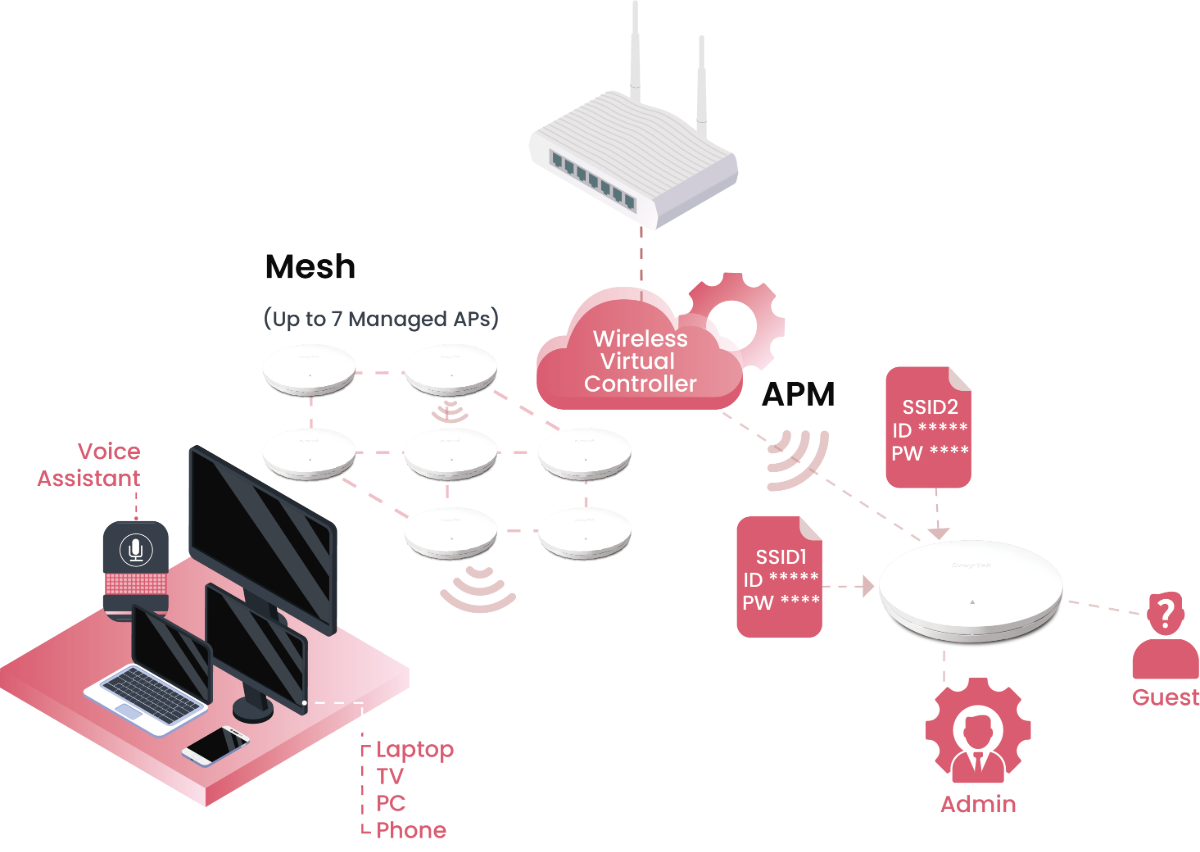
Mesh Mode
Automatically builds a self-healing wireless mesh, with the Vigor2928 Series as the Root AP and up to 7 Node APs, for easy, scalable Wi-Fi coverage.
AP Management Mode
In networks with more than 8 APs, Virtual Controller switches to AP Management mode, so you can centrally control up to 20 APs from the router’s interface.
Seamless Mesh Role Assignment
When devices power on, they discover each other automatically and take on Root or Node AP roles with no manual setup. This automatic role assignment builds a mesh network quickly, with optimized coverage and self-healing capability.
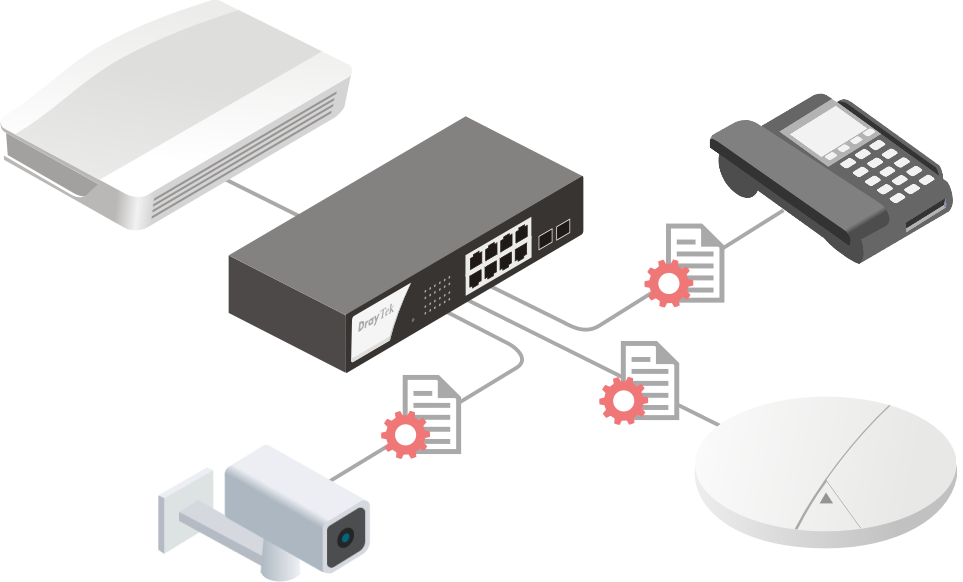
SWM
The Vigor2928 Series can act as the master to manage and monitor up to 10 switches. It also gives you visibility into the PD devices connected behind each switch, such as IP cameras and access points.
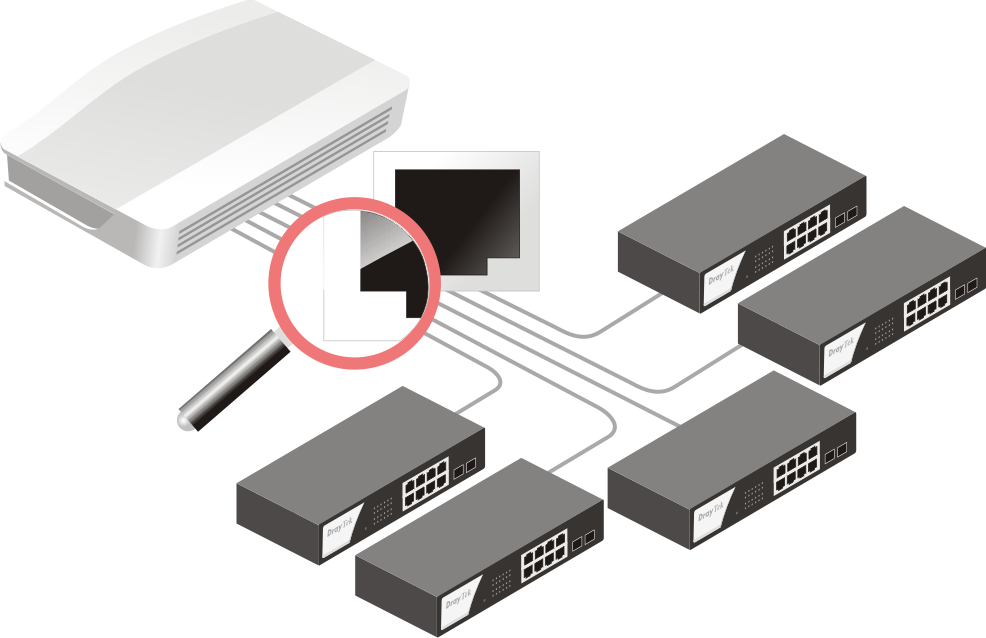
Device Management
Monitor switch status, current firmware version, and uptime for every managed device.
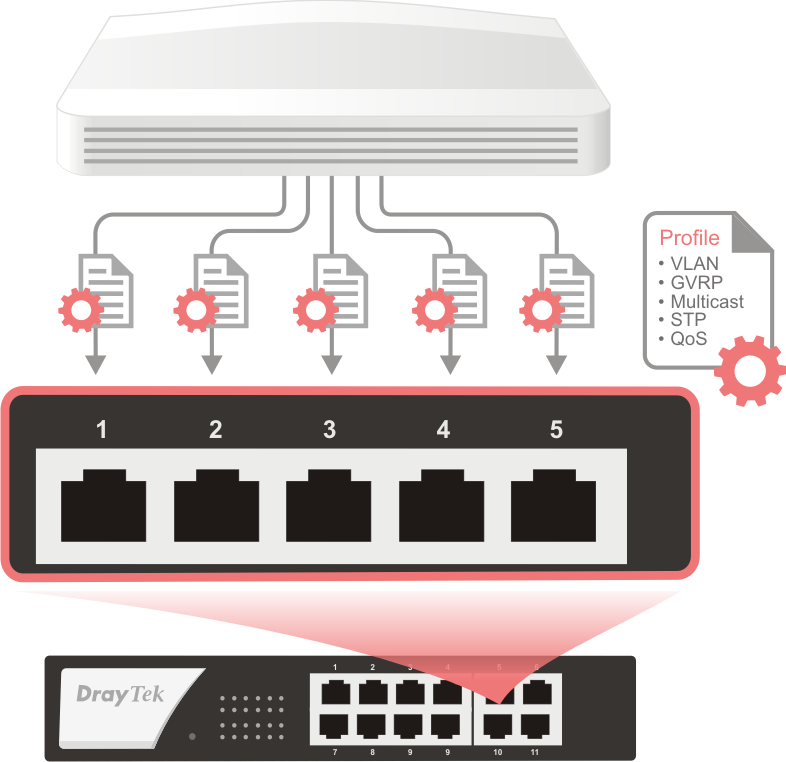
Port Profile
Create multiple port profiles to provision PoE, VLAN, QoS, and other settings on selected switches.
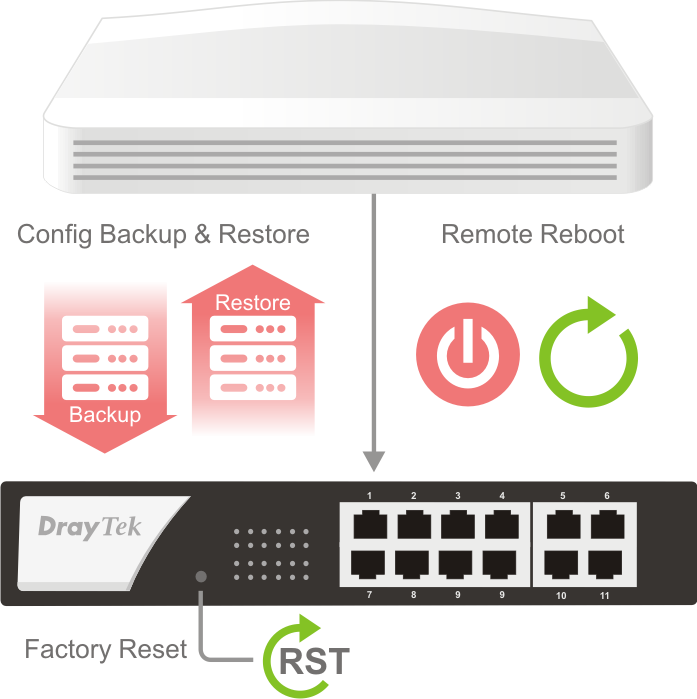
Maintenance
Back up and restore configurations, reboot switches remotely, or reset them to factory defaults.
Flexible 10G SFP+ Connectivity
Extend the Vigor2928 Series 10G SFP+ WAN with flexible connectivity options for both short- and long-distance deployments.
From equipment racks to campuses, factories, and large venues, choose the right 10G connection for each deployment.
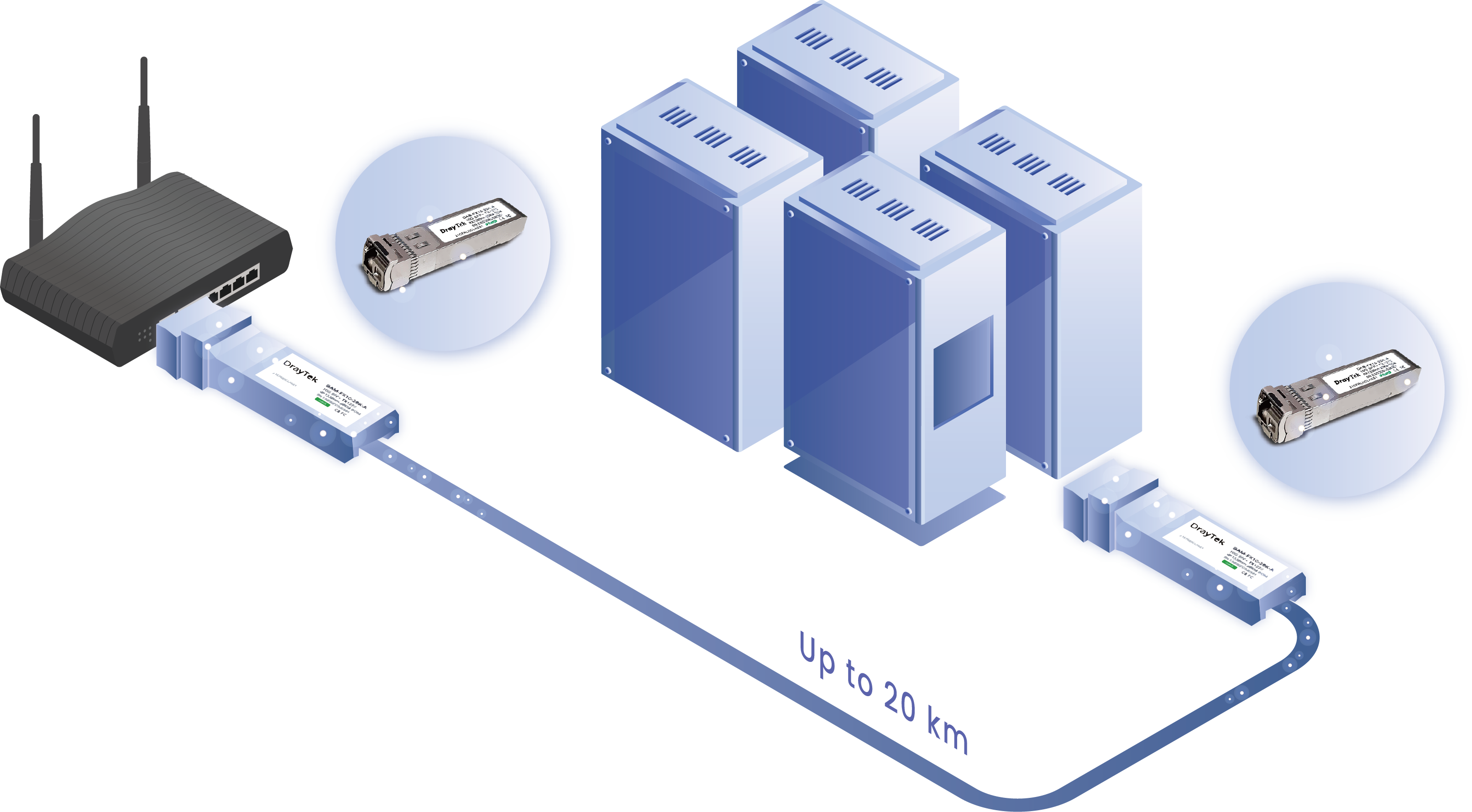
Long-Distance Fiber
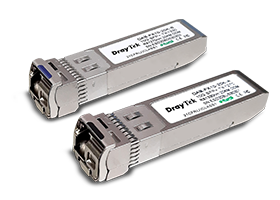
Pair it with the DAM-FX10-20K Series SFP+ Module to extend 10G Ethernet over single-mode fiber for up to 20 km.
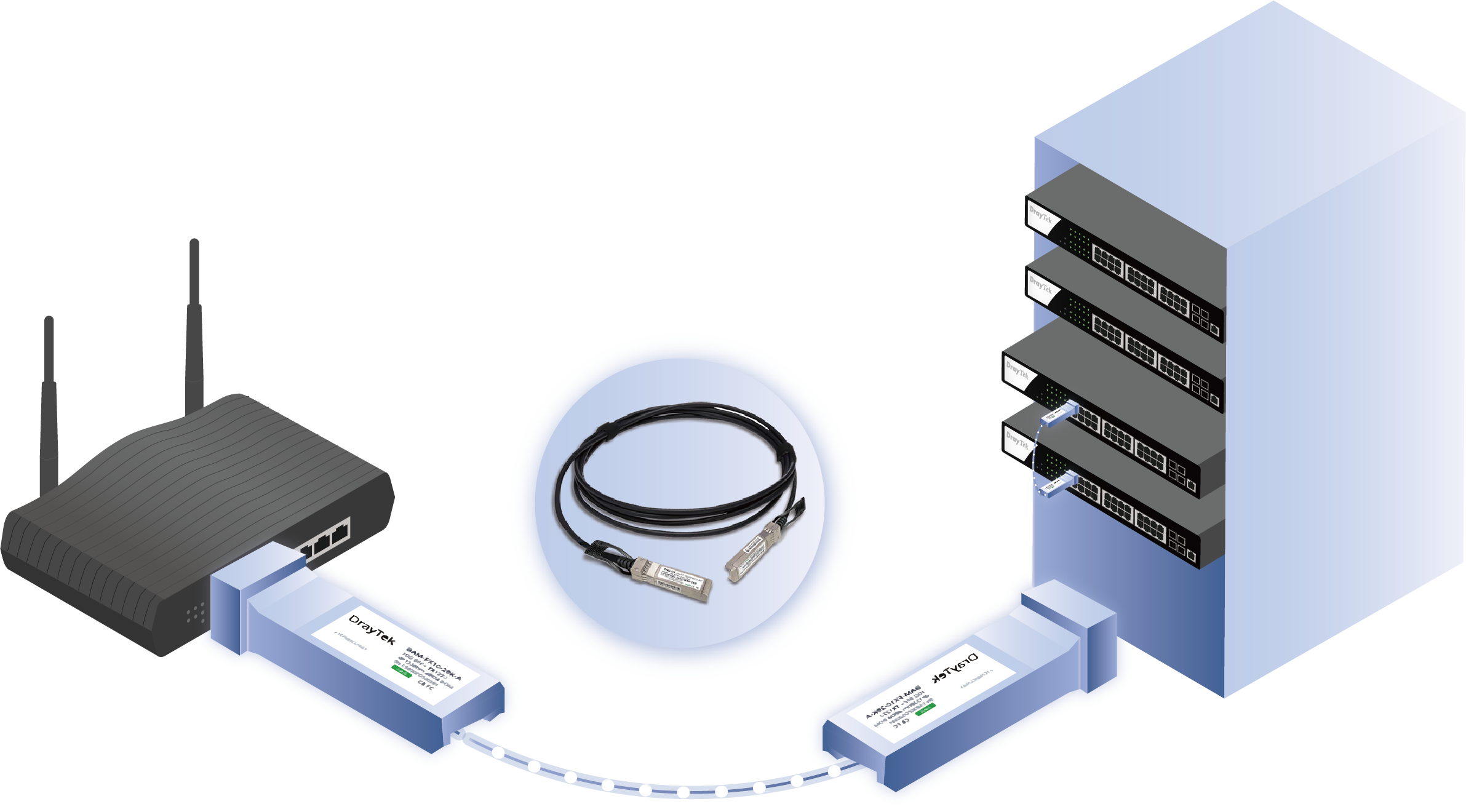
Short-Distance DAC
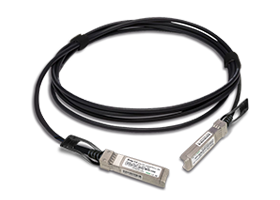
Use the DAC-CX10 DAC Cable to connect directly to a VigorSwitch PX2060 or VigorSwitch PQ2300xb for short-distance 10G links within or between equipment racks.
Software Management
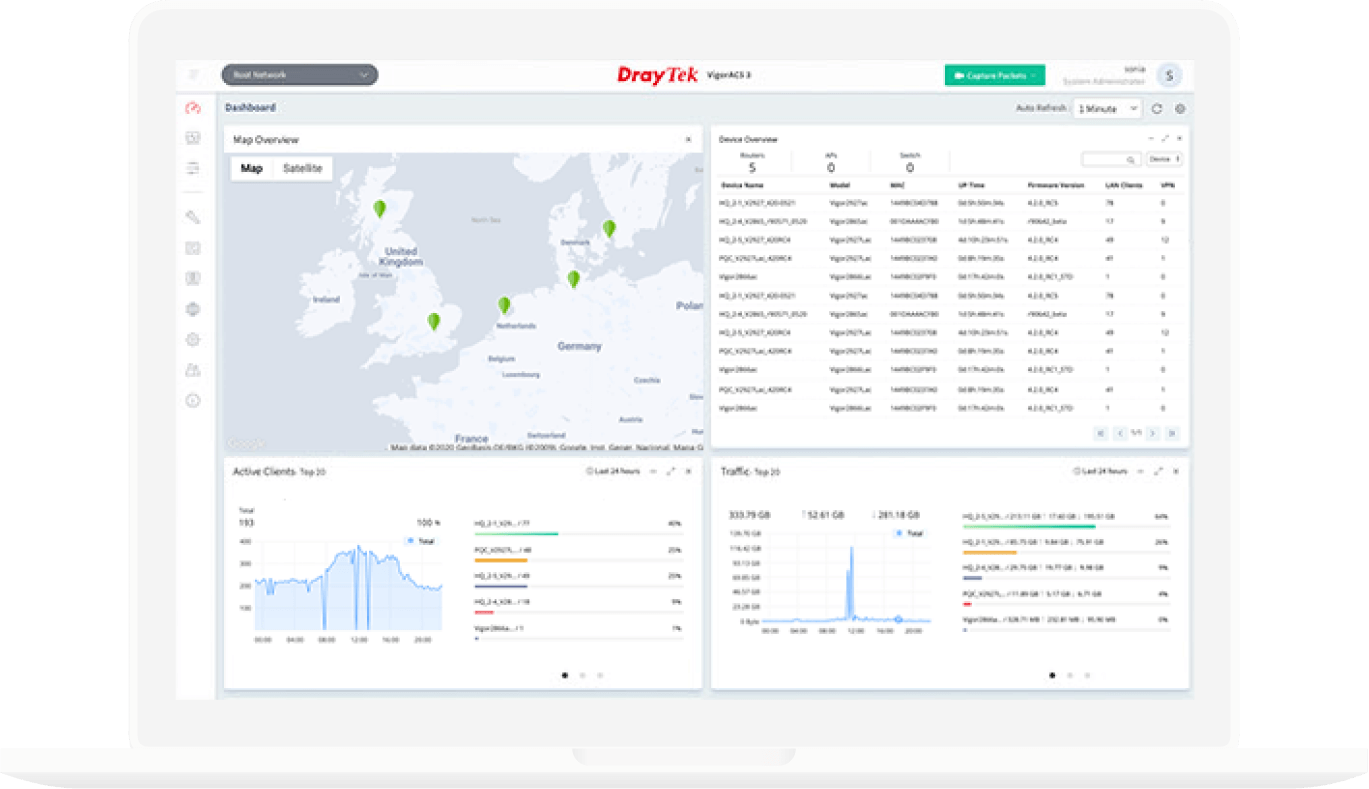
VigorACS 3
- Zero Touch Deployment & Provisioning
- Auto VPN
- Interface Quality & SLA
- VoIP Optimization & Monitoring
- Application Visibility
- Application Based SD-WAN Policy
*Click here to check the support model list. - Customized Hotspot Page with Multilingual
- Hotspot Clients Analytics
- ACS Server Load Balancing / Failover
In the Box
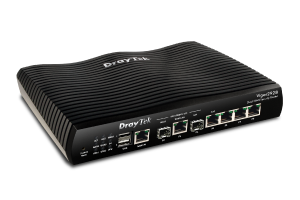 Vigor2928 Series
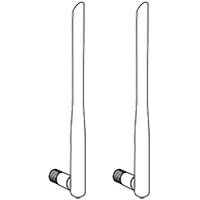 Antenna x 2
(be model)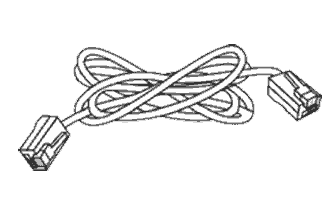 RJ-45 Cable (Ethernet)
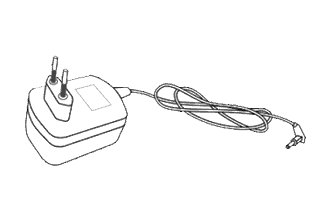 Power Adapter
 Quick Start Guide
Note: Stated throughput figures are maximums from DrayTek internal testing under optimal conditions, with Hardware Acceleration enabled where available. Actual performance may vary depending on network conditions and the applications in use.
Wireless
Unified Mesh & AP Management
Virtual Controller offers two modes for flexible deployment.
Mesh Mode
Automatically builds a self-healing wireless mesh, with the Vigor2928 Series as the Root AP and up to 7 Node APs, for easy, scalable Wi-Fi coverage.
AP Management Mode
In networks with more than 8 APs, Virtual Controller switches to AP Management mode, so you can centrally control up to 20 APs from the router’s interface.
Seamless Mesh Role Assignment
When devices power on, they discover each other automatically and take on Root or Node AP roles with no manual setup. This automatic role assignment builds a mesh network quickly, with optimized coverage and self-healing capability.
Switch
SWM
The Vigor2928 Series can act as the master to manage and monitor up to 10 switches. It also gives you visibility into the PD devices connected behind each switch, such as IP cameras and access points.
Device Management
Monitor switch status, current firmware version, and uptime for every managed device.
Port Profile
Create multiple port profiles to provision PoE, VLAN, QoS, and other settings on selected switches.
Maintenance
Back up and restore configurations, reboot switches remotely, or reset them to factory defaults.
Models
| Model | 2.4GHz WLAN |
5GHz WLAN |
Wireless Antenna | Wireless Mode | Max. Link Rate | Max. Bandwidth | Wireless WAN | Mesh |
| Vigor2928 | – | – | – | – | – | – | – | – |
| Vigor2928be | ✓ | ✓ | External Antenna: 2xDual band Detachable for 2.4GHz+5GHz Internal Antenna: 2xDual band for 2.4GHz & 5GHz 1xInternal for Zero-wait DFS 1xSingle band for 5GHz |
2.4 GHz: 802.11 b/g/n/ax/be 5 GHz: 802.11 a/n/ac/ax/be |
2.4 GHz: 1376 Mbps 5 GHz: 5764 Mbps |
320 MHz | ✓ | ✓ |
Key Features

Wi-Fi 7(be model only)
Features enhanced OFDMA and Multi-Link Operation (MLO) technologies to improve wireless efficiency and performance.

10G SFP+
Supports 10G-capable fiber SFP+ ports for high-speed fiber WAN or LAN connectivity.

10GbE
Provides ultra-fast 10G connectivity to meet the needs of high-demand network.

2.5GbE
Provides higher performance to Wi-Fi 6 AP and other Ethernet devices.

Load Balancing
Maximize throughput and reliability by using multiple Internet connections. Learn more

Bandwidth Management
Prevent one device using all the bandwidth by bandwidth limit policy, session limit policy, and QoS settings.

DrayDDNS
The free DDNS service for you to access the router by a fixed hostname of your choice. Learn more

VPN (Virtual Private Network)
Build a secure and private tunnel from the LAN of Vigor2928 Series to the remote offices and teleworkers over the Internet. Learn more

EasyVPN
Secure VPN in Seconds: No Keys, No Configs, Just Login.

Firewall & Content Filter
Filter web pages by URL keyword or web category to block access to insecure or inappropriate contents.

URL/IP Reputation
Improve network security by classifying URLs and IPs to control web access and protect against online threats. Learn more

Port Knocking
Add a stealth security layer to protect ports from unauthorized access.

IAM
A solution that manages digital identities, authentication, and access control to ensure the right users or groups have appropriate access to critical resources. Learn more

Threat Protection
Detect and mitigate cyber threats with cloud-assisted threat intelligence, helping protect users, devices, and networks from malicious activities. Learn more

Hotspot Web Portal
Market your business and communicate with the guests while offering hospitality WLAN. Learn more

Virtual AP/Switch controller
All-in-one management platform for Vigor2928 Series to maintain and monitor the VigorAPs and VigorSwitches.


Wireless WAN (be model only)
Get Internet access wirelessly from a wireless network, a mobile hotspot, or a personal hotspot set up on smartphones. Learn more
Specs
Specifications
Model |
2928 |
2928be |
Performance |
||
| NAT Session | 100K | 100K |
| Max. NAT (Mbps) | 9300 | 9300 |
WAN |
||
| SFP (10G) | 1 | 1 |
| Ethernet (1 GbE) | 1 | 1 |
| Ethernet (2.5 GbE) | 1 | 1 |
| Ethernet (10 GbE) | 1 | 1 |
|
Ethernet – Switchable
* When this field is filled, the port count above includes both switchable and
fixed ports.
| ✓ (WAN/LAN & LAN/WAN) | ✓ (WAN/LAN & LAN/WAN) |
| Cellular (via USB) | 2 | 2 |
| Wireless WAN (2.4GHz + 5GHz) | ✓ | |
Internet Connection |
||
| IPv4 | PPPoE DHCP Static IP | PPPoE DHCP Static IP |
| IPv6 | PPP DHCPv6 Static IPv6 TSPC 6rd 6in4 Static Tunnel | PPP DHCPv6 Static IPv6 TSPC 6rd 6in4 Static Tunnel |
| 802.1p/q Multi-VLAN Tagging | ✓ | ✓ |
| Failover | ✓ | ✓ |
| Load Balancing | IP-based, Session-based | IP-based, Session-based |
| Connection Detection | ARP, Ping | ARP, Ping |
| WAN Data Budget | ✓ | ✓ |
| Dynamic DNS | ✓ | ✓ |
| DrayDDNS | ✓ | ✓ |
LAN |
||
| Fixed LAN (RJ-45, GbE) | 3 | 3 |
| Fixed LAN (SFP, 10GbE) | 1 | 1 |
| LAN Subnet | 8 | 8 |
| VLAN | 802.1q Tag-based VLAN | 802.1q Tag-based VLAN |
| Max. Number of VLAN | 8 | 8 |
| DHCP Server | Multiple IP Subnet Custom DHCP Options Bind-IP-to-MAC | Multiple IP Subnet Custom DHCP Options Bind-IP-to-MAC |
| Wired 802.1x Authentication | ✓ | ✓ |
| Port Mirroring | ✓ | ✓ |
| Local DNS Server | ✓ | ✓ |
| Conditional DNS Forwarding | ✓ | ✓ |
| Hotspot Web Portal (Profile No.) | 4 | 4 |
| Hotspot Authentication | Click-Through Social Login SMS PIN RADIUS External Portal Server | Click-Through Social Login SMS PIN RADIUS External Portal Server |
WLAN |
||
| 2.4GHz WLAN | 802.11be 4×4 MU-MIMO | |
| 5GHz WLAN | 802.11be 4×4 MU-MIMO | |
| WiFi Antenna (External) | 2 | |
| WiFi Antenna (Internal) | 4 | |
| 2.4GHz Antenna Gain (dBi) | 2.66 | |
| 5GHz Antenna Gain (dBi) | 4.78 | |
| 2.4GHz Max. Link Rate (Mbps) | 1376 | |
| 5GHz Max. Link Rate (Mbps) | 5764 | |
| Max. Number of SSIDs (per band) | 8 (4) | |
| Security Mode | OWE WPA WPA2/WPA WPA2 WPA3/WPA2 WPA3 | |
| Authentication | Pre-Shared Key | |
| Wi-Fi 7 | ✓ | |
| Multi-link Operation (MLO) | ✓ | |
| Zero-wait DFS | ✓ | |
| OFDMA | ✓ | |
| Roaming | Assisted Roaming Pre-Authentication 802.11r 802.11k | |
| WPS | WPS Button, PIN Code | |
| Access Control | Hide SSID WLAN Scheduling | |
| AirTime Fairness | ✓ | |
| Band Steering | ✓ | |
| WMM | ✓ | |
| Mesh (5GHz Only) | Root | |
Other Ports |
||
| USB | 2 | 2 |
| USB Type | 2.0 | 2.0 |
| USB Application | User Management FTP File Sharing Device Status Printer Server Temperature Sensor USB WAN | User Management FTP File Sharing Device Status Printer Server Temperature Sensor USB WAN |
| SMB File Sharing (Requires external storage) | ✓ | ✓ |
Networking |
||
| Routing | IPv4 Static Route IPv6 Static Route Policy Route Inter-VLAN Route RIP v1/v2 BGP OSPF(V2/V3) | IPv4 Static Route IPv6 Static Route Policy Route Inter-VLAN Route RIP v1/v2 BGP OSPF(V2/V3) |
| Policy-based Routing | Protocol IP Address Port | Protocol IP Address Port |
| DNS Security (DNSSEC) | ✓ | ✓ |
| IGMP | IGMP v2/v3 IGMP Proxy IGMP Snooping & Fast Leave | IGMP v2/v3 IGMP Proxy IGMP Snooping & Fast Leave |
| Local RADIUS server | ✓ | ✓ |
Bandwidth Management |
||
| Traffic Shaping Policy | ✓ | ✓ |
| IP-based Bandwidth Limit | ✓ | ✓ |
| IP-based Session Limit | ✓ | ✓ |
| QoS (Quality of Service) | IP Address Port Application | IP Address Port Application |
| APP QoS | ✓ | ✓ |
| Default Policy | ✓ | ✓ |
| VoIP Prioritization | ✓ | ✓ |
NAT |
||
| Port Forwarding | ✓ | ✓ |
| DMZ Host | ✓ | ✓ |
| Port Trigger | ✓ | ✓ |
| ALG (Application Layer Gateway) | SIP, RTSP | SIP, RTSP |
| UPnP | ✓ | ✓ |
Management |
||
| Local Service | HTTP HTTPS Telnet SSH v2 FTP TR-069 | HTTP HTTPS Telnet SSH v2 FTP TR-069 |
| Config Backup/Restore | ✓ | ✓ |
| Firmware Upgrade | WUI, TFTP, TR069 | WUI, TFTP, TR069 |
| Role-based Privilege | ✓ | ✓ |
| Access Control | Access List, Brute Force Protection | Access List, Brute Force Protection |
| Notification Alert | SMS, E-mail | SMS, E-mail |
| SNMP | v1, v2c, v3 | v1, v2c, v3 |
| Syslog | ✓ | ✓ |
| Virtual AP Controller (Device up to) | 20 | 20 |
| Mesh (Number of manageable APs) | 7 | |
| Virtual Switch Controller | 10 | 10 |
| VigorACS Management (Since f/w) | V5.4.0 | V5.4.0 |
Security |
||
| URL/IP Reputation | ✓ | ✓ |
| Threat Protection | ✓ | ✓ |
| Firewall Filter | IP, Content, Traffic | IP, Content, Traffic |
| Port Knocking | ✓ | ✓ |
| Defense Setup | ARP Spoofing, IP Spoofing | ARP Spoofing, IP Spoofing |
| MAC Filtering Profile | ✓ | ✓ |
| IPv6 Address Security | ✓ | ✓ |
IAM |
||
| Users & Groups | ✓ | ✓ |
| Access Policies | ✓ | ✓ |
| Group Policies | ✓ | ✓ |
| Conditional Access Policy | ✓ | ✓ |
| Resources | ✓ | ✓ |
| Account Status | ✓ | ✓ |
| Backup and Restore | ✓ | ✓ |
VPN |
||
| Site-to-Site VPN | ✓ | ✓ |
| Teleworker VPN | ✓ | ✓ |
| EasyVPN | ✓ | ✓ |
| Protocols | IPsec IKEv1/IKEv2 IKEv2-EAP IPsec-XAuth OpenVPN WireGuard | IPsec IKEv1/IKEv2 IKEv2-EAP IPsec-XAuth OpenVPN WireGuard |
| Max. VPN Tunnels | 50 | 50 |
| IPsec VPN Throughput (AES 256 bits) (single-directional) (Mbps) | 540 | 540 |
| WireGuard VPN Throughput (single-directional) (Mbps) | 85 | 85 |
| User Authentication | Local RADIUS TACACS+ TOTP | Local RADIUS TACACS+ TOTP |
| IKE Authentication | Pre-Shared Key, X.509 | Pre-Shared Key, X.509 |
| IPsec Authentication | SHA-1, SHA-256 | SHA-1, SHA-256 |
| Encryption | DES, 3DES, AES | DES, 3DES, AES |
| Translate Local Network(Site-to-Site VPN) | ✓ | ✓ |
| Single-Armed VPN | ✓ | ✓ |
| NAT-Traversal (NAT-T) | ✓ | ✓ |
| VPN Matcher | ✓ | ✓ |
| VPN Connection Status | ✓ | ✓ |
| Backup & Restore | ✓ | ✓ |
Monitoring |
||
| Log Center | ✓ | ✓ |
| WAN | ✓ | ✓ |
| ARP Table | ✓ | ✓ |
| Route Table | ✓ | ✓ |
| DHCP Table | ✓ | ✓ |
| IPv6 TSPC Status | ✓ | ✓ |
| IPv6 Neighbor Table | ✓ | ✓ |
| LLDP Neighbors | ✓ | ✓ |
| DNS Cache Table | ✓ | ✓ |
| Remote DSL Status | ✓ | ✓ |
| SFP Information | ✓ | ✓ |
| PPPoE Pass-Through | ✓ | ✓ |
| Session Table | ✓ | ✓ |
| Running Service | ✓ | ✓ |
Physical |
||
| Power Input | DC 12V @ 1.5A | DC 12V @ 2.8A |
| Max. Power Consumption (watts) | 18 | 33.6 |
| Dimension (mm) | 241 x 165 x 43 | 241 x 210 x 44 |
| Weight (g) | 590.6 | |
| Operating Temperature | 0 to 45°C | 0 to 45°C |
| Storage Temperature | -25 to 70°C | -25 to 70°C |
| Operating Humidity (non-condensing) | 10 to 90% | 10 to 90% |
Note:
- * : Future Support
- The stated throughput performance figures are the maximum derived from DrayTek internal testing, conducted under optimal conditions, with Hardware Acceleration enabled where available. The actual performance may vary based on network conditions and activated applications.
Accessories
Resources
Firmware
Vigor2928 Firmware Version 5.4.4.2
Vigor2928 Firmware Version 5.4.4.2 Release Note